EasyManua.ls Logo

Orion SC242 - User Manual

Orion SC242
12 pages
Print Icon
To Next Page IconTo Next Page
Loading...
INSTRUCTIONS FOR USE
IMPORTANT! PLEASE READ THESE INSTRUCTIONS CAREFULLY.
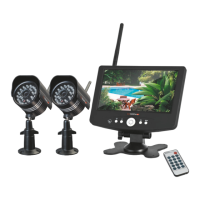
18CM LCD DIGITAL VIDEO RECORDER
WITH TWO DAY/NIGHT CAMERAS
SC242
18cm COLOUR
LCD SCREEN
WITH IN-BUILT DIGITAL
VIDEO RECORDER AND
REMOTE CONTROL
18
cm
WIRELESS
WIRELESS VIDEO SIGNAL
TRANSMISSION WITH
DIGITAL ENCRYPTION
WITHOUT SIGNAL LOSS
WIRELESS
SURVEILLANCE SYSTEM
50 METRES
LONG TRANSMISSION
RANGE UNDER IDEAL
CONDITIONS*
SD CARD
STORE RECORDINGS
ONTO 8GB SD CARD
(INCLUDED)
NIGHT
VISION
24 INFRA-RED LEDs
FOR NIGHT VISION OF
UP TO 10m
W
I
RELESS
WIRELESS VIDEO SIGNAL
TRANSMISSION WITH
GHT CAMERAS
DIGITAL ENCRYPTION
WITHOUT SIGNAL LOSS
TRANSMISSION WITH
QUICK
START
GUIDE
ON BACK COVER

Questions and Answers

  • T
    theresaharmonAug 19, 2025
    How to troubleshoot power issues with my Orion Security System DVR/Camera?
    • J
      Joseph ThompsonAug 19, 2025
      If your Orion Security System DVR/Camera isn't powering up, start by checking all cable connections and the power supply. Also, verify that the socket outlet or power point is providing power.
  • W
    Wendy JonesAug 21, 2025
    What to do if my Orion Security System camera has no picture?
    • X
      xcarlsonAug 21, 2025
      If your Orion Security System is showing no picture, several factors could be at play. The camera might be out of range; if so, relocate it closer to the DVR, or vice versa. Ensure the camera is properly paired. Also, signal interference can be a factor; try moving the camera and DVR away from sources of interference like sun, rain, radio transmitters, heat, metal, or major obstacles. Finally, check that the camera is receiving power and that all cables are properly connected.
  • S
    Shelley BaileyAug 23, 2025
    Why is my SD card not detected by my Orion Security System DVR?
    • A
      Amy CurtisAug 23, 2025
      If your Orion Security System SD card is not detected by the DVR, it might need formatting. Please refer to “Operation Section 6” for instructions on how to format the SD card.
  • D
    David LewisAug 26, 2025
    What to do if my Orion Security System shows a frozen white screen?
    • J
      James GallegosAug 26, 2025
      If your Orion Security System shows a frozen white screen, try disconnecting the power to the DVR and then reconnecting it.
  • K
    Katherine CainAug 28, 2025
    Why is my Orion Security System DVR not recording scheduled or motion detected events?
    • E
      Eddie FoxAug 28, 2025
      If your Orion Security System DVR did not record scheduled or motion detected setting, check the DVR's date and time, and verify the scheduled setting date and time, along with the motion detection setup. Also, ensure that the SD memory card is inserted correctly and is compatible for use.
  • T
    Travis WeberAug 30, 2025
    How to fix poor image quality on my Orion Security System?
    • W
      William MartinezAug 30, 2025
      If your Orion Security System is showing poor image quality, it could be due to signal interference. Try relocating the camera and DVR away from sources of interference such as sun, rain, radio transmitting devices, heat sources, metal objects, or major obstacles. Also, try moving the camera closer to the DVR, or vice versa, and check the antenna connection.
  • T
    Teresa HinesSep 1, 2025
    Why does my Orion Security System screen display white when IR night vision is on?
    • K
      Kimberly LeeSep 2, 2025
      If the screen on your Orion Security System displays only white when IR night vision is activated, it's likely due to infra-red LED light reflecting off glass or reflective objects. Relocate the camera away from windows, reflective and glass objects, or remove any obstacles causing the reflection.
  • D
    Derek BrooksSep 4, 2025
    How to resolve audio interference in my Orion Security System?
    • J
      Julie LinSep 4, 2025
      If you are experiencing audio interference with your Orion Security System, the camera and DVR might be too close to each other. Given that the camera has a high-sensitivity microphone, keep them at least 5 meters apart. If this isn't possible, reduce the volume or turn on MUTE.
  • M
    Mark BrewerSep 6, 2025
    What causes low or unstable signal in my Orion Security System, and how can I fix it?
    • M
      Michael BaldwinSep 6, 2025
      If you are experiencing a low or unstable signal on your Orion Security System, adjust the antenna connection or relocate the camera closer to the DVR (or vice versa). Signal interference could also be the cause, so try moving the camera and DVR away from sun, rain, radio transmitting devices, heat sources, metal objects, or major obstacles.
  • S
    saragrossSep 9, 2025
    What to do if my Orion Security System SD memory card is full?
    • M
      Michael ColeSep 9, 2025
      If your Orion Security System's SD memory card is full, enable the SD memory card overwrite feature. Alternatively, you can reformat the SD memory card or insert a new one.

Summary

1 IDENTIFICATION

2 FEATURES

3 RESPONSIBLE USE

4 WARNING

5 SYSTEM CONNECTION

6 DVR CONTROL PANEL

7 REMOTE CONTROL FUNCTION

8 MENU LAYOUT

9 SYSTEM INSTALLATION

Setup and Test Units

Guide to setting up and testing the surveillance system before permanent installation.

10 OPERATION

Live Display and Signal

How to view live camera feeds, indicators, and signal strength.

Recording Modes

Explains different recording options, SD card usage, and storage limits.

Playback Recorded Video

Steps to play back recorded videos, navigate, and delete files.

Camera Pairing Procedure

Instructions for pairing additional cameras to the DVR system.

SD Card Management

Guidance on formatting and using SD cards for recording.

12 TROUBLESHOOTING GUIDE

13 SPECIFICATIONS

DVR and Camera Details

Technical specifications for the DVR display, wireless input, recording, and camera features.

General and Connector Specs

Details on power, dimensions, operating environment, and connectors.

14 WARRANTY

QUICK START GUIDE

Orion SC242 Specifications

General IconGeneral
BrandOrion
ModelSC242
CategorySecurity System
LanguageEnglish

Related product manuals