EasyManua.ls Logo

Orion SC242 - User Manual

Orion SC242
12 pages
Print Icon
To Next Page IconTo Next Page
Loading...
INSTRUCTIONS FOR USE
IMPORTANT! PLEASE READ THESE INSTRUCTIONS CAREFULLY.
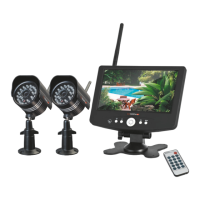
18CM LCD DIGITAL VIDEO RECORDER
WITH TWO DAY/NIGHT CAMERAS
SC242
18cm COLOUR
LCD SCREEN
WITH IN-BUILT DIGITAL
VIDEO RECORDER AND
REMOTE CONTROL
18
cm
WIRELESS
WIRELESS VIDEO SIGNAL
TRANSMISSION WITH
DIGITAL ENCRYPTION
WITHOUT SIGNAL LOSS
WIRELESS
SURVEILLANCE SYSTEM
50 METRES
LONG TRANSMISSION
RANGE UNDER IDEAL
CONDITIONS*
SD CARD
STORE RECORDINGS
ONTO 8GB SD CARD
(INCLUDED)
NIGHT
VISION
24 INFRA-RED LEDs
FOR NIGHT VISION OF
UP TO 10m
W
I
RELESS
WIRELESS VIDEO SIGNAL
TRANSMISSION WITH
GHT CAMERAS
DIGITAL ENCRYPTION
WITHOUT SIGNAL LOSS
TRANSMISSION WITH
QUICK
START
GUIDE
ON BACK COVER

Questions and Answers

  • T
    Terry CortezSep 12, 2025
    Why does my Orion Security System record videos without sound?
    • A
      Angela AvilaSep 12, 2025
      If the recorded videos from your Orion Security System do not have sound, check if mute is turned on and turn it off. Note that audio recording may be prohibited or illegal in some areas, or require consent from all parties. Consult your local legal advisors before enabling audio recording.
  • A
    Ariel WagnerSep 13, 2025
    Why have channels disappeared during scanning on my Orion Security System?
    • W
      williamsjamesSep 13, 2025
      If channels disappeared during an auto or manual scan on your Orion Security System, it's possible that the channels have been turned OFF. Please see “Operation Section 4” to learn how to turn the camera channels back ON.
  • R
    Robin RothSep 15, 2025
    Why does my Orion Security System screen display black and white when IR night vision is activated?
    • T
      Tim GonzalezSep 16, 2025
      If your Orion Security System screen displays only black and white when IR night vision is activated, this is normal, and no action is required.

Summary

1 IDENTIFICATION

2 FEATURES

3 RESPONSIBLE USE

4 WARNING

5 SYSTEM CONNECTION

6 DVR CONTROL PANEL

7 REMOTE CONTROL FUNCTION

8 MENU LAYOUT

9 SYSTEM INSTALLATION

Setup and Test Units

Guide to setting up and testing the surveillance system before permanent installation.

10 OPERATION

Live Display and Signal

How to view live camera feeds, indicators, and signal strength.

Recording Modes

Explains different recording options, SD card usage, and storage limits.

Playback Recorded Video

Steps to play back recorded videos, navigate, and delete files.

Camera Pairing Procedure

Instructions for pairing additional cameras to the DVR system.

SD Card Management

Guidance on formatting and using SD cards for recording.

12 TROUBLESHOOTING GUIDE

13 SPECIFICATIONS

DVR and Camera Details

Technical specifications for the DVR display, wireless input, recording, and camera features.

General and Connector Specs

Details on power, dimensions, operating environment, and connectors.

14 WARRANTY

QUICK START GUIDE

Orion SC242 Specifications

General IconGeneral
BrandOrion
ModelSC242
CategorySecurity System
LanguageEnglish

Related product manuals