30
Press -buon to return to menu
-
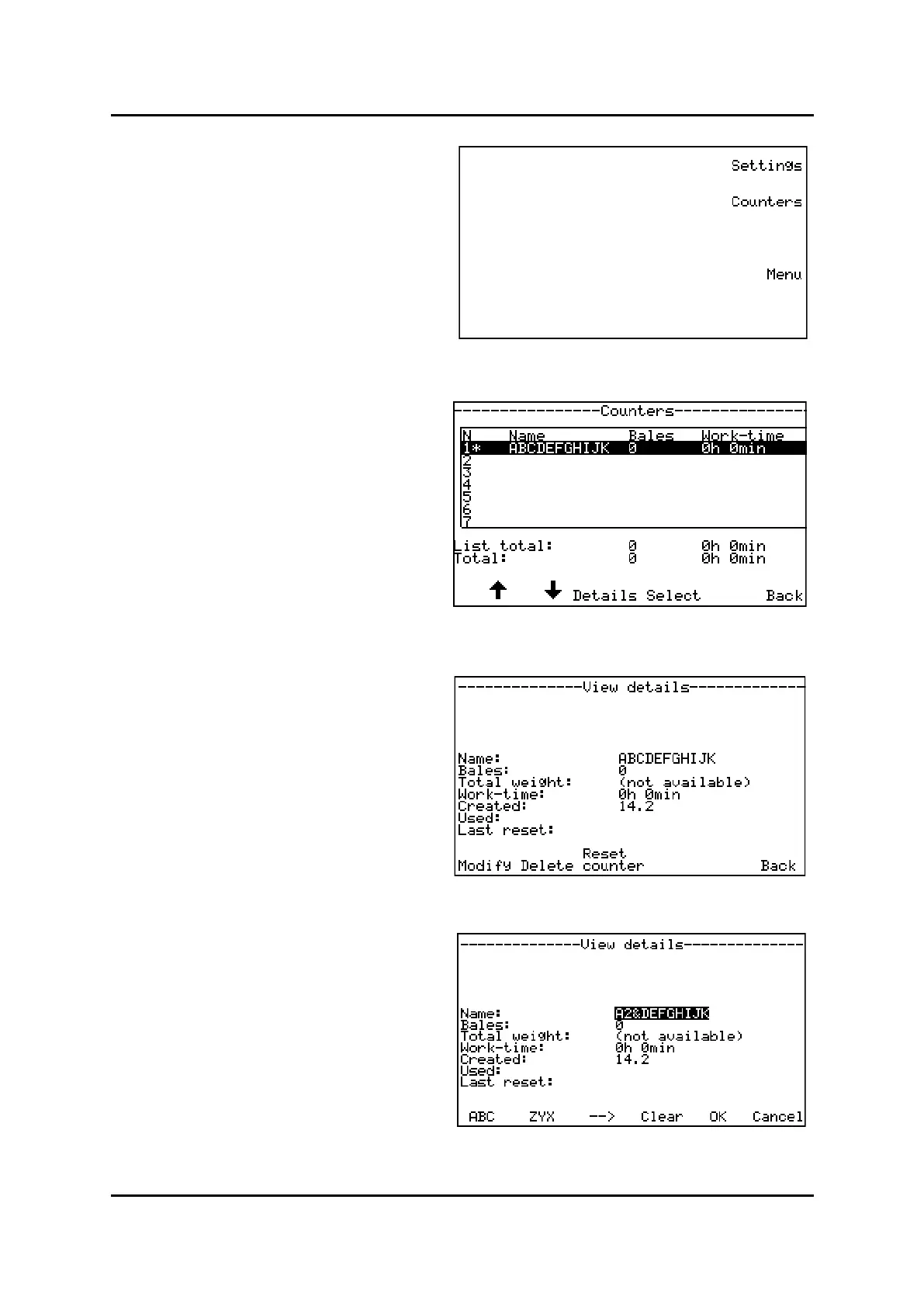
Press for counters in display to
enter .
This menu can store informaon for up to 50 dier-
ent customers or jobs.
When entering the menu, the rst 7 counters is
shown in display.
Switch between counters by pressing buons under
arrows in display.
Press to choose a counter to look into.
The chosen line should now be marked with a * be-
hind the counter number in display.
Then press to view stored infor-
maon registered on the customer. (Number of
bales and me spent)
Choose the counter to be changed, Press
then
- Skip through alphabet from the start and
backwards and then numbers.
– Skip through numbers and alphabet from the
end and forwards.
Press or buon unl requested leer is in
cursor.
Then press to move to next leer or
make a space.
Erase a leer, press
Conrm changes, press
Counter 1
Counter 2
Counter 3
Main menu, sengs and counters


 To Next Page
 Loading...