INTRODUCTION
Welcome to the high-tech world of digital musical instruments. Your piano has been designed and made using the latest
technology and computerized systems, to offer you years of trouble-free pleasure.
Read this manual carefully in order to fully exploit the potential of your instrument.
POWER ON
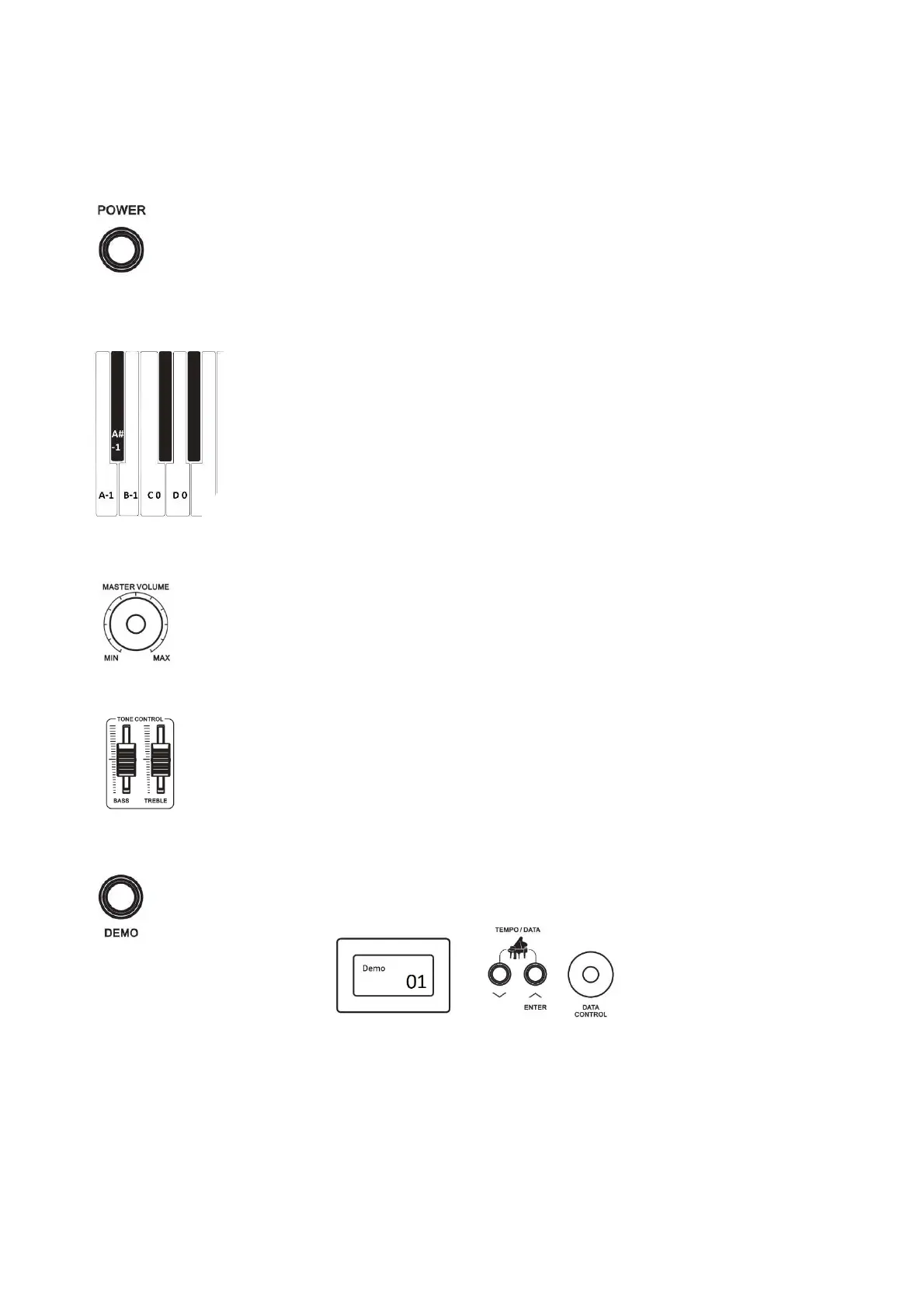
To turn on the instrument simply push the On/Off switch. The default setting will automatically select the
PIANO 1 sound.
AUTO ON/OFF
If the instrument remain switched ON for more than 30 minutes, the Stand-by control will automatically switch it OFF.
This function can be deactivated:
- Before switching the instrument ON, press and hold the notes (A -1) and (A# -1), the first
two keys on the left of the keyboard.
- Switch ON the instrument using the POWER button.
- Release the two keys of the keyboard.
The AUTO ON/OFF function is now deactivated.
The AUTO ON/OFF feature will be active again when the instrument will be switched OFF and
ON again.
MASTER VOLUME
The MASTER VOLUME controls the overall volume of the instrument. If the headphone is connected
it will also control the headphone volume.
TONE CONTROLS
The TONE CONTROL bars control the color of the sound of the instrument. Using the BASS and
TREBLE controls it is possible to make the instrument sound sharper or mellower as desired.
DEMO SONG
The DEMO button is located at the right of the control panel.
Press DEMO and the display shows:
Demo Song 1 is automatically selected.
Use the (/\) and (\/) or DATA CONTROL to select one of the 20 Demo Songs available.
At the end of the Demo, the instruments automatically switch to the next Demo.
Press the DEMO button again to exit the function.



 To Next Page