Need help?
Do you have a question about the OROTIG EVO White and is the answer not in the manual?
Provides manufacturer details, contact information, and equipment model numbers.
Essential rules for safe operation, hazard avoidance, and equipment integrity.
Describes the switch preventing operation when the access door is open.
Leather strips protecting from radiation and flashes during welding.
Shutter cutting off laser beam when idle or in case of anomaly.
Rules for checking equipment condition and safe handling practices.
Key indications for correct equipment use before starting any session.
Precautions for safe transport and handling of the laser welder.
Identifies handling risks like crushing, cuts, and vision damage.
Specifies Personal Protective Equipment required for safe handling.
Lists all included accessories and components with their part codes.
Guidelines for safe transport and handling of the Laser Welder.
Instructions for unpacking and checking for visible damage.
Environmental and placement requirements for the equipment.
Checks and initial cooling system liquid fill procedures.
Ensures correct power outlet type and essential earth connection.
Specifies disconnect device and overcurrent protection requirements.
Details acceptable voltage, frequency, and harmonic variations.
Provides detailed technical data and model specifications.
Lists relevant EC directives and safety standards adhered to.
Specifies weldable alloys and recommended protection gases.
Lists forbidden modifications, materials, and gases to avoid.
Description and function of the emergency stop button.
Identifies the LASER beam outlet point.
Details laser beam emission characteristics like energy and wavelength.
Explains Class 4 laser classification and associated risks.
Contains machine construction and data plate information.
Specifies the correct type of liquid for the cooling system.
Identifies and explains the main controls and indicators on the equipment.
Details the various connectors and ports on the rear panel.
Pre-operation checks and general recommendations for optimal use.
Guidance on setting up microscope eyepieces for comfortable and accurate use.
Step-by-step instructions for powering on and starting the laser.
How to use the emergency stop button for immediate shutdown.
Introduction to operating the laser welder and its display menus.
Description of the initial screen and device status bar.
Overview of the main menu options for settings and updates.
Details specific menu options like language, info, counter, timeout, PIN, H2O, Pre-Gas, FW Update, Date/Time, and UV sanitisation.
Details on setting power, time, frequency, and spot size for welding.
How to save and recall customized welding parameter programs.
Steps to save current welding settings to memory or USB.
How to connect and use the air/gas supplier for protection and cooling.
Daily and semi-annual checks for safety glass, curtains, and labels.
Procedure for checking and replacing the coolant liquid.
Steps to drain the coolant from the system.
How to refill the cooling system with demineralised water.
Instructions for cleaning or replacing air filters.
Guidance on checking and replacing the active carbon filter.
Detailed steps for removing and replacing the air filter.
How to check if the welding spot aligns with the crosshair.
Steps to adjust screws for proper crosshair and spot alignment.
Explains error messages and provides solutions.
Describes warning signals and how to resolve them.
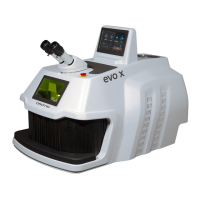
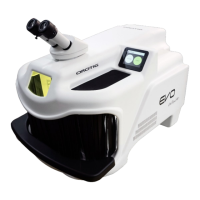
The OROTIG EVO White is a LASER welder designed for precision welding of specific metal alloys. It is intended for use in laboratory environments, protected from atmospheric agents, and should be operated by qualified personnel. The device is engineered with several safety features to prevent operator accidents and ensure efficient operation.
The primary function of the OROTIG EVO White is to weld specific metal alloys using a LASER beam. It operates as a Class 4 LASER equipment, meaning it emits high-power LASER radiation that requires strict safety precautions. The welding process involves generating a pulsed LASER beam with adjustable power, duration, and frequency, which is then directed to the workpiece through a stereo microscope with a crosshair for precise targeting. The device includes a welding chamber where the actual welding takes place, designed to contain the LASER radiation and protect the operator.
The OROTIG EVO White is equipped with a touch-screen display that serves as the operator interface for setting welding parameters and monitoring the device status. Users can adjust parameters such as Power (LASER pulse power), Time (LASER pulse duration), Freq (LASER pulse frequency), Spot (welding spot size), and Waveform (LASER pulse waveforms). These parameters can be saved into customized settings programs for different types of machining, allowing for efficient and repeatable operations.
The device features a stereo microscope with 10X magnification and a crosshair, which is essential for precise targeting of the welding spot. One of the eyepieces includes a diopter dial for individual vision correction. For safety, the microscope incorporates an infra-red filter that is opaque to 1.064 nm LASER radiation, protecting the operator's eyes. Similarly, the welding chamber has an inspection window with an infra-red filter for safe viewing of the workpiece during operation.
To initiate a work session, the operator accesses the "Stand-by Menu" and then the "Start" option, which loads internal circuits and enables LASER emission. A PIN code or an enabling key is required to prevent unauthorized use. Welding operations are typically performed using a control pedal, which activates the LASER shot and, if configured, the protection gas supply. The device also includes a "Pre-gas" function, allowing the solenoid valve for protection gas to activate either simultaneously with the LASER shot or prior to it.
For enhanced safety, the welding chamber features a leather barrier at the access aperture, allowing operators to introduce their hands and workpieces while preventing LASER radiation leakage and exposure to product flashes. The device also has an emergency button, a red mushroom-shaped switch, which immediately cuts off power to all electric/electronic parts in case of danger.
The OROTIG EVO White supports the use of protection air/gas, which can be supplied through a flexible pipe or a glass slide-holder without a dispenser. This gas helps cool the metal during prolonged welding phases and prevents oxidation. The device also has an optional sanitization function (I.U.V.A.P.S.) that uses UVC lights to sanitize the environment within the welding chamber, either continuously during operation or periodically in "PULSED" mode when the machine is in stand-by.
Regular maintenance is crucial for the safe and efficient operation of the OROTIG EVO White. The manual outlines several periodic inspections and maintenance tasks.
Coolant System: The machine uses a liquid coolant system with double-distilled water. The coolant must be replaced at least once every 12 months to prevent the formation of algae and lime scale. The process involves opening the rear compartment, removing caps from the small pipes, draining the old liquid into a recipient, and then refilling the tank with new double-distilled water using a syringe. The "H2O Menu" on the display allows operators to check the coolant flow rate and identify if refilling or replacement is needed.
Filters: The device has two air filters on the bottom of the machine that need to be cleaned every 6 months using compressed air. If a filter is too dirty or damaged, it must be replaced. Additionally, an active carbon filter should be checked and replaced at least once every 6 months. Failure to maintain these filters can compromise equipment performance and potentially cause damage.
Protective Glass Slide: The mirror protection glass slide inside the welding chamber should be checked monthly for signs of metal sprays, scratches, cracks, or breakage. A damaged slide must be replaced to maintain optimal performance and protect the focal lens.
Crosshair Alignment: If the welding spot does not align with the crosshair, an alignment procedure is necessary. This involves setting specific welding parameters (e.g., 1.0 KW, 1.0 mS, 0 Hz frequency, minimum SPOT size), performing a test spot on a flat metal piece, and then adjusting alignment screws (screws 1 and 2) located near the glass slide-holder cone. Screw 1 shifts the welding point horizontally, and screw 2 shifts it vertically. This operation should be performed carefully to avoid accidental LASER emission.
Safety Devices: Daily checks of the LASER radiation safety glass on the inspection window and the leather curtains for hand access are recommended. Any damaged components must be replaced immediately, as operating the equipment with broken glass or without curtains is dangerous. The status and integrity of safety labels and the data plate should also be checked every six months.
Firmware Updates: The device's firmware can be updated via a USB pendrive. The process involves copying specific update files to the pendrive, inserting it into the LASER, and selecting the "FW Update Menu" from the display.
Troubleshooting: The manual provides a "Diagnostics" section that lists common errors and warnings, along with their symptoms and recommended solutions. These include issues like H2O flux failure, charge fail, simmer failure, shutter failure, RS-232 communication failure, remote interlock open, and high temperatures for coolant or internal electronics.
All maintenance operations, especially those related to the LASER welder and electric plant, require the intervention of qualified personnel, and only original spare parts should be used to ensure safety and maintain manufacturer liability.
 General
| Technology | Laser Welding |
|---|---|
| Laser Source | Nd:YAG |
| Laser Power | 100 W |
| Pulse Duration | 0.1 - 20 ms |
| Spot Diameter | 0.2 - 2.0 mm |
| Power Supply | 230 V, 50/60 Hz |
| Duty Cycle | 100% |
| Cooling System | Closed-loop water cooling |

 To Next Page