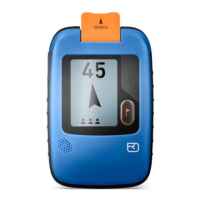
QUICK REFERENCE FOR THE ORTOVOX S1 AVALANCHE TRANSCEIVER
38
TO OPEN
Take the S1 from its protective
case, press the release
button (5) on the left
side and then open
the S1 unit.
TRANSCEIVER SELF-TEST AND
TRANSMISSION MODE
When the device is opened up, once the S1 has been switched ON the
transceiver self-test can be watched on the display. Symbols for trans-
mission, reseption, additional functions and battery capacity are con-
firmed with ticks. The sensors on the S1 for measuring temperature,
slope and the earth’s magnetism are calibrated.
Close S1 after a positive transceiver self-test. This switches the S1 to
transmission mode.
If an error function or fault is detected, the warning triangle appears.
ERROR MESSAGE
During the self-test the transmit and receive functions, the sensors and
the battery capacity are tested. An error message is shown on the dis-
play with the warning triangle next to the checked function; in addition 5
warning signals sound. An error message can be triggered by the imme-


 To Next Page
 Loading...