18
Basic Operations
① Unlock the Door
You can unlock the door using a valid password, backup key or
the thumb knob.
Option 1: Use the access password
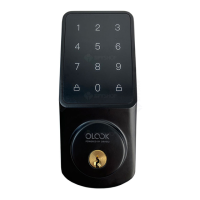
a. Press any button or tap the touchscreen to wake up the
keypad, then the keypad will light up.
b. Enter a 6-digit access password and press the button
to unlock.
c. If the password is wrong, please enter a new access
password again.
Note: If you fail to unlock the door for 5 consecutive times using
the access password, the smart lock will be locked for 2 minutes.
You can use the backup key to unlock the door or wait for two
minutes.
c. Notificationofnotarrivinghome:
Select " Unlock Record Notification " to turn on not arriving
home reminder. If there is no unlocking record in the set time
period, APP will send a notification to warn you.


 To Next Page