1 2
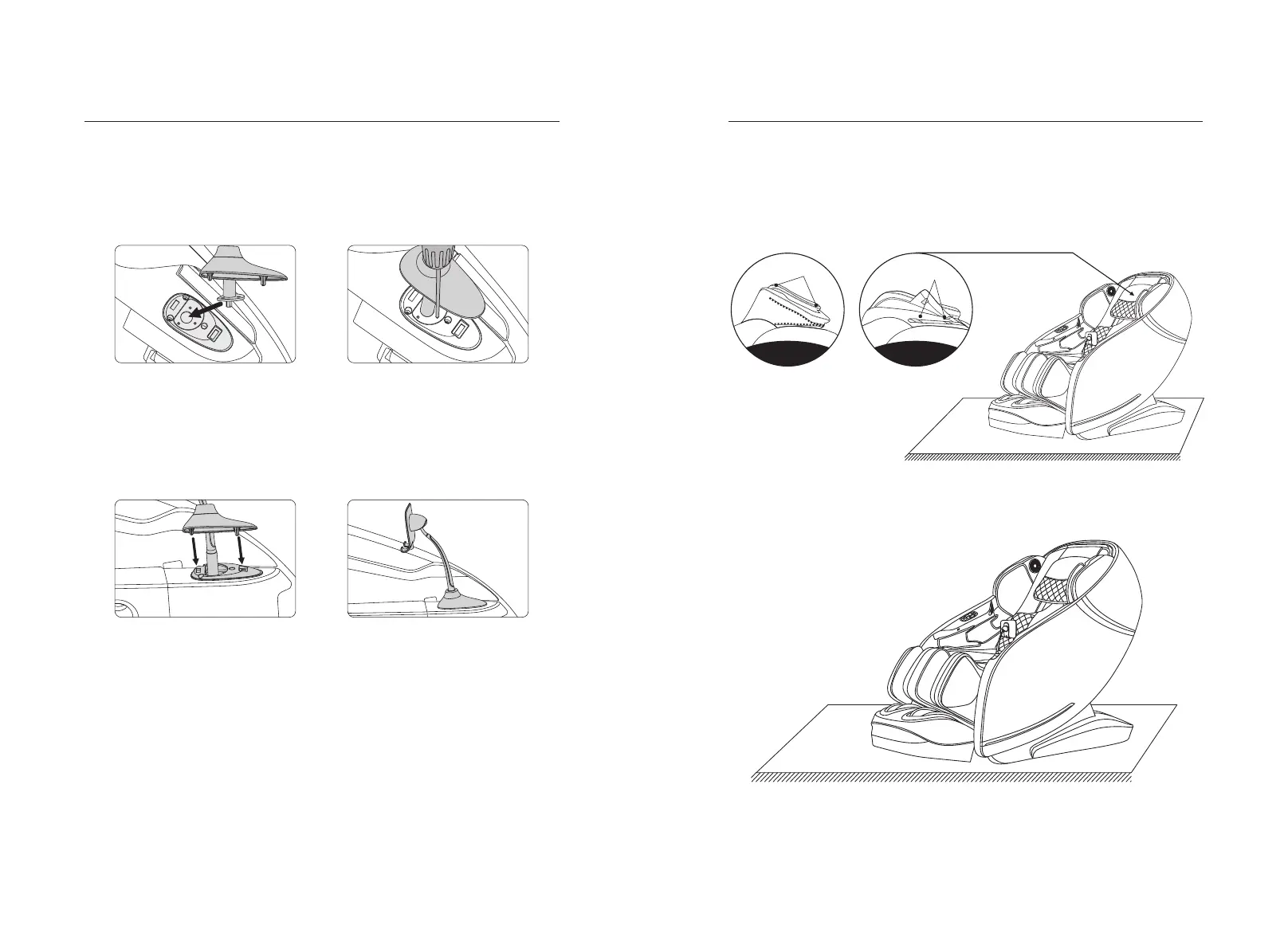
6.Touch screen hand controller bracket installation instructions
7.Pillow pad and backrest pad's dismounting and use manual
8.Floor protection
Method of usage Method of usage
·Take out the touch screen remote controller stand from the accessory bag and put
the mounting flange on the bracket assembly into the mounting seat on the
armrest(figure 1).
·Secure the stand assembly to the armrest with three M4 screws(figure 2).
Figure 1
Figure 2
·Align the two metal cards on the decorative cover with the square bayonet on the
armrest mount, and then press down firmly into the square bayonet to secure
it(figure 3).
·After the entire stand is installed, shake the stand gently to confirm whether it is
installed firmly; Stand installation is completed(figure 4).
·Using head cushions can reduce the kneading massage intensity on neck
andshoulder, according to your needs to decide whether the head cushions
isneeded (recommend head cushions). Backrest cushion and backrest connected
by zipper (1), head cushions and backrest pad connected by thread gluing (2).
Zipper
Thread gluing
Caution: Do not move the chairs with its wheels on wood floor, rough ground or in
a narrow space. Two people are required to lift the chair. During the lifting period,
take the calf rest end sealing plate and backrest cover grooves as the force-bearing
point(Please do not lift armrest directly.)
·Put the heavy massage chairs on the wood floor for a may damage the floor, so
please place a carpet or other object to avoid this damage.
31
30
Figure 3
Figure 4


 To Next Page