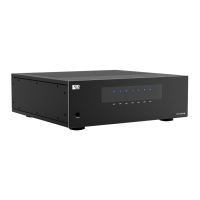
NERO LINK
System Conguration
MX SERIES MULTI ZONE AMPLIFIER OWNER’S MANUAL
Typical Mode
MXSeriesamplierscanbeconguredasthemainamplierforanaudiodistributionsystemorhometheatersystem.
Whenusedwithanaudiodistributionpreampormatrixprocessor,eachzonecanindependentlydriveoneofseveral
dierentsourcesbyusingeachzone’sindividuallineaudioinputs.Ifthespecifyzoneneedsahigherpower,pleasejust
useBridgedmode.
WhenMX1280orMX1680isworkingasahometheateramplier,theampliercouldsupportuptoa7.1or5.1surround
system,andrecommendusingtheBridgedmodetohavethehigheroutputs.
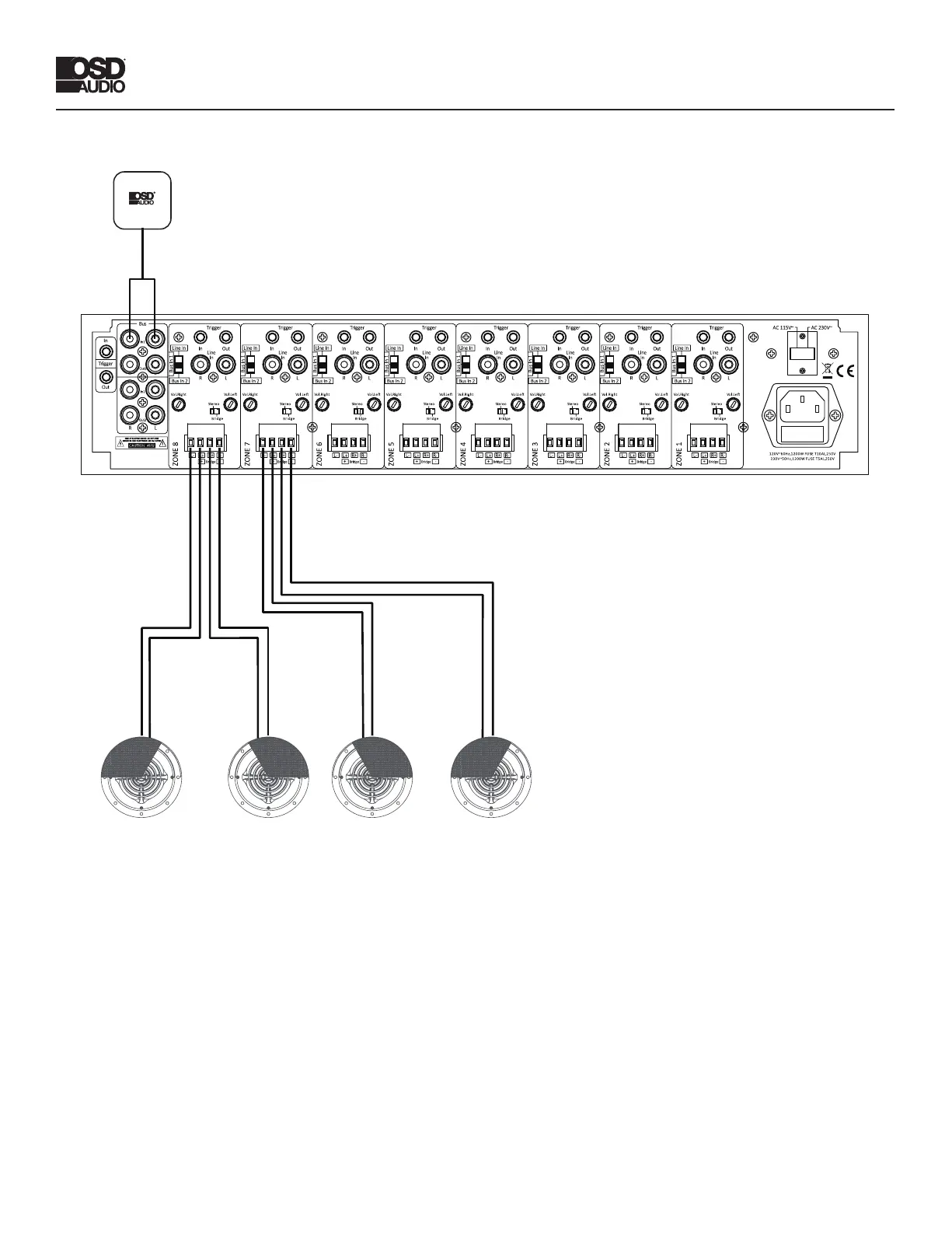
Bridged Mode
WhentheamplierisinBridgedModeoperation,asinglechannel(theleft)isusedtoprovideahigherpowermono
output.UseonechannelpairtoamplifytheleftchannelbyconnectingtheleftaudiosignaltotheLinputofachannel
pair,settingtheStereo/Bridgeswitchto“Bridge”andconnectingthespeakerasindicatedbelow.Useasecondchannel
pairfortherightchannelbyconnectingtherightaudiosignaltotheLinputofasecondchannelpair,settingtheStereo/
Bridgeswitchto”Bridge”andconnectingthespeakerasindicatedabove.Note:Thethreepositionswitchneedstobe
setto“LineIn”onbothzonesthatarewiredforBridgedMode.
Wiring Instructions - Bridged Mode
• Turnotheamplierandconnectan8-ohmminimumload.
• SettheStereo/BridgeswitchtoBridgedMode.
• FollowtheBridgemodemarkingsonthebackoftheamplier:
Connectthenegativelead(-)ofthespeakercabletotheR–terminal.
Connectthepositivelead(+)ofthespeakercabletotheL+terminal.
• ApplytheLineInfromaudiosourcetotheLeftLineInconnector.
• Powerontheamplier.
Bridge
Trigger
In Out
Vol.LeVol.Ri ght
Line
In
R L
Stereo
Br id ge
L+
L- R-R+
+ -
Line In
Bus In 2
Bus In 1
AC 115V~
Trigger
AC 230V~
In
In1
Out1
In2
Out2
Out
12 0V~6 0H z,12 00 W FUSE T 10AL ,2 50V
23 0V~5 0H z,12 00 W FUSE T 5AL,2 50 V
Bus
Bridge
Trigger
In Out
Vol.LeVol.Ri ght
Line
In
R L
Stereo
Br id ge
L+
L- R-R+
+ -
Line In
Bus In 2
Bus In 1
Bridge
Trigger
In Out
Vol.LeVol.Ri ght
Line
In
R L
Stereo
Br id ge
L+
L- R-R+
+ -
Line In
Bus In 2
Bus In 1
Bridge
Trigger
In Out
Vol.LeVol.Ri ght
Line
In
R L
Stereo
Br id ge
L+
L- R-R+
+ -
Line In
Bus In 2
Bus In 1
Bridge
Trigger
In Out
Vol.LeVol.Ri ght
Line
In
R L
Stereo
Br id ge
L+
L- R-R+
+ -
Line In
Bus In 2
Bus In 1
Bridge
Trigger
In Out
Vol.LeVol.Ri ght
Line
In
R L
Stereo
Br id ge
L+
L- R-R+
+ -
Line In
Bus In 2
Bus In 1
Bridge
Trigger
In Out
Vol.LeVol.Ri ght
Line
In
R L
Stereo
Br id ge
L+
L- R-R+
+ -
Line In
Bus In 2
Bus In 1
Bridge
Trigger
In Out
Vol.LeVol.Ri ght
Line
In
R L
Stereo
Br id ge
L+
L- R-R+
+ -
Line In
Bus In 2
Bus In 1
R L
ZONE 1
ZONE 2
ZONE 3
ZONE 4
ZONE 5
ZONE 6
ZONE 7
ZONE 8
NERO LINKNERO LINK
MX SERIES MULTI ZONE AMPLIFIER OWNER’S MANUAL
Source Source


 To Next Page