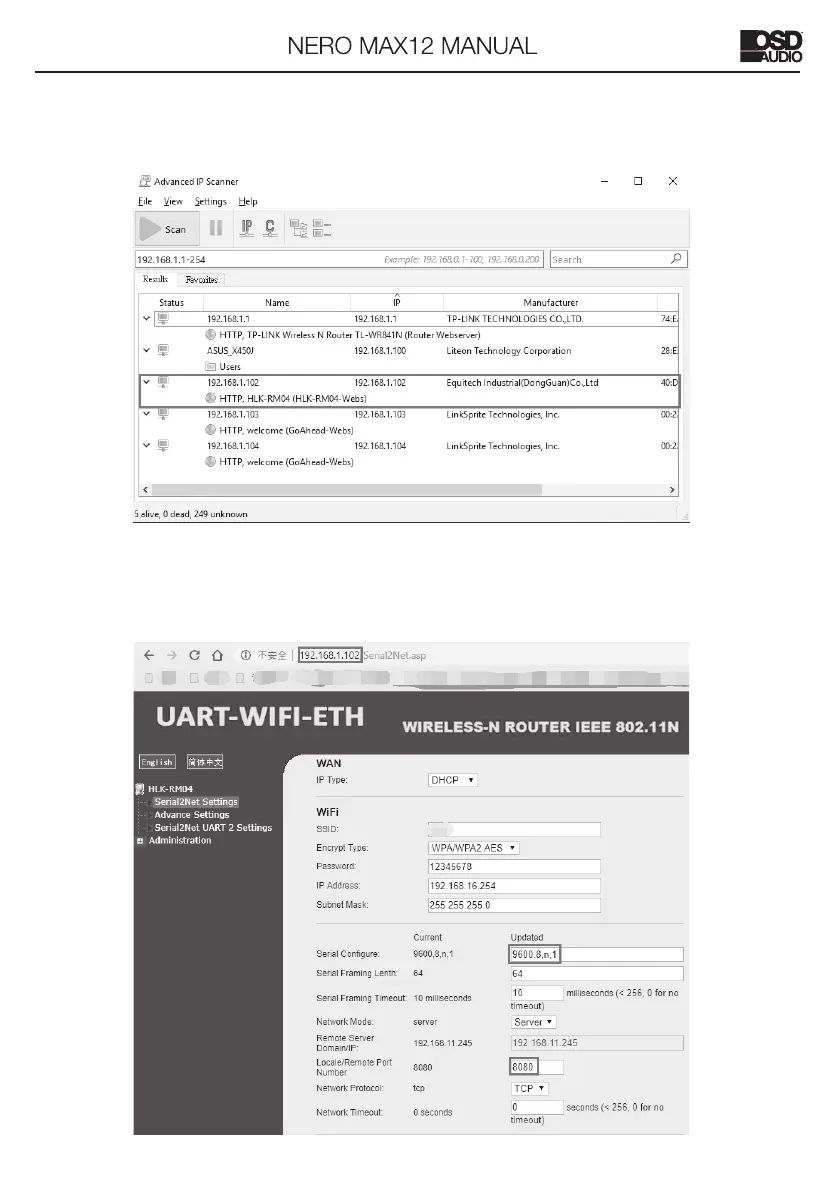
2. Using “Advanced_IP_Scanner” software to find the IP address.
Please visit www.advanced-ip-scanner.com for free download.
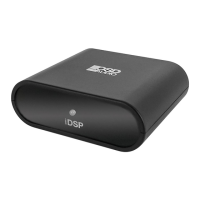
Then enter the IP address of NERO MAX12 to the IE browser (shown as below),
ensure the Serial Configure is 9600,n,8,1. After finishing this step, NERO MAX12
could be controlled through the local Network.



 To Next Page