EasyManua.ls Logo

OSIRIS MX-350 - User Manual

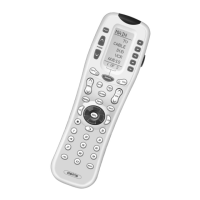
OSIRIS MX-350
62 pages
Print Icon
To Next Page IconTo Next Page
Loading...
EUT Type: Remote Controller
FCC ID: OZ5URCMX350N
Test Report No.: GETEC-E3-07-073
FCC Part 15 Subpart B,C
APPENDIX I
: USER’S MANUAL
Question and Answer IconNeed help?

Do you have a question about the OSIRIS MX-350 and is the answer not in the manual?

Summary

Getting Started

Battery Installation

Install four AAA batteries to power the remote control.

Button Layout

Device Operation

Selecting Devices

Switch between operating different devices like TV, VCR, etc.

Light Button

Activates the remote's backlight.

Basic Setup

Pre-Programmed Method

Setup the remote using a library of pre-programmed codes for devices.

Learning Method

Teach the remote commands directly from original remotes.

Volume Control Punch Through

Advanced Operation

Setting Backlight Options

Adjust backlight duration or disable it to save battery.

The FAV Button

Access and select favorite TV channels instantly.

Adjusting Contrast

Modify screen text contrast for better readability.

Transmitting Signal Icon

Visual indicator for command transmission status.

Advanced Setup

Editing Button Labels

Customize button names on the remote's display screen.

Edit MAIN Menu Title;Label

Rename the MAIN menu title or device labels.

Macro Button Setup

Favorite Channel Setup

Hiding and Adding Pages

Erasing and Resetting

Erasing Specific Items

Remove specific learned commands, macros, or favorites.

Erasing the Entire Osiris

Reset the remote to its original factory default settings.

Cloning One Osiris to Another

Recalling Pre-Programmed Settings

Utilizing Optional RF Base Stations

Using Addressable RF Base Stations

Improve control range and avoid interference with addressable stations.

RF Settings Overview

Changing the RF Settings

Configure RF signal type, ID, emitters, and blaster.

IR;RF Signal Setting

Select IR, RF, or combined signal output for devices.

ID # - Setting Base Station Address

EMITT - Setting IR Emitter Outputs

BLAST - Setting Front Panel Blaster

Pre-Programmed Code Tables

Frequently Asked Questions

Macro Button Functionality

Explanation of the macro button functionality.

Settings Retention and Support

Settings are retained; contact support for help.

Warranty Information

Technical Specifications

User Information and Compliance

FCC Compliance and Warnings

Information regarding FCC rules and potential interference.

OSIRIS MX-350 Specifications

General IconGeneral
BrandOSIRIS
ModelMX-350
CategoryRemote Control
LanguageEnglish