23
Hiding and Adding Pages
Each of your Osiris Devices actually contains eight pages. However, only
five pages are visible in the factory default setting. Three pages are hid-
den in each device. If you wish to use the hidden pages, you can ADD
them. If you don’t want to use some of the existing pages, you can HIDE
them. You can add or hide pages on devices OR on your favorite chan-
nel pages using this simple process:
Note: Be sure to program your Macros before you hide pages with a poten-
tial macro step in them. You can’t access hidden pages during macro setup.
However, after you finish Macro setup, you can hide pages without affect-
ing operation of your macros.
Enter SETUP mode by pressing and holding both MAIN and ENT
for three seconds.
Note: You have 30 seconds for each step, otherwise the Osiris will time out
automatically.
Press the EDIT button.
Press the PAGE button.
“PAGE” appears at the top of the screen.
22
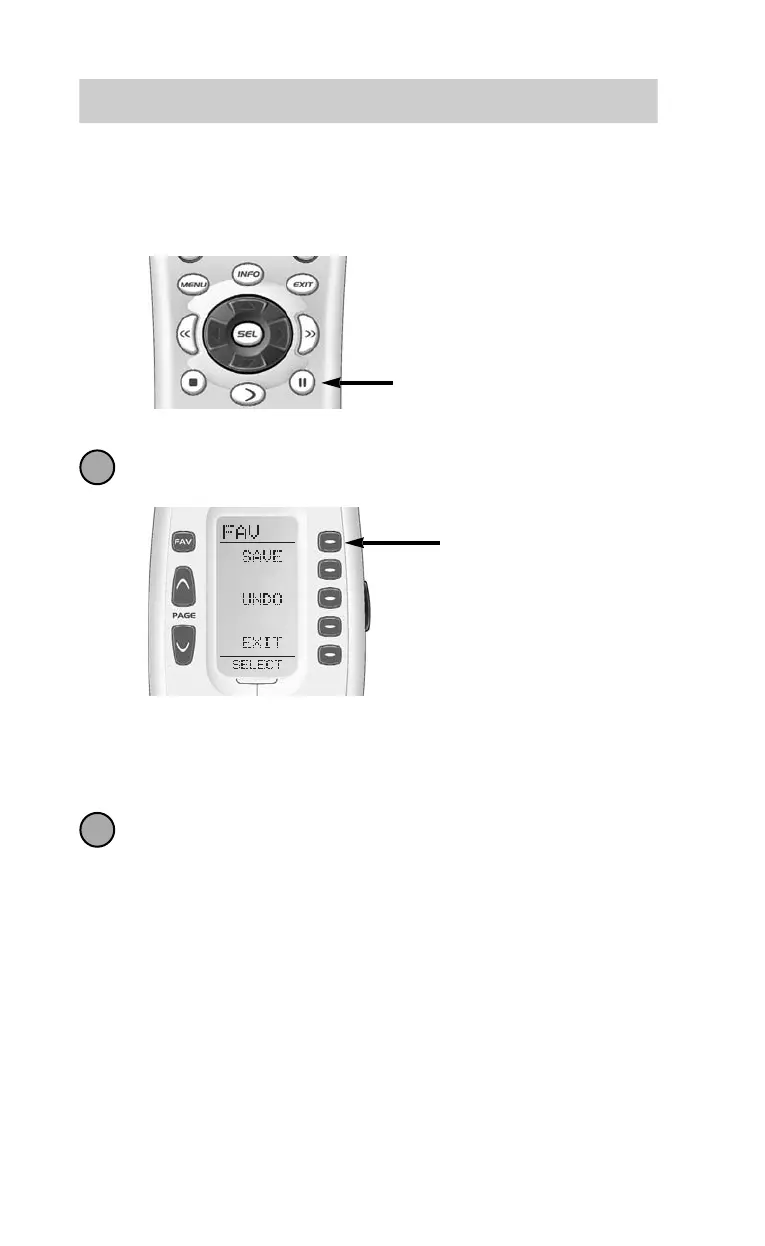
Note: If a number is repeated when setting the channel (for example,channel
“33” or “522”) it is usually best to set a half second delay in between the
identical numbers by pressing the PAUSE button. Each press of the PAUSE
button increases the delay by a half second.
Press the LIGHT button after you enter the
channel number. A new screen appears:
To save the channel you entered, press the SAVE button. The
UNDO button lets you erase the last entry. The EXIT button erases
all entries for this button.
When you are finished setting up Favorite Channel buttons, press
the MAIN button twice to return to normal operation.
The Osiris
7
8
SAVE
Button
Use the PAUSE Button to set
delays between steps, each press
of the pause button increases the
delay by a half second.
Universal Remote Control, Inc.
1
2
3
EDIT
Button
PAGE
Button



 To Next Page