Operation and Settings
1.
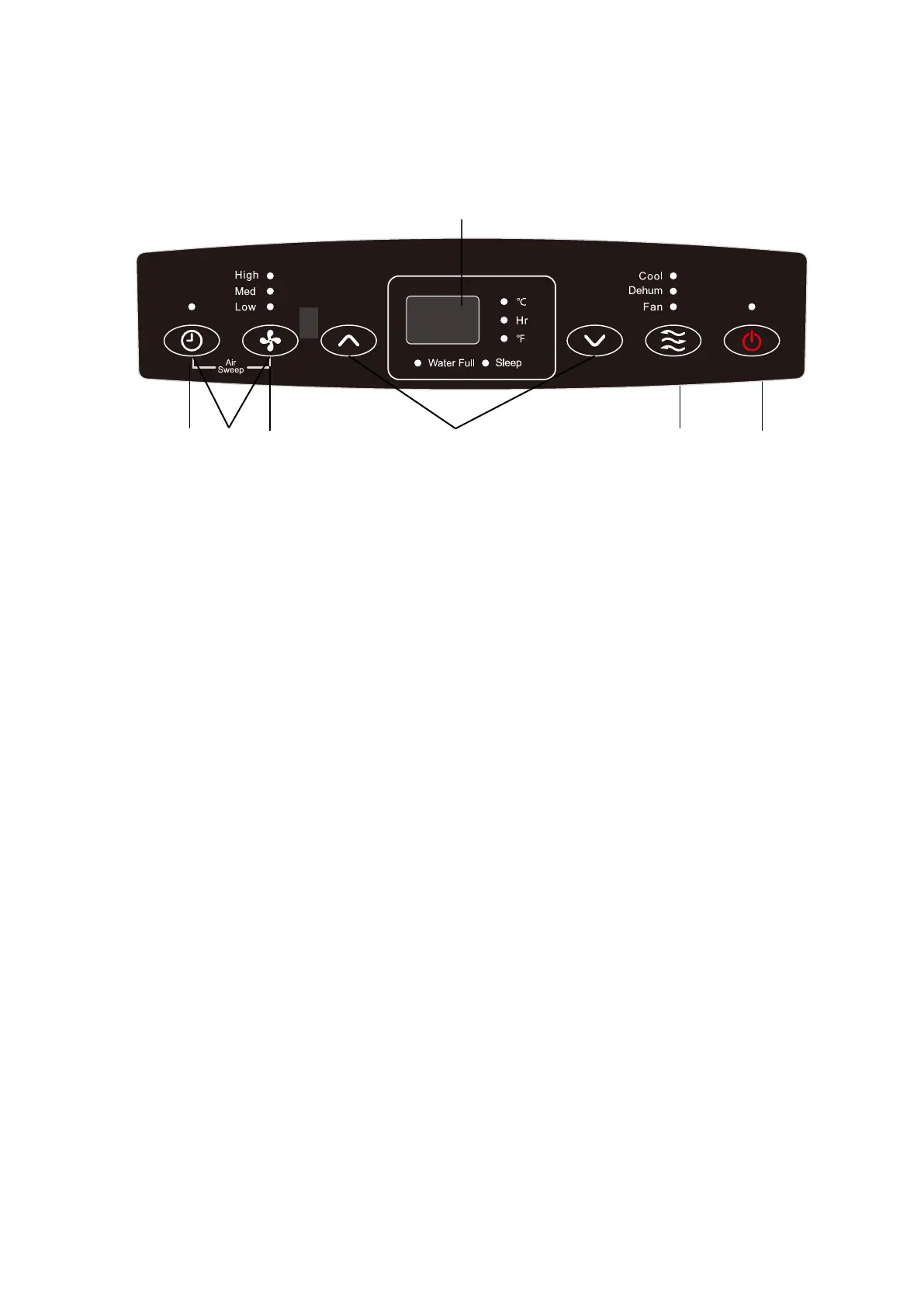
Control panel instructions
F
A G B C D E
BUTTONS
A. TIMER BUTTON
Program the time from 1 hour to 24 hours for the unit to turn ON or OFF. When a TIME DELAY is programmed,
the Timer indicator light will illuminate.
While the unit is operating:
1. Press the TIMER button.
2. Press the UP/DOWN arrow buttons t
o select the number of hours you want the unit to continue to
operate before turning off.
Note: wait approximately 5 seconds for the Turn-Off time to be saved.
While the unit is off:
1. Press the TIMER button.
2. Press the UP/DOWN arrow buttons to select the number of hours you want the unit to continue to
operate before turning on.
Note: wait approximately 5 seconds for the Turn-On time to be saved.
To clean the ti
mer: press the TIMER button once, the hours remaining will flash, press the TIMER button again
and the timer will be canceled.
B. FAN SPEED BUTTON
The fan speed can be adjusted from Low speed to High speed when the unit is either in COOL or FAN mode.
Press the FAN SPEED button to toggle among the two speeds. The corresponding fan speed indicator will
illuminate.
Note: The fan speed cannot be adjusted when
the unit is in DRY mode.
C. UP AND DOWN ARROW BUTTON
Adjust the temperature or Hours in Time Delay.
To set the temperature:
5


 To Next Page