User’s Manual (Confidential)
OsteoSys Co., Ltd.
Model Designation : SONOST 3000 DOC. No. : OT06-2R7124
40
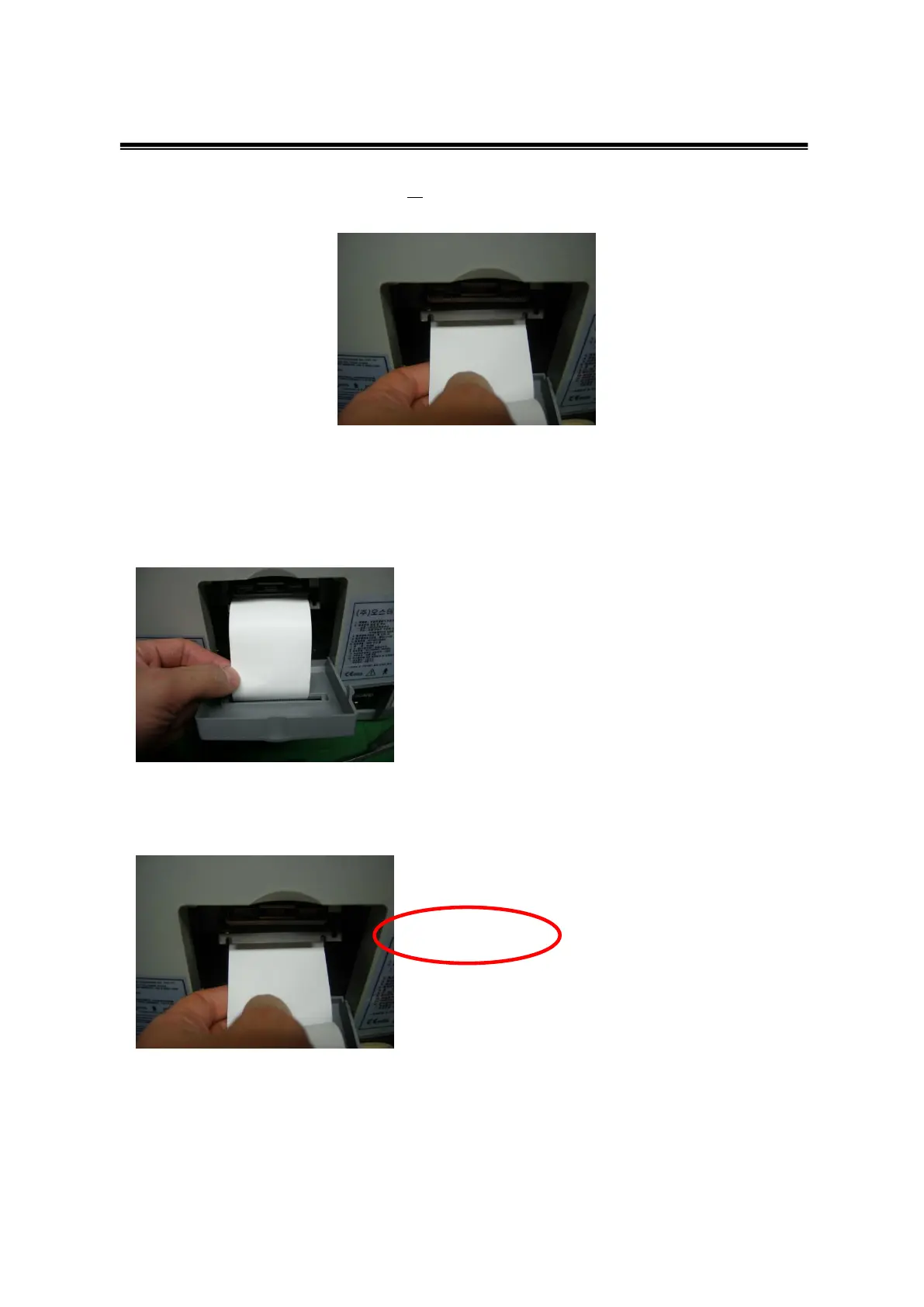
② Paper inserting: Insert the paper as shown below. Outer surface of
paper should face to the inside of the device. Paper will scroll in
automatically.
③ Cover shutting: Put the paper to the gap on the cover, and then shut
the cover up.
④ Paper cutting: For a sharp outline of report printing, cut off the
remained paper once by a saw tooth in the cover.



 To Next Page