User’s Manual (Confidential)
OsteoSys Co., Ltd.
Model Designation : SONOST 3000 DOC. No. : OT06-2R7124
48
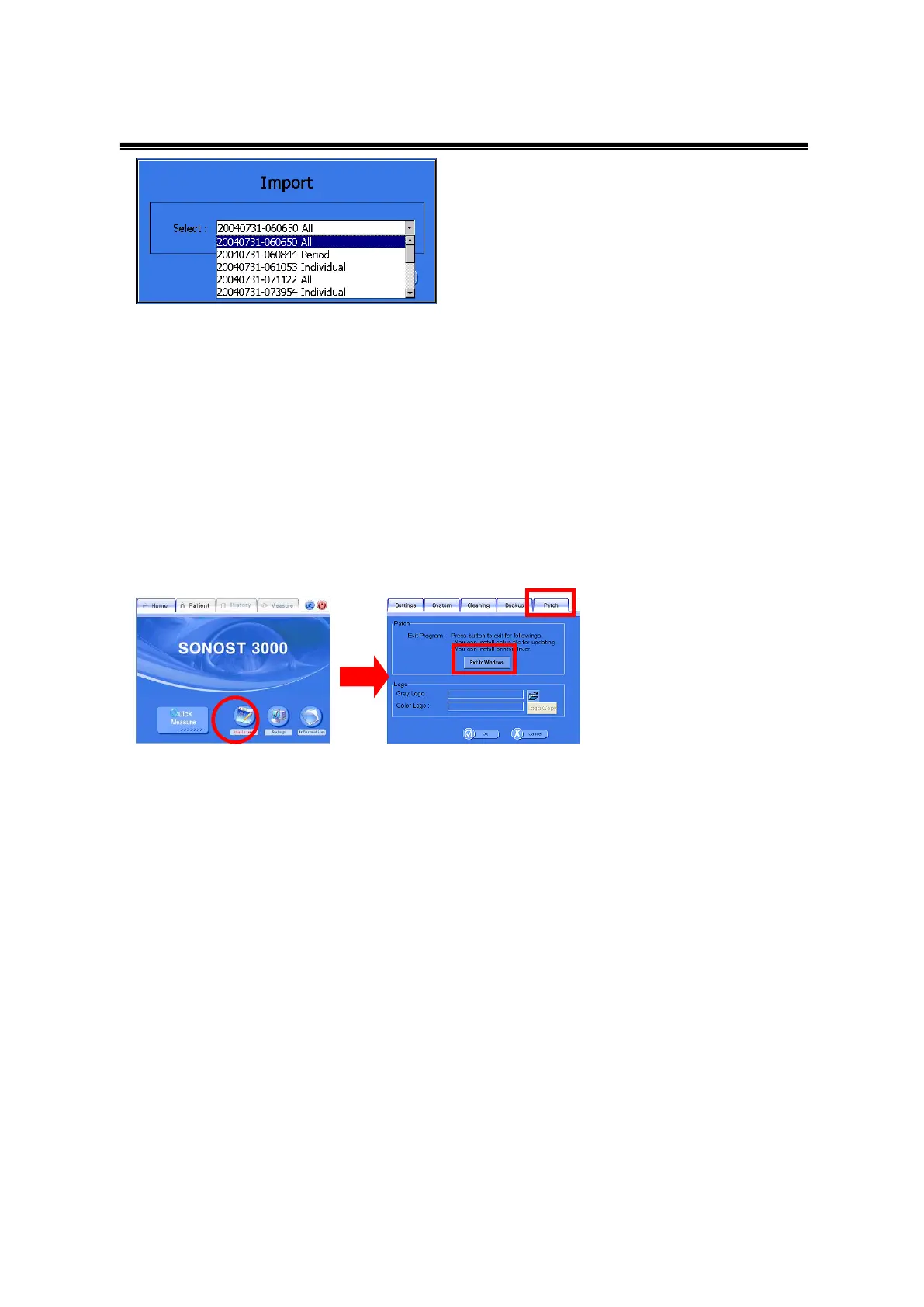
Setup>Backup>Import Window
⑤ Patch
It is an upgrade of the Software.
First, Prepare a USB removable disk which supports USB 2.0. You can use mp3
player or digital camera as well. Copy the setup file (file name : setup.exe) to USB
removable disk.
Insert USB removable disk into SONOST 3000 device’s USB port.
Select [Setup>Patch>Exit to Windows] to close the program.
Execute the setup.exe in the setup folder of the USB memory stick.
Choose remove to delete former installed program.
After removing, execute the setup.exe file for installation again.
Restart SONOST 3000.
You can confirm by seeing software information at Home>Information.



 To Next Page