User’s Manual (Confidential)
OsteoSys Co., Ltd.
Model Designation : SONOST 3000 DOC. No. : OT06-2R7124
68
<External Printer (Normal Printer)>
Available printer : All USB printer supporting Windows XP driver.
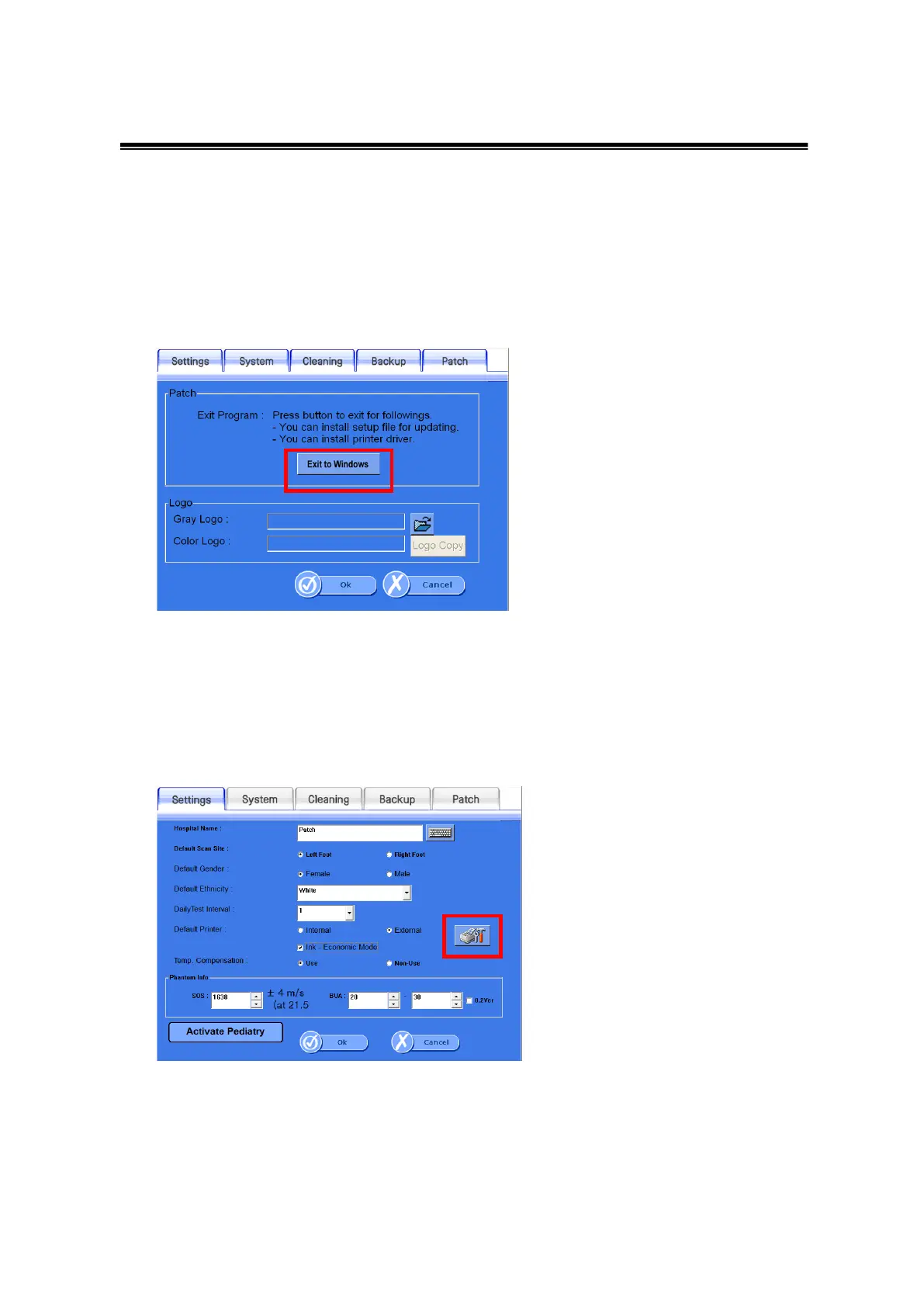
For the installation of printer driver, exit program (Setup > Patch > Exit to Windows)
Copy the printer driver to USB memory stick.
Connect the USB memory stick to USB port on the back of device.
Execute the setup file of driver on the memory stick.
After installation is complete, reboot device.
Select External and then click the icon of printer setting.
You can find the installed printer above and check if it’s set as a default printer



 To Next Page