EasyManua.ls Logo

Oster OD20 - User Manual

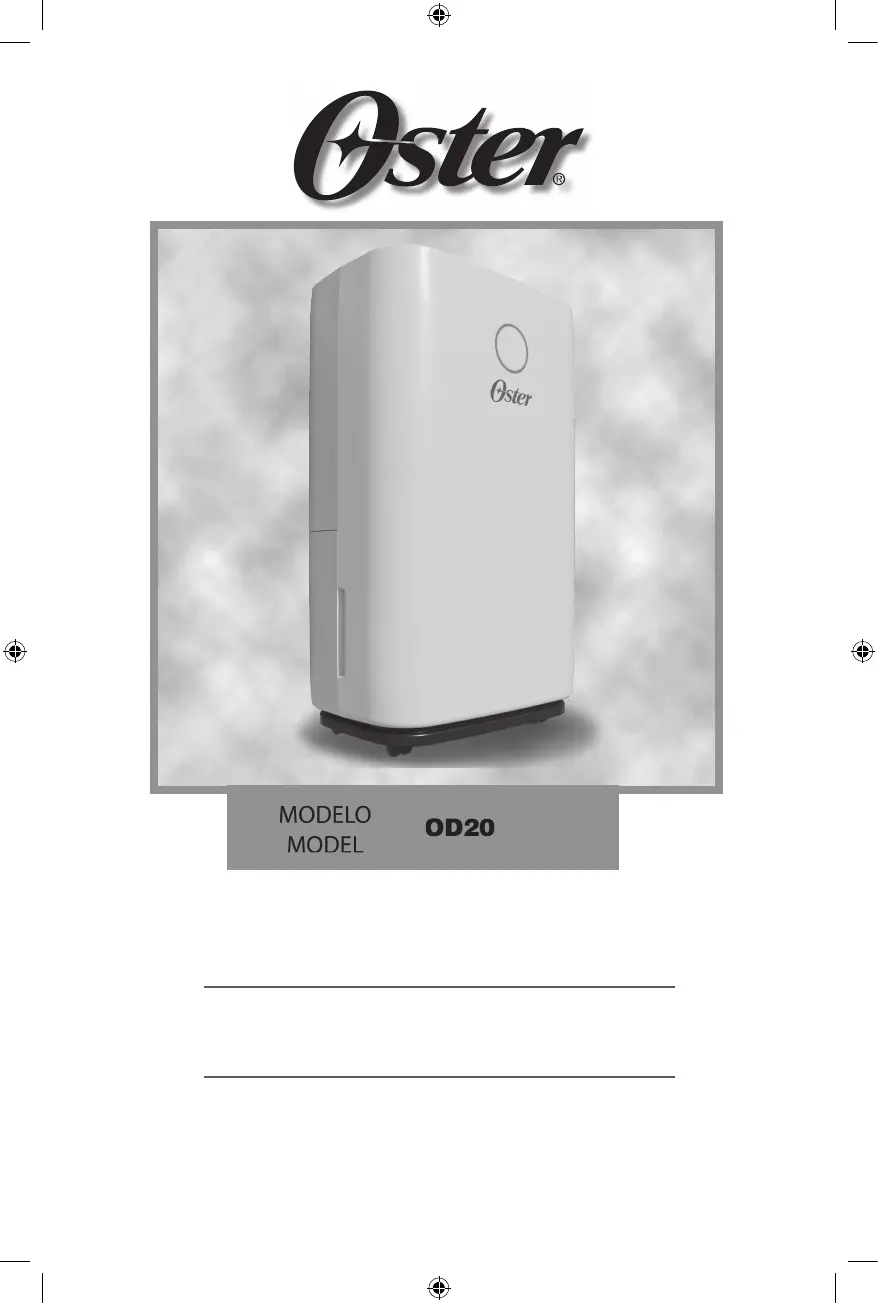
Oster OD20
24 pages
Go to English
Print Icon
To Next Page IconTo Next Page
Loading...
Manual de Instrucciones
DESHUMIDIFICADOR DE 20L
LEA TODAS LAS INSTRUCCIONES ANTES DE USAR ESTE APARATO
Instruction Manual
20L DEHUMIDIFIER
READ ALL INSTRUCTIONS BEFORE USING THIS APPLIANCE
MODELO
MODEL
OD20

Questions and Answers

  • W
    Walter WrightAug 14, 2025
    How to troubleshoot an Oster OD20 Dehumidifier that is not turning on?
    • K
      kellystevensAug 14, 2025
      If your Oster Dehumidifier isn't operating, make sure the power cord is securely inserted into the wall outlet. Also, check if the water tank is full; empty it and reinstall it correctly. The unit is designed to operate within a temperature range of 5-35°C, so ensure the room temperature is within this range.
  • F
    floresjustinAug 17, 2025
    Why is my Oster OD20 making so much noise?
    • T
      Tanner KempAug 17, 2025
      If your Oster Dehumidifier is making excessive noise, ensure it is placed on a horizontal, firm, and flat surface. Check all parts to make sure they are secure and tightened. Note that some noise from flowing refrigerant is normal.
  • K
    Kyle ThomasAug 21, 2025
    What to do if my Oster Dehumidifier is not collecting water?
    • M
      Mary NixonAug 21, 2025
      If there's little condensate forming in your Oster Dehumidifier, start by cleaning the air filter. Make sure there are no obstructions blocking the airflow. Note that low condensate formation can be normal in low-humidity, low-temperature environments. Also, check that the humidity level is set below the current humidity value.
  • K
    Kevin CookAug 25, 2025
    How to stop my Oster Dehumidifier from leaking water?
    • A
      Ashley PerezAug 25, 2025
      To prevent water leakage from your Oster Dehumidifier, always empty the water tank before moving the unit. Ensure that the hose is straight to avoid any traps that could cause water to leak.
  • J
    John CarlsonAug 27, 2025
    What does error code E2 mean on my Oster Dehumidifier?
    • M
      Michael GibsonAug 28, 2025
      If your Oster Dehumidifier displays error code E2, it indicates that the humidity sensor is either dampened or has failed. Try cleaning the humidity sensor; if the problem persists, the sensor may need to be replaced.
  • B
    bmonroeAug 30, 2025
    What does error code CH mean on my Oster OD20?
    • S
      Scott Allen VAug 31, 2025
      If your Oster Dehumidifier displays error code CH, it means the room temperature is above 38°C (100°F). This is normal; the compressor will stop, but the fan will continue to run.
  • H
    higginscharlesSep 3, 2025
    What does error code CL mean on my Oster OD20?
    • S
      Susan MorenoSep 3, 2025
      If your Oster Dehumidifier displays error code CL, it indicates that the room temperature is below 5°C (41°F). This is normal operation; the compressor will stop, but the fan will continue to run.
  • K
    Karen GrossSep 6, 2025
    What does error code HI mean on my Oster Dehumidifier?
    • G
      gkingSep 6, 2025
      If your Oster Dehumidifier displays error code HI, it means the room relative humidity is above 90%RH. This is normal. The compressor and the fan keep running.
  • J
    jeromehunterSep 10, 2025
    What does error code LO mean on my Oster OD20 Dehumidifier?
    • M
      Maureen CookSep 12, 2025
      If your Oster Dehumidifier displays error code LO, it means the room relative humidity is below 20%RH. This is normal. The compressor stops, and the fan keeps running.

Summary

Important Safety Instructions

General Safety Warnings

Essential safety guidelines and precautions to prevent hazards during appliance operation and use.

Understanding and Using the Dehumidifier

How the Dehumidifier Works

Explanation of the dehumidifier's function in removing excess moisture and its environmental refrigerant.

Before Using the Dehumidifier

Steps for selecting a location and preparing the unit for initial operation.

Appliance Description and Controls

Description of the Appliance

Identification and overview of the physical components of the dehumidifier.

Digital Display and Control Panel

Explanation of the digital display indicators and the functions of the control panel buttons.

Operating Instructions

Turning Unit On;Off and Modes

Instructions for powering the unit, auto mode, sleep mode, and timer functions.

Drainage and Water Tank Management

Procedures for manual/continuous drainage and emptying the water tank.

Air Filter Maintenance

Guidelines for cleaning the air filter regularly for optimal performance.

Troubleshooting and Maintenance

Troubleshooting Common Issues

Addresses common operating problems, symptoms, and their resolution steps.

Error Code Explanations

Interpretation of specific error codes displayed by the unit and their meanings.

Cleaning and Storage Procedures

Instructions for cleaning the unit and proper storage for extended periods.

Oster OD20 Specifications

General IconGeneral
BrandOster
ModelOD20
CategoryDehumidifier
LanguageEnglish

Related product manuals