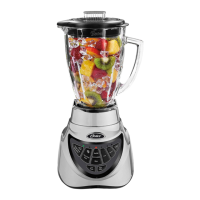
Using The Oster ProTM 1200 Blender
Before you use the product for the first time, separate the lid, filler cap and blade from the jar. Wash in warm, soapy
water, or top rack in the dishwasher. Rinse and dry well.
WARNING: Blade is sharp. Handle with care.
Blade Assembly
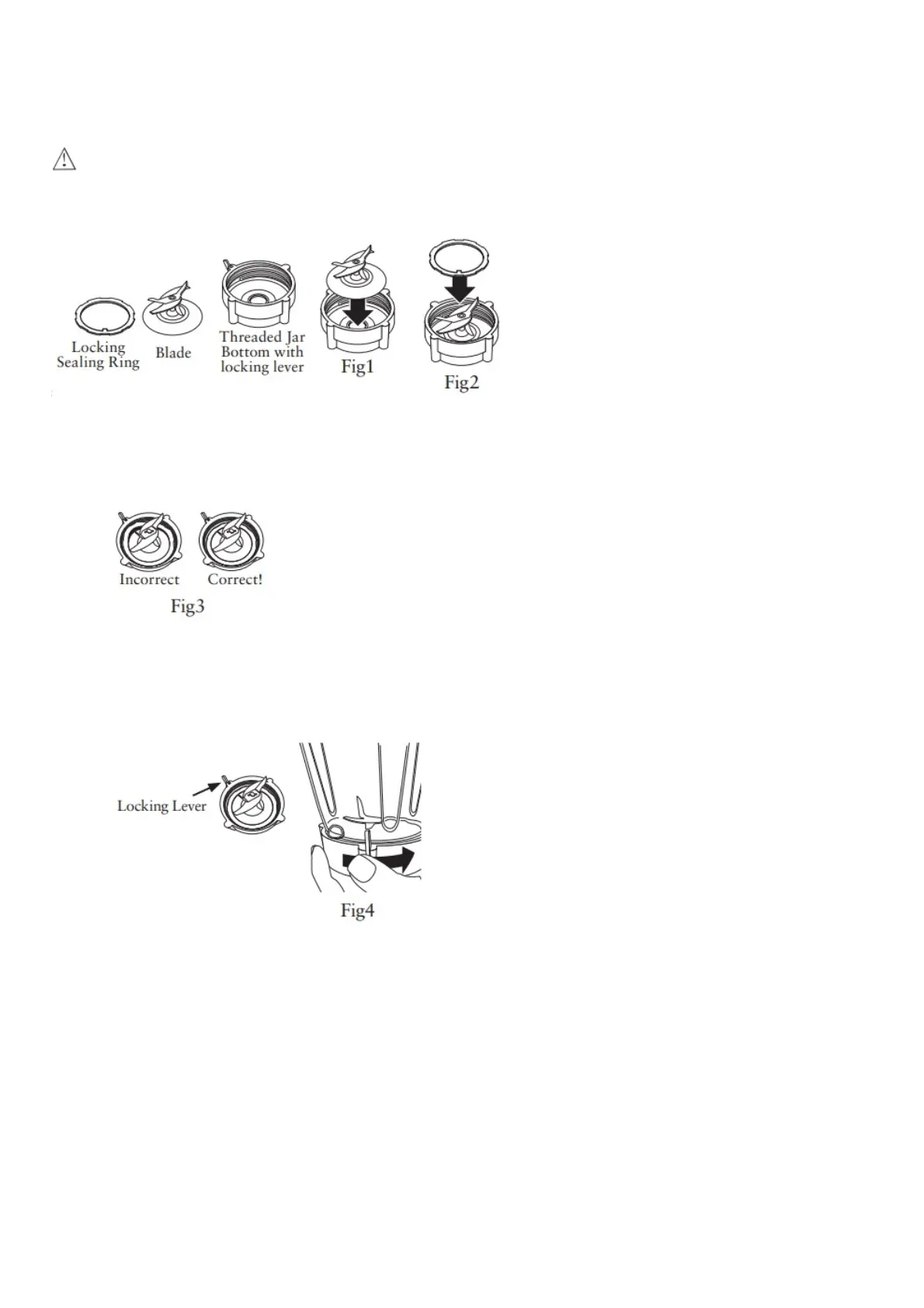
1. Place Blade into Threaded Jar Bottom (Fig.1).
2. Place sealing ring over blade assembly. Carefully press and tuck sealing ring into locking groove (Fig2).
3. Ensure the locking sealing ring is fully and evenly tucked in place and holding the blade assembly to the
threaded jar bottom. For correct assembly see (Fig3).
4. Install the Integrated Blade Assembly onto the Jar. Turn clockwise to tighten. Be sure the Integrated Blade
Assembly is tightened to the jar before using.
NOTE: For proper installation onto Blender Motor base, make sure locking lever rotates past the anti-rotation
tabs on the Blender jar or smoothie cup. See (Fig4). NOTE: If Locking Lever is damaged or missing, do not
operate blender, and contact Customer Service for a replacement.
5. Put the ingredients into the jar.
6. Secure the lid and filler cap.
7. Place the jar onto the base.
8. Plug the power cord into a standard household 120/127-volt, 60 hz. AC outlet. You are now ready to start.
ALWAYS PEACE HAND ON CONTAINER COVER WHILE OPERATING BLENDER.
Using the Pre-Programmed Settings
1. Press the ON/OFF power button to turn the product on. The power light will blink, indicating the product is active
and ready to use. The light will stay on when the motor is running.
2. Select and Press the desired Pre-Programmed Setting Button: – “Green/Frozen Smoothie” – “Food Chop/Salsa”
– “Milkshakes”
3. To change your selection, press Stop followed by another Pre-Programmed Setting button (“Frozen Drinks &
Shakes” or “Food Chop”)
4. Once the program is finished the product automatically stops. Please note: You may press the “Stop” button to
cancel the program at any time. The blinking bule light indicates that the blender is ready.



 To Next Page