6
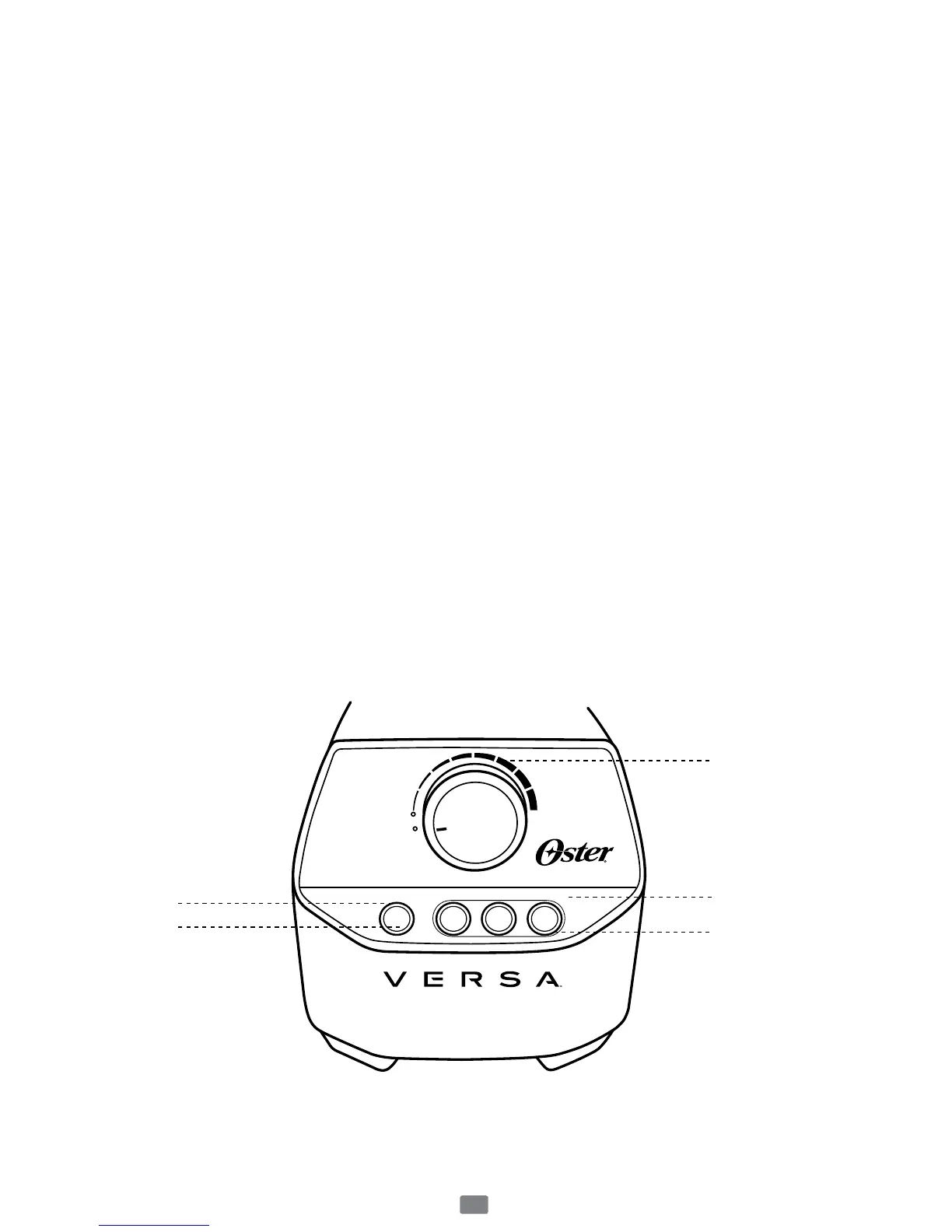
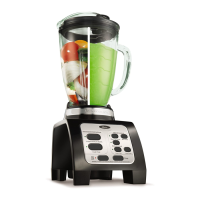
Using Your Product Control Panel
A. Speed Dial–Turndialclockwisetochoosefrommanualspeed
settingsfrom“Low”to“High”.Onceyouselectaspeed,theblender
willrununtilyouturnitbackto“Off.”
B. Programmed Settings–Inordertoactivatetheprogrammedbuttons,
rstturnthespeeddialcounter-clockwisetotheProgrammed/Pulse
Setting.Thenselecttheprogrammedbuttonyouwouldliketouse.
Theyhavebeendevelopedforoptimalusewhenblendingthosetypes
offoods.
Soup:20secondrampupto“Medium”,5minuteson“High”.
Dips/Spreads:2(10-second)pulsesat“Medium-low”,30secondson“High”.
Smoothie:10secondstorampupto“Medium”,20secondson“High”.
NOTE–ifyouwouldliketostoptheblenderinthemiddleofa
programmedcycle,simplypressanybutton.
C. Pulse–Turnthespeeddialcounter-clockwisetotheProgrammed/
PulseSetting.Thenpressthe“Pulse”buttonforthedesiredtime.
D. LED Lights–thelightsaroundtheselectedprogrammedbuttonswill
pulsewhentheunitisoperatinginthatmode.
E. Flashing Light–WhenspeeddialisturnedtotheProgrammed/Pulse
setting,thePulsebuttonlightwillashredtoindicatetheunitisready
tooperate.Warning:Flashinglightindicatesreadytooperate.Donot
touchtheblade.
OFF
Smoothie Soup
Dips/
Spreads
Pulse
PROGRAMMED
PULSE
HI
PROGRAMMED SETTINGS
C
B
A
D
E



 To Next Page