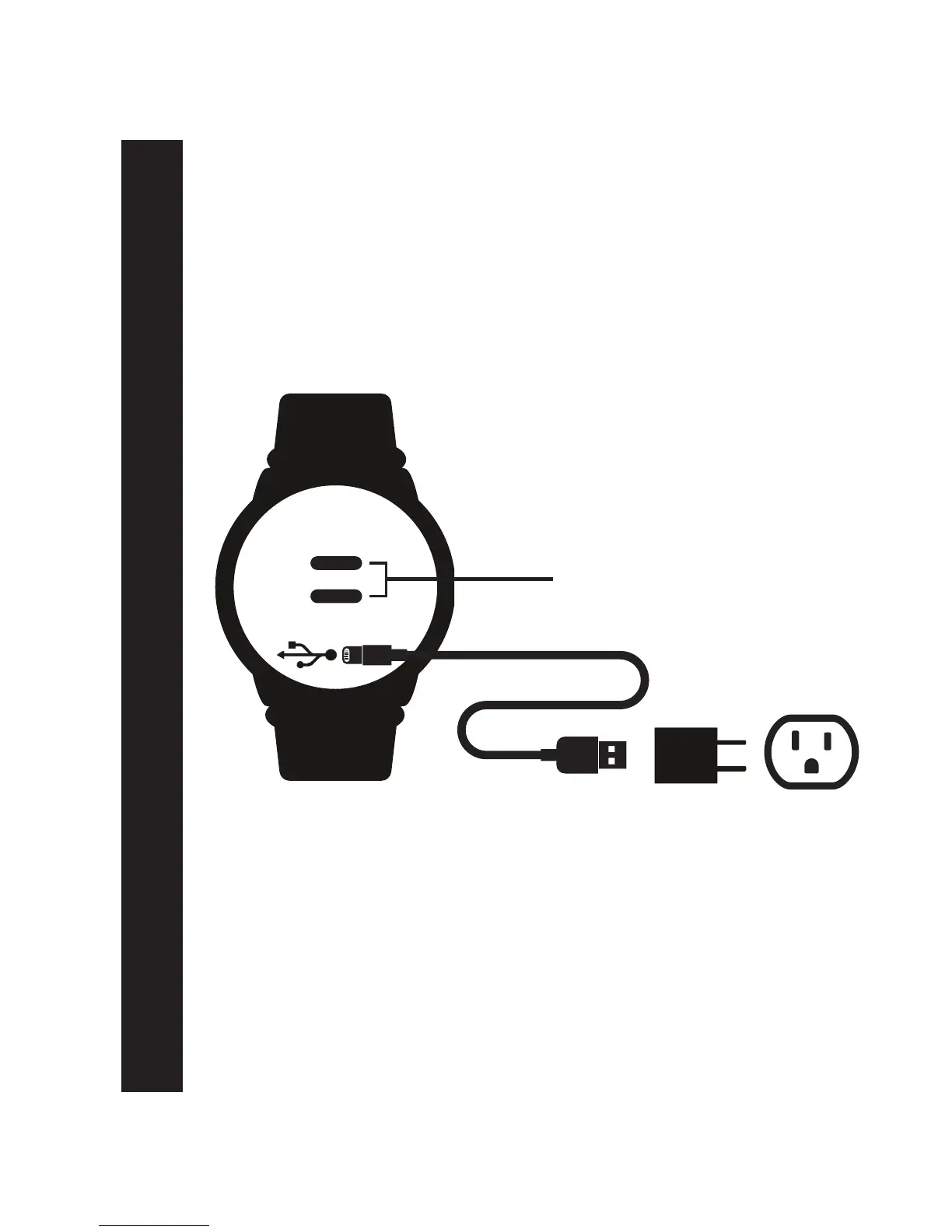
(BACK OF OTBEAT BURN)
OTbeat Burn - Charging Device
Device can be connected directly to a computer USB port.
Note: The voltage differs from wall outlet to computer.
Battery is fully charged when Green LED is continuously on
During charging: Red LED light will blink slowly
LED indication for charging is in front of device
Charging Device:
1. Open rubber port cover on back of device
2. Plug in mini-USB connector into device port
3. Plug in regular USB connector into charging block
4. Plug in charging block into wall outlet
Optical heart rate sensor
LED lights
Page 3


 To Next Page