
 Need help?
Do you have a question about the OTbeat Burn and is the answer not in the manual?
Steps for unboxing, connecting the USB cord, and initial power-on of the OTbeat Burn device.
Instructions on how to download and install the Orangetheory mobile application on your device.
Detailed steps for charging the device and understanding the LED light indications for status.
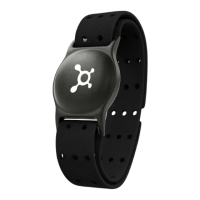
Guidance on where to wear the OTbeat Burn for optimal sensor contact and accurate data transmission.
Instructions on how to power on the device and initiate the Bluetooth pairing process with your mobile phone.
Comprehensive explanation of LED signals for heart rate detection, Bluetooth connection, and battery status.
Recommendations for cleaning the device, sensor lens, and charging contacts to ensure longevity.
Overview of the device's technical features, including heart rate range, connectivity, and water resistance.
 General
| Connectivity | Bluetooth |
|---|---|
| Battery Life | Up to 24 hours |
| Water Resistance | IP67 |
| Heart Rate Tracking | Yes |
| Type | Chest Strap |
| Compatibility | iOS and Android |
| Battery | Rechargeable lithium-ion |
| Heart Rate Zones | 5 zones |

 To Next Page