5
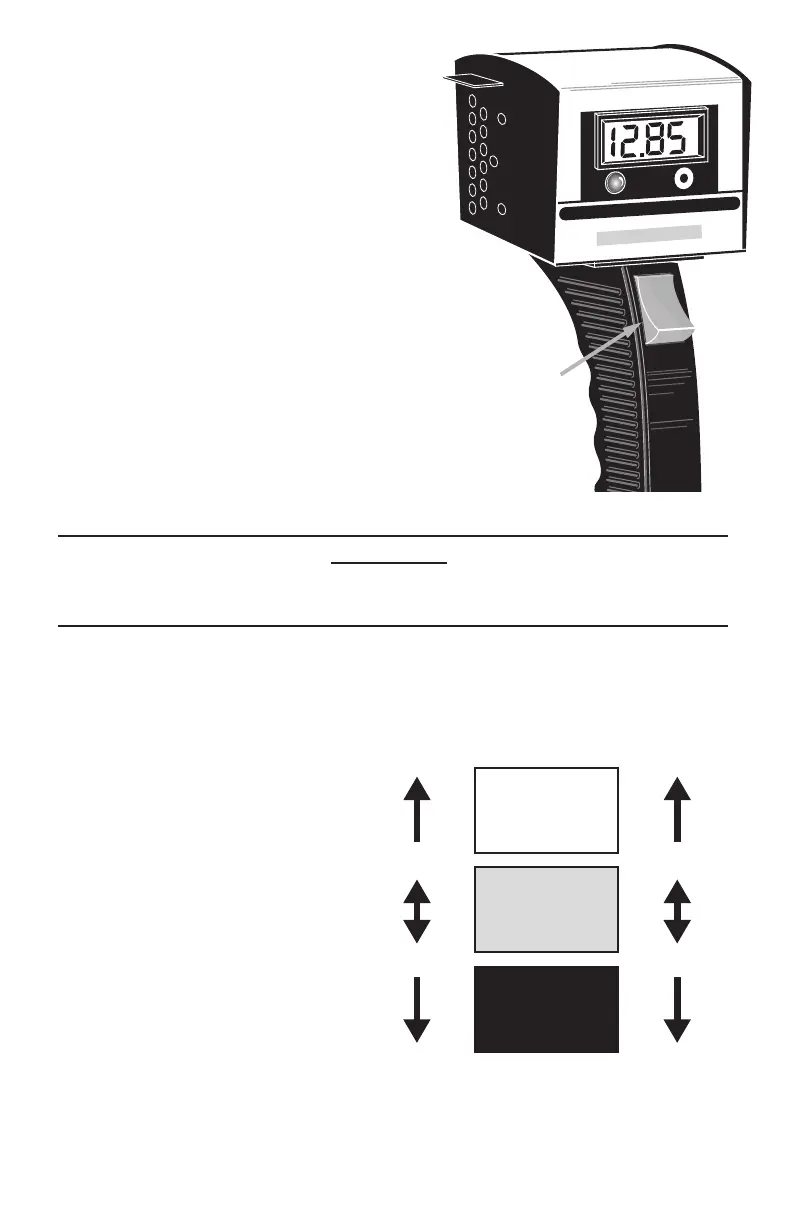
3.PressandholdtheLOAD SWITCHfor
10seconds.RefertoFigure 4.
4.Observe the voltage on the LCD and
note the value. Release the LOAD
SWITCHimmediatelyafterreadingthe
display.
5.Disconnect the Red clamp from the
batteryandthentheBlackclamp.
6.Figure 5showstherangefora500CCA
(Cold-CrankingAmperage) battery
tested at 70°F (21.1°C). For batteries
ratedatotherCCAvalues,subtract0.1V
forevery100CCAbelow500CCAfrom
thevaluesshowninFigure 5.Add0.1V
forevery100CCAabove500CCA.
IfthevoltageisintheWEAKregion,then
thebatteryisprobablydischargedand
needstobechargedbeforetesting.
• Disconnecttesterandchargebattery;
followbatterychargermanufacturer’s
instructionsforchargingprocedures.
WARNING!
Charging a battery with a bad cell may cause severe personal injury and
damage to vehicle and/or equipment.
• Disconnectcharger,reconnecttesterandretest.Ifthevoltageremainslow,
thenthebatteryisnotacceptingachargeandshouldbereplaced.
Test Results
GOOD - means the battery is in
good condition and should start
the vehicle in any environment.
WEAK - Indicates the battery is
dischargedandrequirescharging.
Chargebatteryandthenretest.
• IfbatterytestsWEAKasecond
time,thiscouldindicateoneor
more cells are bad and battery
mustbereplaced.
• If battery reads GOOD, the
battery was not suciently
chargedduringthersttest.
BAD - Indicates the battery is
deeply discharged and requires
acompletechargeorthebattery
isbadandrequiresreplacement.Checkthefollowing(onpage6)andretest.
Test Time: 10 seconds Max Time: 15 seconds
Digital 130 Amp Battery Load/Alternator Tester
Load Switch
Load Switch
Figure 4 Load Switch and Display
Figure 5 500 CCA Test Results at 70°F (21.1°C)
GOOD
WEAK
BAD
10.00V
6.10V
3.05V
5.00V
12V Battery 6V Battery


 To Next Page
 Loading...