24
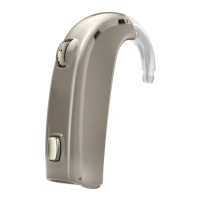
The Volume Control allows you to adjust the volume in specific listening situations to
the level you feel comfortable with.
To increase volume, turn the wheel forward.
To decrease volume, turn the wheel towards the back of your head.
When the hearing instrument is turned on, it starts up at a preferred volume level.
When adjusting the volume control to the preferred level, this is indicated by a beep.



 To Next Page