EasyManua.ls Logo

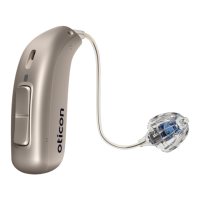
oticon Intent 1 miniRITE - User Manual

oticon Intent 1 miniRITE
100 pages
Print Icon
To Next Page IconTo Next Page
Loading...
Instructions for use
miniRITE
Oticon Intent™
Question and Answer IconNeed help?

Do you have a question about the oticon Intent 1 miniRITE and is the answer not in the manual?

Summary

Introduction and Product Information

Introduction to the Booklet

Introduces the manual's purpose and guides users on how to get the most benefit from their hearing aids.

Model Overview

Lists the hearing aid models for which this booklet is valid, including their GTINs.

Intended Use of Hearing Aids

Describes the hearing aid's intended purpose, indications for use, and intended user group.

Hearing Aid Components

Illustrates and labels the main parts of the hearing aid, speaker, and earpiece.

Getting Started

Battery Performance

Information on charging the hearing aids, battery performance factors, and care.

Low Battery Indication

Explains the audio and LED signals that indicate the hearing aid battery is running low.

Turning Hearing Aids ON;OFF

Instructions for turning the hearing aids ON and OFF using the charger or the push-button.

Putting On Your Hearing Aid

Step-by-step instructions on how to correctly place the hearing aid behind the ear.

Daily Use and Maintenance

Cleaning Your Hearing Aids

Details on using the MultiTool for cleaning the hearing aid and removing earwax.

Replacing Standard Earpieces

Guide on how to remove and securely attach standard earpieces to the speaker.

Adjusting Volume

Instructions on using the push-button to increase or decrease the hearing aid's volume.

Changing Hearing Programs

Explains how to switch between different sound programs using the push-button.

Storing Your Hearing Aids

Guidance on storing the hearing aids when not in use to ensure battery longevity.

Features and Connectivity

Bluetooth Connectivity

Instructions for turning Bluetooth ON/OFF and its implications for hearing aid functionality.

Connecting to Digital Devices

Information on using hearing aids with compatible Apple and Android devices for streaming and communication.

Pairing and Compatibility

Provides website links for instructions on pairing hearing aids with various devices.

Call Handling

How to accept, reject, or end phone calls using the hearing aid's push-buttons or tap control.

Wireless Accessories

Introduces accessories that enhance hearing aid functionality, such as ConnectClip and TV Adapter.

Tinnitus Management

Tinnitus SoundSupport Overview

Explains the Tinnitus SoundSupport tool, its purpose, and the target population.

Guidelines for Tinnitus Users

Provides recommendations for users and stresses the importance of medical evaluation by a physician.

Tinnitus SoundSupport Settings

Details how Tinnitus SoundSupport programs and volume levels are programmed by a hearing care professional.

Safety, Warnings, and Compliance

Critical Safety Warnings

Highlights critical warnings for young users and dispensers regarding medical evaluation and potential risks.

General Warnings and Precautions

Introduces the warnings section and advises users to read it carefully for safe and effective use.

Tinnitus Related Warnings

Lists specific warnings and potential concerns associated with the use of the Tinnitus SoundSupport feature.

Environmental and Handling Safety

Covers general safety advice, including proper usage, charging, and avoiding misuse of hearing aids.

Choking and Battery Hazards

Details the risks of swallowing small parts and batteries, including emergency contact information.

Water, Dust, and Electrical Safety

Explains the hearing aid's IP68 rating for water and dust resistance and provides important notices.

Regulatory Compliance and Warranty

States compliance with EU regulations and provides information on the international warranty and service.

Settings and Troubleshooting

Individual Hearing Aid Settings

A section for hearing care professionals to record personalized settings for the user's hearing aid.

Sound and LED Indicators

Describes the various sound and LED light patterns indicating the hearing aid's status and operations.

Troubleshooting Common Issues

Provides a guide to identify possible causes and solutions for common hearing aid malfunctions.

Summary

Introduction and Product Information

Introduction to the Booklet

Introduces the manual's purpose and guides users on how to get the most benefit from their hearing aids.

Model Overview

Lists the hearing aid models for which this booklet is valid, including their GTINs.

Intended Use of Hearing Aids

Describes the hearing aid's intended purpose, indications for use, and intended user group.

Hearing Aid Components

Illustrates and labels the main parts of the hearing aid, speaker, and earpiece.

Getting Started

Battery Performance

Information on charging the hearing aids, battery performance factors, and care.

Low Battery Indication

Explains the audio and LED signals that indicate the hearing aid battery is running low.

Turning Hearing Aids ON;OFF

Instructions for turning the hearing aids ON and OFF using the charger or the push-button.

Putting On Your Hearing Aid

Step-by-step instructions on how to correctly place the hearing aid behind the ear.

Daily Use and Maintenance

Cleaning Your Hearing Aids

Details on using the MultiTool for cleaning the hearing aid and removing earwax.

Replacing Standard Earpieces

Guide on how to remove and securely attach standard earpieces to the speaker.

Adjusting Volume

Instructions on using the push-button to increase or decrease the hearing aid's volume.

Changing Hearing Programs

Explains how to switch between different sound programs using the push-button.

Storing Your Hearing Aids

Guidance on storing the hearing aids when not in use to ensure battery longevity.

Features and Connectivity

Bluetooth Connectivity

Instructions for turning Bluetooth ON/OFF and its implications for hearing aid functionality.

Connecting to Digital Devices

Information on using hearing aids with compatible Apple and Android devices for streaming and communication.

Pairing and Compatibility

Provides website links for instructions on pairing hearing aids with various devices.

Call Handling

How to accept, reject, or end phone calls using the hearing aid's push-buttons or tap control.

Wireless Accessories

Introduces accessories that enhance hearing aid functionality, such as ConnectClip and TV Adapter.

Tinnitus Management

Tinnitus SoundSupport Overview

Explains the Tinnitus SoundSupport tool, its purpose, and the target population.

Guidelines for Tinnitus Users

Provides recommendations for users and stresses the importance of medical evaluation by a physician.

Tinnitus SoundSupport Settings

Details how Tinnitus SoundSupport programs and volume levels are programmed by a hearing care professional.

Safety, Warnings, and Compliance

Critical Safety Warnings

Highlights critical warnings for young users and dispensers regarding medical evaluation and potential risks.

General Warnings and Precautions

Introduces the warnings section and advises users to read it carefully for safe and effective use.

Tinnitus Related Warnings

Lists specific warnings and potential concerns associated with the use of the Tinnitus SoundSupport feature.

Environmental and Handling Safety

Covers general safety advice, including proper usage, charging, and avoiding misuse of hearing aids.

Choking and Battery Hazards

Details the risks of swallowing small parts and batteries, including emergency contact information.

Water, Dust, and Electrical Safety

Explains the hearing aid's IP68 rating for water and dust resistance and provides important notices.

Regulatory Compliance and Warranty

States compliance with EU regulations and provides information on the international warranty and service.

Settings and Troubleshooting

Individual Hearing Aid Settings

A section for hearing care professionals to record personalized settings for the user's hearing aid.

Sound and LED Indicators

Describes the various sound and LED light patterns indicating the hearing aid's status and operations.

Troubleshooting Common Issues

Provides a guide to identify possible causes and solutions for common hearing aid malfunctions.

oticon Intent 1 miniRITE Specifications

General IconGeneral
TypeHearing Aid
StyleminiRITE
Battery Size312
ConnectivityBluetooth
Rechargeable OptionNo
Noise ReductionYes
Feedback ManagementYes
Directional MicrophonesYes
TelecoilYes
Tinnitus Sound GeneratorYes
Water ResistanceIP68
TechnologyDigital
Programs4
Battery LifeUp to 7 days

Related product manuals