*Only devices without 2.4 GHz technology.
Programming cables
PLEASE NOTE: All programming for Oticon Intent, Oticon Real and Oticon More
products is wireless utilizing the NoahLink wireless.
Please note: Wireless programming is based on 2.4 GHz technology. Only ITC, ITE
HS and ITE FS with 2.4 GHz wireless technology can be programmed wirelessly.
All other custom instruments must be programmed with a cable connection.
Use Noahlink wireless programmer to wirelessly connect to the hearing aids.
The following wired programming can also be used: Oticon programming cable #3
or HI-PRO #3 Left: 214463 Right: 214372
miniRITE and miniRITE T (Opn S, Opn, Alta Pro, Alta1 Pro,
Alta2 Pro, Agil Pro)
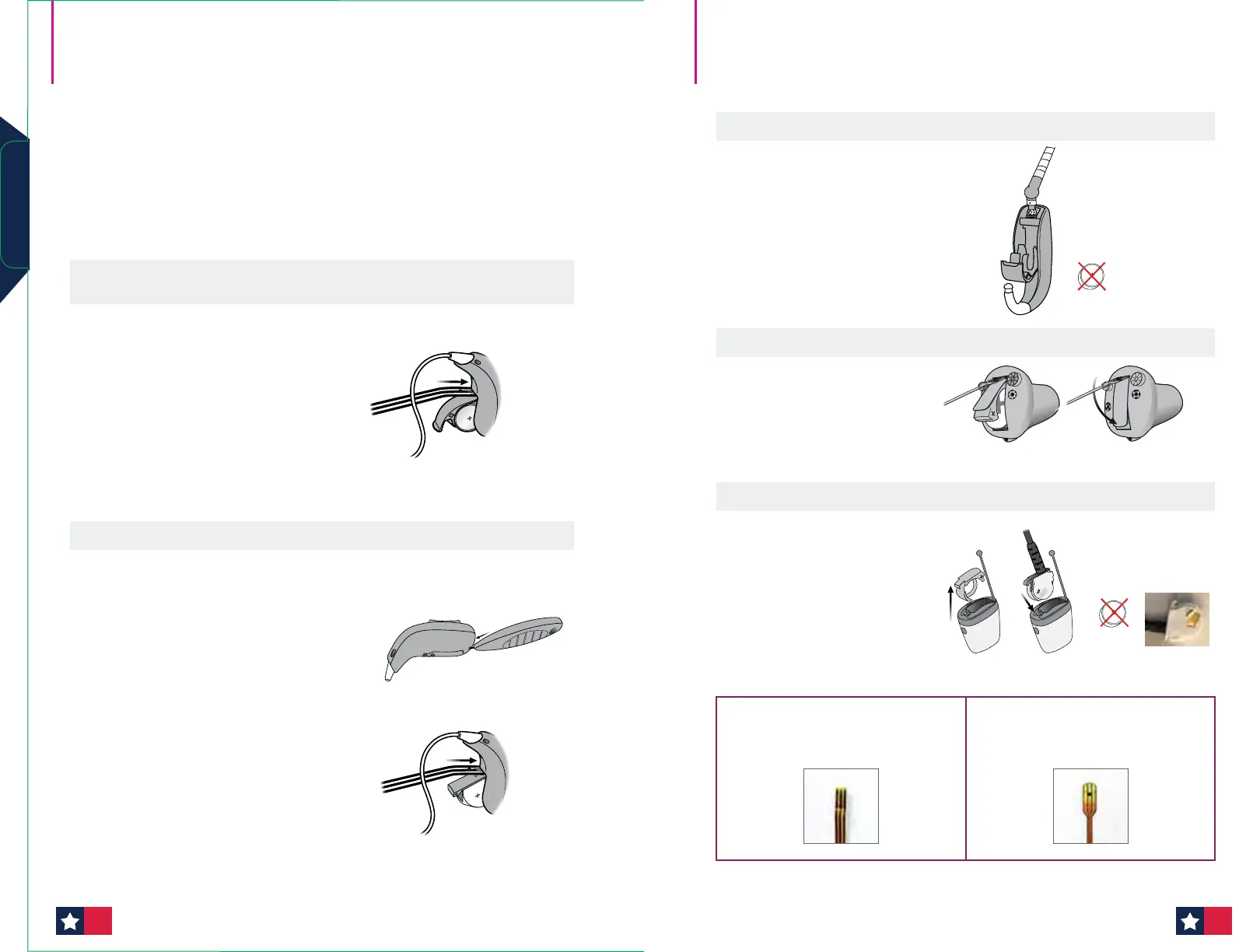
Use FlexConnect 390-01-180-05 (See lower right corner for image)
Step 1:
Insert a new battery. Do not close
the battery drawer.
Step 2:
Insert the gold end of FlexConnect
into the space right above the
battery drawer hinge. Make sure
the black dot on FlexConnect is
facing away from the battery
drawer and push until the black
dot touches the hearing aid. Close
the battery drawer.
miniRITE R (Opn S)
Use Service tool 890-22-270-00 (see page 86 for image)
Use FlexConnect 390-01-180-05 (See lower right corner for image)
Step 1:
Open the battery drawer with
service tool.
1.
Step 2:
Insert the gold end of FlexConnect.
Follow description for miniRITE T
for how to insert. Close the battery
drawer before programming. Press
and hold the lower part of the
push-button for approx. 2 seconds.
Release the button and wait until
the hearing aid LED turns GREEN.
The hearing aid is now turned ON.
2.
BTE, BTE PP, BTE SP, BTE UP (Opn S, Opn, Xceed SP, Xceed UP, Alta2 Pro)
Insert the programming cable in
the bottom of the hearing aid
(direct connection).
ITC, ITE HS, ITE FS* (Oticon Own, Opn, Alta Pro, Alta2 Pro)
Use FlexConnect Mini 117468
(See image below)
1. 2.
IIC, CIC (Oticon Own, Opn, Alta2 Pro)
Use Programming Adapter
Mini 164237
1. 2.
No battery
FlexConnect
(miniRITE, miniRITE T, miniRITE R)
FlexConnect Mini
(ITC, ITE HS, ITE FS)
Programming cables (cont'd)
No battery
Programming
8988












 To Next Page