EasyManua.ls Logo

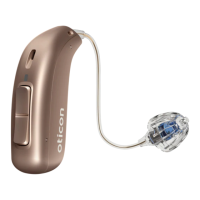
oticon More 2 miniRITE R - User Manual

oticon More 2 miniRITE R
166 pages
Print Icon
To Next Page IconTo Next Page
Loading...
Instructions for use
miniRITE R
Oticon More™

Table of Contents

Questions and Answers

  • J
    Juan PerezJul 25, 2025
    How to fix oticon Hearing Aid with no sound?
    • D
      Desiree BaileyJul 25, 2025
      If your Oticon hearing aid has no sound, there could be several reasons. First, the hearing aid may be out of power, in which case you should charge it. Alternatively, the battery might be dead, and you should contact your hearing care professional. Finally, a clogged sound outlet can cause this issue, so try replacing the wax filter, dome, or Grip Tip.
  • D
    Daniel MartinezJul 30, 2025
    How to fix oticon Hearing Aid pairing issue with Apple device?
    • U
      uleeJul 30, 2025
      If you're having trouble pairing your Oticon hearing aid with an Apple device, try turning Bluetooth off and on again. If the Bluetooth connection failed, turn the hearing aid off and then back on. If only one hearing aid is paired, re-pair the hearing aid.
  • N
    Nicole YorkAug 4, 2025
    What does it mean if my oticon More 2 miniRITE R Hearing Aid LED light blinks ORANGE when charging?
    • T
      Timothy TrujilloAug 4, 2025
      If the LED light on your Oticon hearing aid blinks orange when placed in the charger, this indicates a system error. Contact your hearing care professional for assistance.
  • A
    Ashley StricklandAug 9, 2025
    What to do if oticon More 2 miniRITE R LED light is OFF when charging?
    • S
      Steven DelgadoAug 9, 2025
      If the LED light on your Oticon hearing aid remains off when placed in the charger, verify that the charger’s power plug is correctly connected. If that's not the issue, the hearing aid or charger’s temperature might be too warm or cold; move them to a location with a temperature between +5°C and +40°C (+41°F and +104°F). If the room temperature exceeds +35°C (+95°F), reinsert the hearing aid into the charger to complete the charging within approximately 15 minutes. Also, check the charging ports for foreign objects, as the hearing aid may be incorrectly seated in the charger.
  • S
    Steven JosephAug 14, 2025
    What to do if oticon Hearing Aid sound is intermittent?
    • A
      Andrea HesterAug 14, 2025
      If you are experiencing intermittent or reduced sound with your Oticon hearing aid, it could be due to a few reasons. The sound outlet might be clogged, so try cleaning the mould or replacing the wax filter, dome, or Grip Tip. Moisture can also cause this issue; gently wipe the hearing aid and let it dry. Also, ensure that the hearing aid is adequately charged.
  • A
    Angela WilsonAug 20, 2025
    Why does my oticon More 2 miniRITE R Hearing Aid make a squealing noise?
    • A
      Amy SheppardAug 20, 2025
      A squealing noise from your Oticon hearing aid can occur if the earpiece is not correctly inserted; try re-inserting it. Another cause could be earwax accumulated in your ear canal. In this case, have your ear canal examined by your doctor.

Summary

Introduction and Model Overview

Booklet Introduction

Guides the user on how to use and maintain the hearing aid for optimal benefit.

Basic Operation

Charging Your Hearing Aid

Explains the charging process, LED indicators, and crucial charging time information.

Powering On and Off

Details how to turn the hearing aid ON and OFF using the charger.

Hearing Aid Components

Earpiece Options

Details the types, sizes, and customization of earpieces for the hearing aid.

Hearing Aid Anatomy

Setup and Wearing

Charging Time

Details the charging time for the hearing aid and factors affecting it.

Wearing the Hearing Aid

Provides step-by-step instructions on how to properly put on and wear the hearing aid.

Handling and Maintenance

Cleaning and Earpiece Replacement

Guides on cleaning the hearing aid and replacing standard earpieces.

Wax Filter Management

Explains the ProWax miniFit filter and its replacement procedure.

Features and Connectivity

Volume, Program and Mute Control

Details how to adjust volume, change programs, and mute the hearing aid.

Device Connectivity

Explains how to connect and use the hearing aid with Apple and Android devices.

Tinnitus Management

Tinnitus SoundSupport Warnings

Lists important warnings and precautions related to the Tinnitus SoundSupport feature.

General Safety and Warnings

Critical Safety Precautions

Highlights critical warnings regarding battery handling, usage, and choking hazards.

Device Precautions and Restrictions

Details precautions for batteries, malfunctions, medical implants, and environmental factors.

Environmental and Interference Warnings

Warns about heat, chemicals, specific instrument types, and potential interference.

Troubleshooting and Information

Troubleshooting Common Issues

Offers solutions for problems like no sound, intermittent sound, and squealing.

Technical and Warranty Information

Covers water resistance, conditions of use, technical details, and warranty information.

Your Individual Hearing Aid Settings

Tinnitus SoundSupport: Limitation on Use

Records the daily usage limits for Tinnitus SoundSupport programs.

General Settings Overview

Details general settings for volume control and battery indicators.

Sound and LED Light Indicators

oticon More 2 miniRITE R Specifications

General IconGeneral
TypeHearing Aid
StyleminiRITE R
Technology LevelPremium
Wireless ConnectivityBluetooth
Programs4
Water ResistanceIP68
Feedback ManagementYes
Noise ReductionYes
Tinnitus SoundSupportYes
CompatibilityiOS and Android
Frequency Range100 Hz - 10 kHz
Battery Life24 hours
Battery TypeRechargeable

Related product manuals