20 21
About Installation Daily use Warnings Additional Information
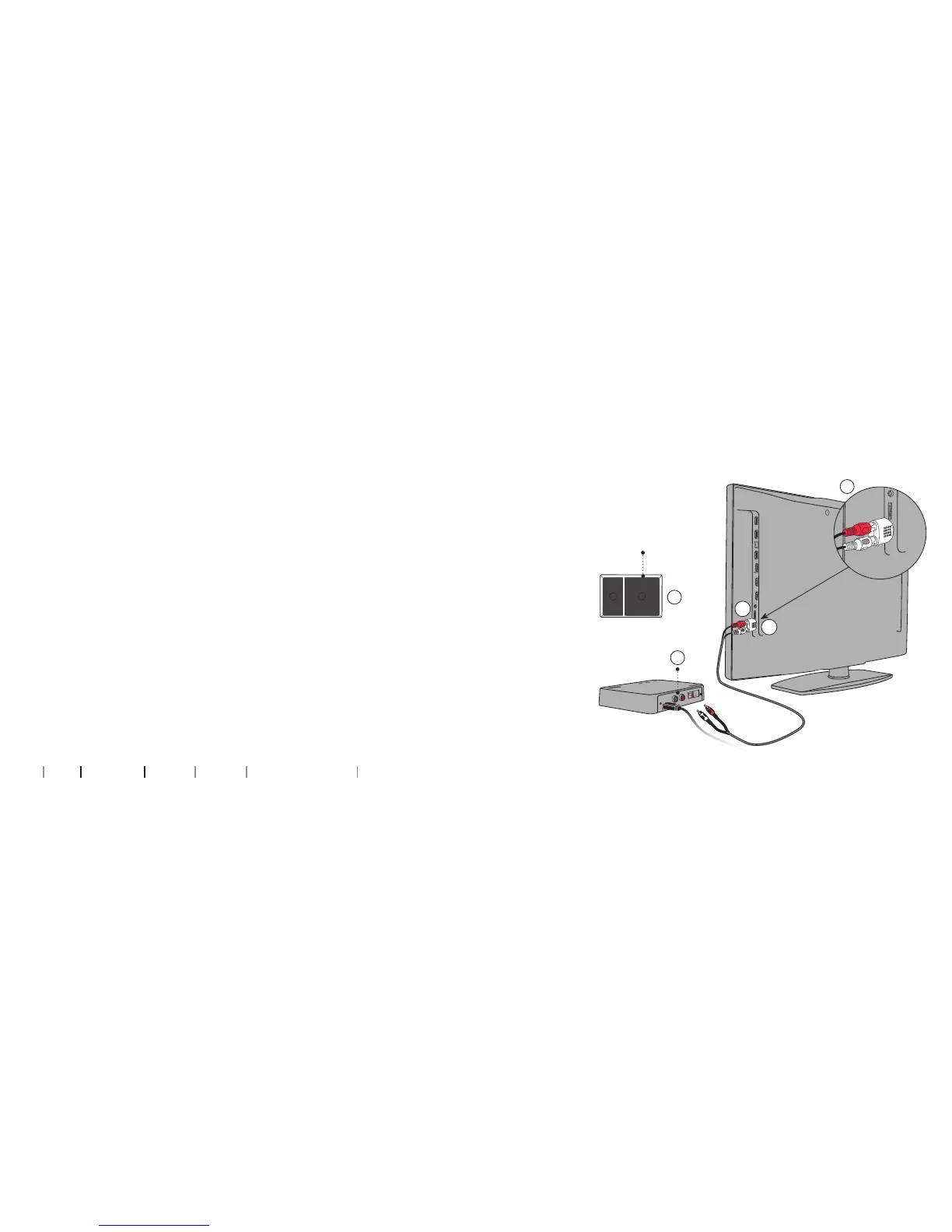
Connecting using mini jack Adapter
1. Use the mini jack Adapter from box no. 2 (A).
2. Connect the RCA cable to the mini jack Adapter (B1).
3. Connect the mini jack to the TV, this is typically the headphone
output (B2).
4. Connect the RCA connectors to the TV Adapter RCA input (C).
5. Refer to page 24 for pairing of the TV Adapter with your hearing aids.
Please note: The TV speakers may be muted when connecting to
the headphone output, and sound may only be heard through the
Hearing Aids/TV Adapter.
B
B1
B2
Box 2
A
D


 To Next Page