P2 TVP1
30 31
About Installation Daily use Warnings Additional information
Start TV sound using the hearing aid
Remote Control
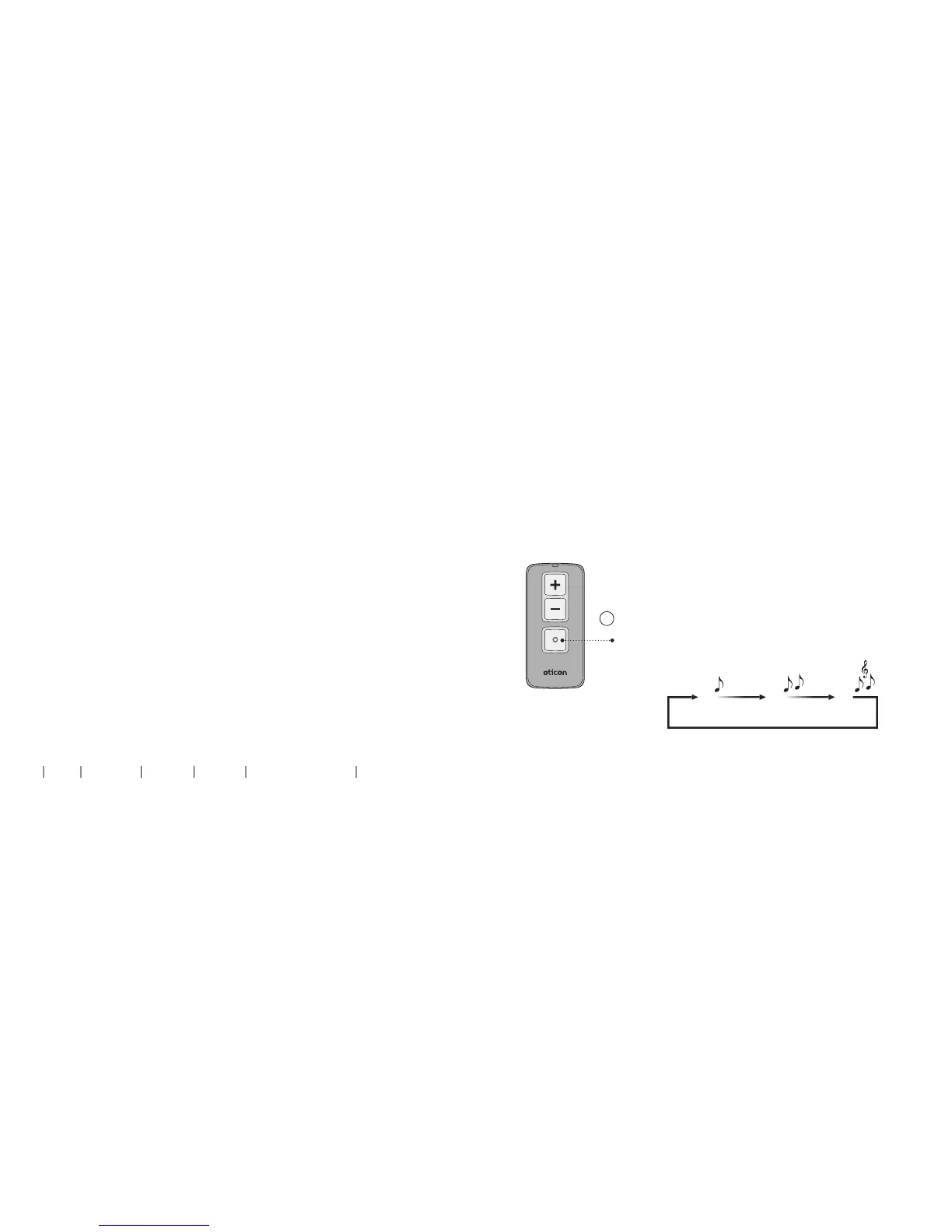
The Remote Control is an optional accessory to your wireless
hearing aids.
Once a TV Adapter has been paired to your hearing aids it will be
available as a program. To listen to TV simply press the
program selector and change program (A).
The program cycle will depend on the programs already
available in your hearing aids.
The TV program indicator which is different from program
indicators will be heard once the TV program is selected.
Turn o TV sound using your Remote Control
To stop the sound from the TV simply change to the desired
program in your hearing aids.
More information: www.oticon.ca/connectivity
Change program
A


 To Next Page