CONGRATULATIONS!
You’ve purchased the finest in natural lighting technology with your new OttLite
®
product.
PRODUCT REGISTRATION FORM
Please complete the enclosed Product Registration Form and return it today by
mail or register online by going to: OttLite.com/warranty.
WARNING: To prevent electric shock, make sure the lamp is not plugged in until
all steps are complete.
NOTE: THIS UNIT IS FULLY ASSEMBLED
1.
Remove the lamp from the packaging and place on a flat surface.
2.
Connect power adapter input (A) into connector (B) in the rear-bottom of the lamp.
3. Plug the power adapter (E) into a standard household 120V AC outlet. Note:
Only use with the supplied power adapter to avoid damage or fire.
4. Power switch (F) is a “touch” switch that controls ON/OFF power, the LED
brightness settings and the mode functions of the lamp.
5. To turn the lamp ON, touch (F) once. To adjust brightness, touch (F) again. The
lamp has 3 brightness settings and then the fourth touch will turn the light OFF.
6. Touch and hold (F) to change light modes. The three modes are; ClearSun LED,
Sanitizing, and ClearSun + Sanitizing. ClearSun + Sanitizing mode utilizes both
the Clearsun LEDs and Sanitizing LEDs simultaneously to provide continuous
cleaning while using the lamp.
NOTE: The active mode will be indicated by the lights next to the icons. If
indicator light (H) is illuminated, ClearSun mode is on. If indicator light (J)
is illuminated, Sanitizing mode is on. If both indicator lights (H and J) are
illuminated, Clearsun + Sanitize mode is on.
7. To position the shade simply bend the flex-neck as needed to point the light.
Please hold the lamp base while adjusting the lamp.
WIRELESS CHARGING INSTRUCTIONS:
Wireless charging requires a Qi-certified device. To determine if your device is
Qi-certified, please visit the Wireless Power Consortium website.
To wirelessly charge a device, perform the following:
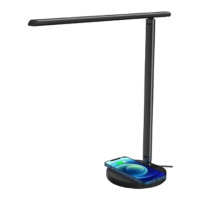
• Place the device, which supports Qi wireless charging standard, face up on the
middle of the Qi wireless charging emblem (C). NOTE: Phone will charge in either
vertical or horizontal position.
• A red indicator light (G) will come on to indicate charging.
• Check the charge level on your device periodically to determine when device is
fully charged. NOTE: Lamp DOES NOT provide any indication of when device is
fully charged.
CAUTION!
DEVICE MAY BECOME WARM DURING CHARGING. THIS IS NORMAL
AND PART OF THE PROCESS. CHARGING TIMES VARY BY DEVICE.
USB CHARGING PORT
THIS LAMP CONTAINS a 5V, 2,1A USB output port (D) located on the bottom rear
of lamp. USB port can charge items such as tablets, cellular phones, etc.
SAFETY WARNING: TO REDUCE THE RISK OF FIRE, ELECTRIC SHOCK,
OR INJURY TO PERSONS
1. Turn lamp off and WAIT UNTIL LAMP HEAD (K) IS COOL before handling.
2. The LED panel (L) might get hot after several hours of continuous use DO NOT
place your hands directly on LED light panel.
3. Never use with an extension cord unless the plug can be fully inserted into the
receptacles in the extension cord.
4. Do not alter the plug.
5. The lamp head included with this unit cannot be replaced by the consumer.
6. INDOOR USE ONLY.
NOTE: The important safety instructions appearing in this instruction sheet are not
meant to cover all possible conditions and situations that may occur. It must be
understood that common sense, caution, and care must be used with any electrical
product.
CAUTION!
IF THE EXTERNAL FLEXIBLE CABLE OR CORD OF THIS LUMINAIRE IS
DAMAGED, IT SHALL BE EXCLUSIVELY REPLACED BY THE MANUFACTURER OR ITS SERVICE
AGENT OR A SIMILAR QUALIFIED PERSON IN ORDER TO AVOID A HAZARD. INDOOR USE ONLY.
CAUTION!
THE LIGHT SOURCE OF THIS LUMINAIRE IS NOT REPLACEABLE; WHEN
THE LIGHT SOURCE REACHES ITS END OF LIFE THE WHOLE LUMINAIRE SHALL BE REPLACED.
FCC PART 15
Note: This equipment has been tested and found to comply with the limits for a Class
B digital device, pursuant to Part 15 of the FCC rules. These limits are designed to
provide reasonable protection against harmful interference in a residential installation.
This equipment generates, uses and can radiate radio frequency energy and, if
not installed and used in accordance with the instructions, may cause harmful
interference to radio communications. However, there is no guarantee that the
interference will not occur in a particular installation. If this equipment does cause
harmful interference to radio or television reception, which can be determined
by turning the equipment off and on, the user is encouraged to try to correct the
interference by one or more of the following measures:
• Reorient or relocate the receiving antenna.
• Increase the separation between the equipment and receiver.
• Connect the equipment into an outlet on a circuit different from that to which
the receiver is connected.
• Consult the dealer or an experienced radio/TV technician for help.
Changes or modifications not expressly approved by the party responsible for
compliance could void the user’s authority to operate the equipment.
This device complies with Part 15 of the FCC Rules. Operation is subject to the
following two conditions:
(1) this device may not cause harmful interference, and
(2) this device must accept any interference received, including interference that
may cause undesired operation.
FCC/IC RF RADIATION EXPOSURE STATEMENT CAUTION:
To maintain compliance with the FCC’s RF exposure guidelines, place the product at least
20cm from nearby persons.
IC CANADA
This device contains licence-exempt transmitter(s)/receiver that comply with
Innovation, Science and Economic Development Canada’s licence-exempt RSS(s).
Operation is subject to the following two conditions:
1. This device may not cause interference.
2. This device must accept any interference, including interference that may cause
undesired operation of the device.
CAN RSS-216/CNR-216
CAN ICES-005 (B)/NMB-005 (B)
CAUTION: Any change or modification to product not expressly recognized by
OttLite Technologies voids OttLite’s responsibility for proper function of product.
POWER ADAPTER SPECIFICATION:
Input: AC 100-240V, 50/60 Hz, 1A Max
Output: 12V DC, 2.5A with a Male DC Plug
Qi CHARGER SPECIFICATION:
Output: up to 5 Watts depending on device
The “Qi” symbol is a trademark of the Wireless Power Consortium
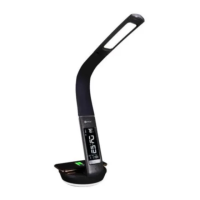
ENGLISH Purify LED Sanitizing Lamp with Wireless Charging
A
C
G
Purify LED Sanitizing Lamp with Wireless Charging
SCNQC00S X9SC
INS200593 REV090320
B
D
F
E
H
J
(ClearSun mode)
(Sanitizing mode)
(Charging indicator)
K
L

 Need help?
 General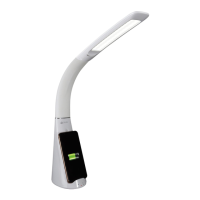

 To Next Page