3
Dear customer,
Thank you for purchasing our product. Please read the following instructions carefully before
first use and keep this user manual for future reference. Pay particular attention to the safety
instructions. If you have any questions or comments about the device, please contact the
customer line.
✉ www.alza.co.uk/kontakt
✆ +44 (0)203 514 4411
Importer Alza.cz a.s., Jankovcova 1522/53, Holešovice, 170 00 Praha 7, www.alza.cz
This adapter is designed for Android smartphones to use Android Auto wirelessly on a
factory car multimedia system which has built-in wired Android Auto function.
Convert OEM wired Android Auto to wireless.
Cars with OEM Android Auto.
OEM touch screen, steering wheel, and joystick control.
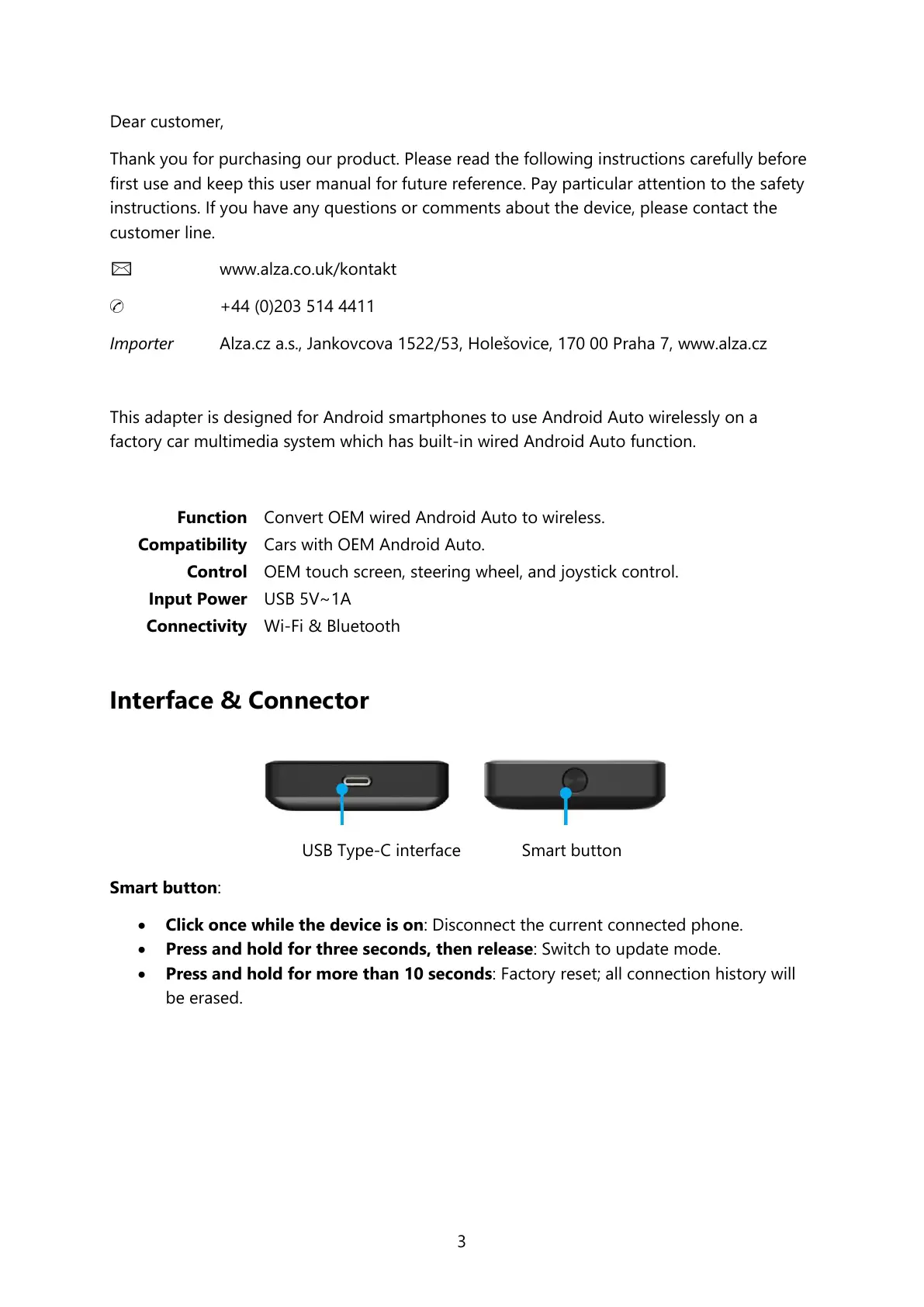
Interface & Connector
USB Type-C interface Smart button
Smart button:
Click once while the device is on: Disconnect the current connected phone.
Press and hold for three seconds, then release: Switch to update mode.
Press and hold for more than 10 seconds: Factory reset; all connection history will
be erased.


 To Next Page