4
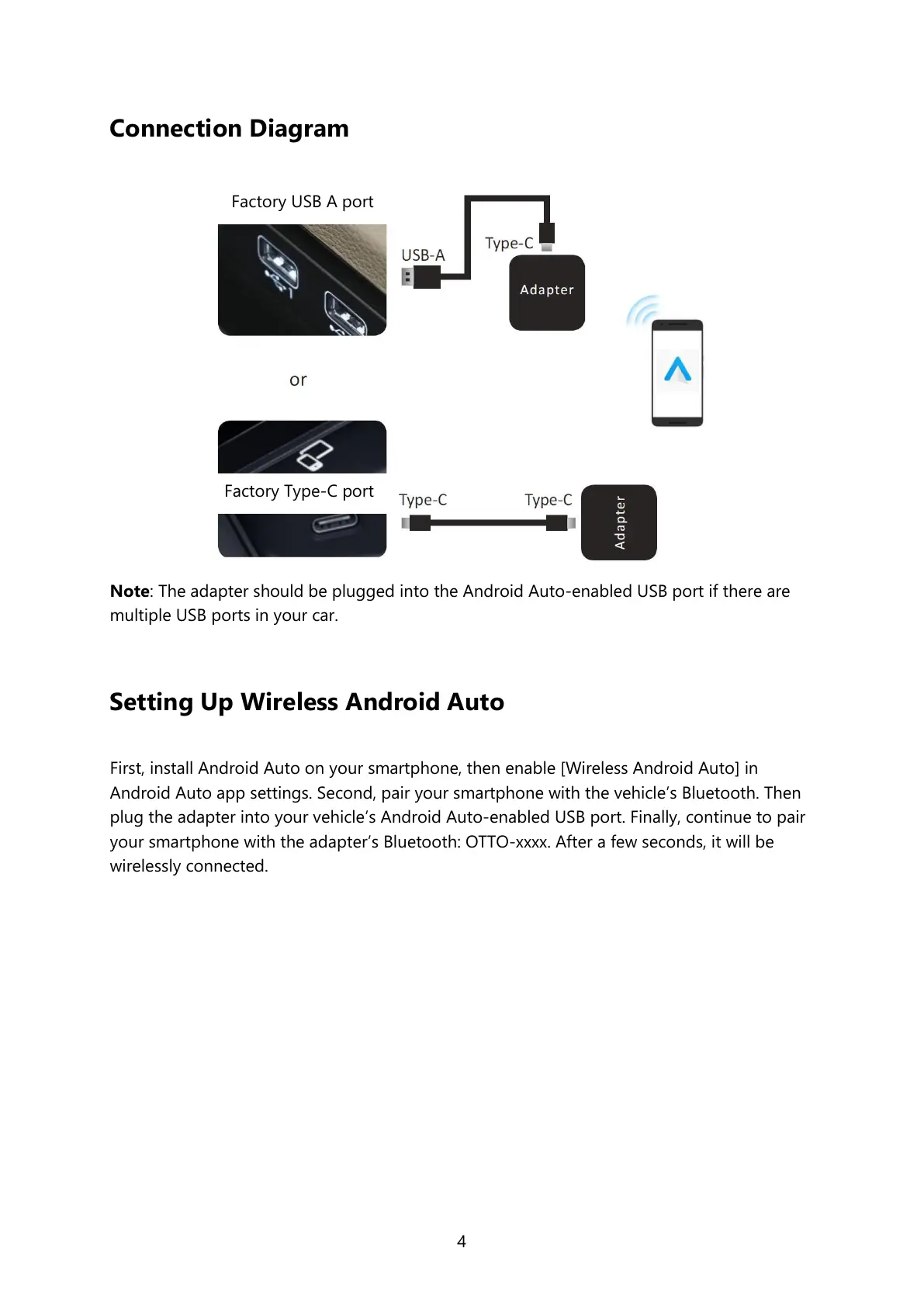
Connection Diagram
Note: The adapter should be plugged into the Android Auto-enabled USB port if there are
multiple USB ports in your car.
Setting Up Wireless Android Auto
First, install Android Auto on your smartphone, then enable [Wireless Android Auto] in
Android Auto app settings. Second, pair your smartphone with the vehicle’s Bluetooth. Then
plug the adapter into your vehicle’s Android Auto-enabled USB port. Finally, continue to pair
your smartphone with the adapter’s Bluetooth: OTTO-xxxx. After a few seconds, it will be
wirelessly connected.


 To Next Page