29
CLEANING THE FRONT PANEL
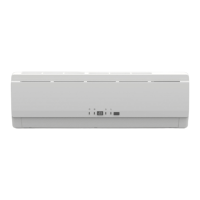
Step 1: Open the front panel
• Slide the two stoppers on the left and right sides
inward until you hear a “click”.
Step 2: Remove the front panel
• Remove the string to allow the front panel
to fall forward.
• Remove the front panel.
Step 3: Clean the front panel
• Wipe the front panel with a soft cloth lightly moistened with water (below 45 °C).
• Let it dry in a shady and cool place.
Step 4: Reinstall the front panel
• Insert the front panel into the grooves
of the unit (3 places).
• Attach the string to the right inner-side
of the front grille.
• Close the panel slowly.
CAUTION
• Don’t touch the metal parts of the indoor unit. Otherwise, it may cause injury.
• When removing or attaching the front panel, support it with your hand to prevent it from falling.
• After cleaning, make sure that the front panel is securely fixed.
String
String
Place front
panel in
grooves



 To Next Page