
 Need help?
Do you have a question about the Ouellet UHD09KCH38S and is the answer not in the manual?
Explains hazard symbols like DANGER, WARNING, CAUTION, NOTICE.
General safety rules for operating and maintaining the appliance.
Safety precautions and requirements for electrical wiring during installation.
Guidelines for selecting installation locations and operational temperature ranges.
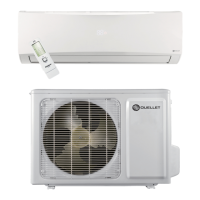
Identifies components of the indoor unit, remote control, and outdoor unit.
Explains the icons and indicators shown on the indoor unit's display.
Details the buttons on the remote control and their functions.
Explains the meaning of various icons displayed on the remote control.
How to turn the unit on/off, adjust fan speed, and select modes.
How to adjust temperature, set timers, and control louvre swing.
How to use I FEEL, control display light, and manage Wi-Fi connectivity.
How to activate SLEEP and QUIET modes for comfort and energy saving.
How to activate child lock, switch units, and enable freeze protection.
How to activate the X-FAN function for drying the indoor unit.
Step-by-step guide on how to replace batteries in the remote control.
How to operate the unit using the AUX button if the remote is lost or damaged.
General warnings and instructions for cleaning the unit and its filters.
Details about special filters like Bio-Sterilization and Multi-function filters.
Checklists for verifying unit status before and after operation.
A troubleshooting guide to diagnose and resolve common malfunctions.
Troubleshooting common issues like mist, odors, noises, and abnormal operation.
Lists error codes displayed by the unit and their meanings/solutions.
Illustrates required spacing and critical safety warnings for installation.
Lists the necessary tools for installing the air conditioning unit.
Guidelines for choosing suitable locations for indoor and outdoor units.
Safety rules and grounding requirements for electrical connections.
Step-by-step guide for installing the indoor unit, including piping and wiring.
Step-by-step guide for installing the outdoor unit, including connections.
Procedures for vacuum pumping the refrigerant lines and detecting leaks.
Checklists for verifying installation and testing unit operation.
Details on pipe lengths, height differences, and refrigerant charge.
Step-by-step guide for expanding pipes for refrigerant connections.
 General
| Model | UHD09KCH38S |
|---|---|
| Heating Seasonal Performance Factor (HSPF) | 10 |
| Refrigerant | R410A |
| Phase | 1 |
| Compressor Type | Inverter |
| Type | Mini-Split |
| Cooling Capacity | 9000 BTU |
| Voltage | 208/230V |
| Operating Temperature (Heating) | 24°C |


 To Next Page