900-0169-01-00 Rev B 53
Troubleshooting
Basic Troubleshooting
Table 7 is organized in order of common symptoms, with a series of possible causes. Each cause also
shows possible troubleshooting remedies, including system display checks where appropriate.
These instructions are for use by qualified personnel who meet all local and governmental code
requirements for licensing and training for the installation of electrical power systems with AC and DC
voltage up to 600 volts.
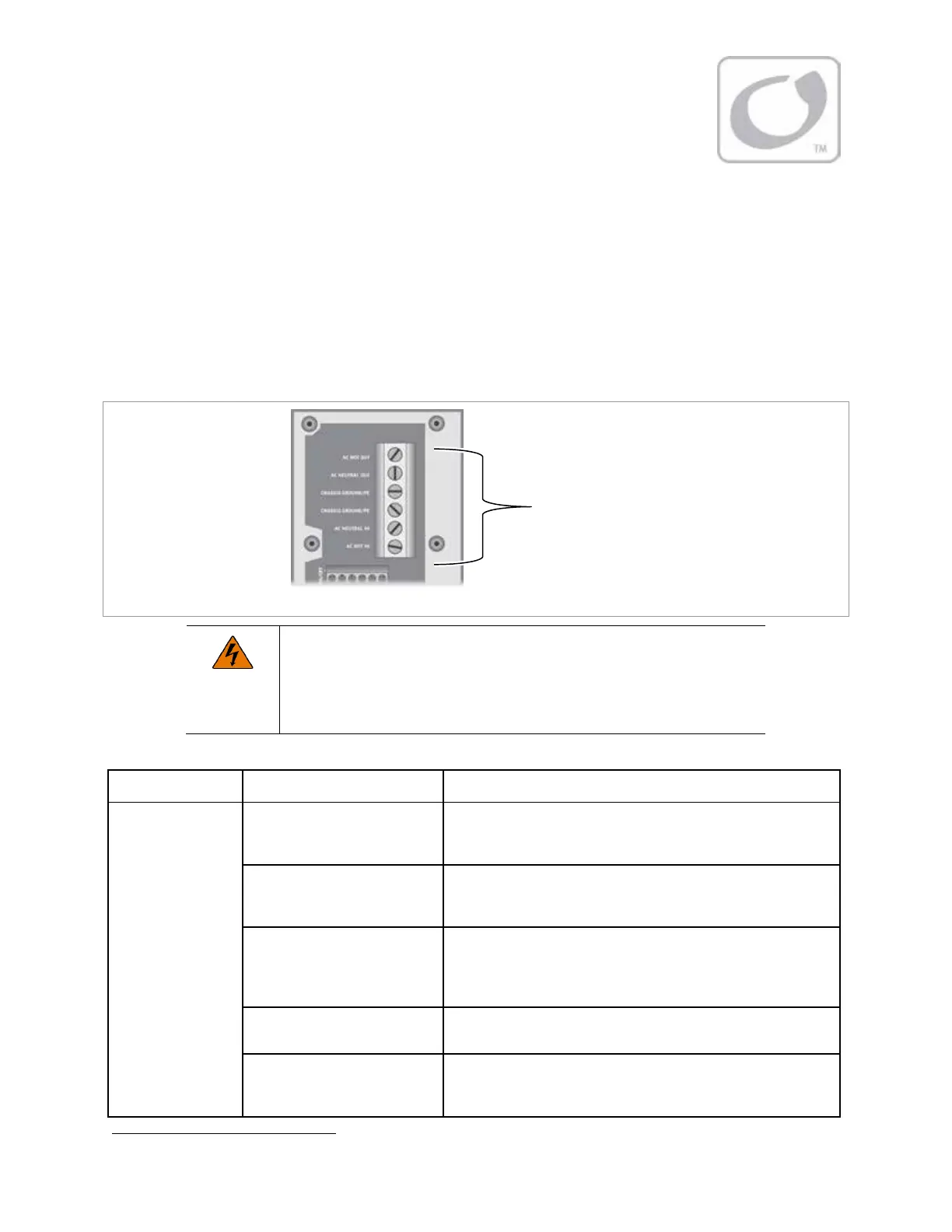
Figure 19 AC Test Points
WARNING: Shock Hazard
During an error shutdown, the inverter’s output terminals are not live. However,
if the inverter recovers from a shutdown, the terminals will become live without
notice. Several error shutdowns can be recovered automatically, including
Low
Battery V
,
High Battery V
, and
Over Temperature
. See page 58.
Table 7 Troubleshooting
Symptom Possible Cause Possible Remedy
No AC output
(will not invert).
No DC voltage.
Use a DC voltmeter to check the voltage directly on the DC
terminals. If not present, the problem is external. If present, the
inverter could be damaged. Contact OutBack Technical Support.
5
Inverter ON/OFF jumper
missing.
See the Installation Manual for the location of the jumper. Confirm
the jumper is present. If missing, replace the jumper. Or follow the
Installation Manual instructions to install an external switch.
Unit defaulted of
(No MATE3 present; initial
install; Inverter ON/OFF jumper
confirmed present).
he FXR inverter is given an initial Off command in the factory.
With DC present, use narrow pliers to remove the jumper from its
pins. Once removed, install it again. This is the equivalent of
“jiggling the switch.”
Inverter set to
Off
.
MATE3 system display only: Set to
On
with the
INVERTER
hot key.
NOTE
: The ON/OFF jumper must be installed.
Inverter set to
Search
(Search
mode).
MATE3 system display only: If constant power is required, set to
On
with the
INVERTER
hot key. (If this setting was intentional, then
no action is required.)
5
See inside front cover of this manual.
In troubleshooting,
AC voltages can be
measured at the
attachment screw for
each AC conductor.


 To Next Page