S3 User Guide 17 PN 875-0196-000 Rev C1
Chapter 2: Installation and Setup
Editing Field Data
If a field has a line around it (see figure at right) you can touch
the field to display a window in which you can edit the current
value. If a button or field is gray, it is not available (you cannot
touch the button or edit the field’s value). For example, in
Figure 2-3 below you can touch the Defaults button or edit the
Language field but you cannot touch the Update S3 button or edit the OS field.
Configuring the System
The S3 has several screens in which you configure important settings before
beginning your initial pass. For information on all buttons and fields on all screens see
Appendix C, “S3 Screen Description Reference.”
Configuring System Settings
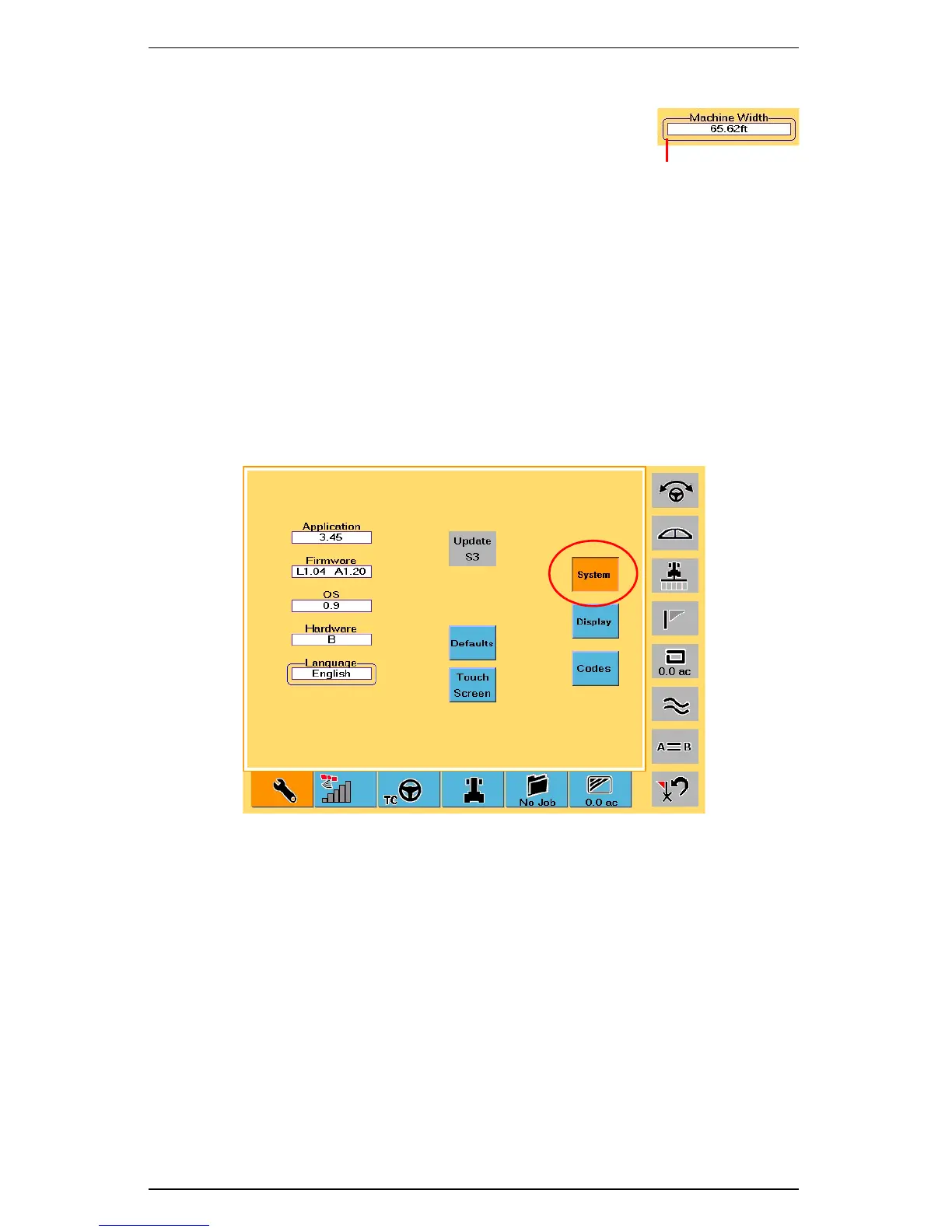
The System screen (Figure 2-3) allows you to view hardware and software information
as well as change the system language and calibrate the touch screen.
Figure 2-3: System screen
To access the System screen:
1. Touch the Setup tab.
2. Touch the System button.
Line indicates you can
edit the field


 To Next Page
 Loading...
