S3 User Guide 21 PN 875-0196-000 Rev C1
Chapter 2: Installation and Setup
Configuring Steering Settings
S3 uses the settings on the Steering tab when you are using an optional automated
steering control unit, such as Hemisphere GPS’ Outback eDriveTC/eDriveVSi or
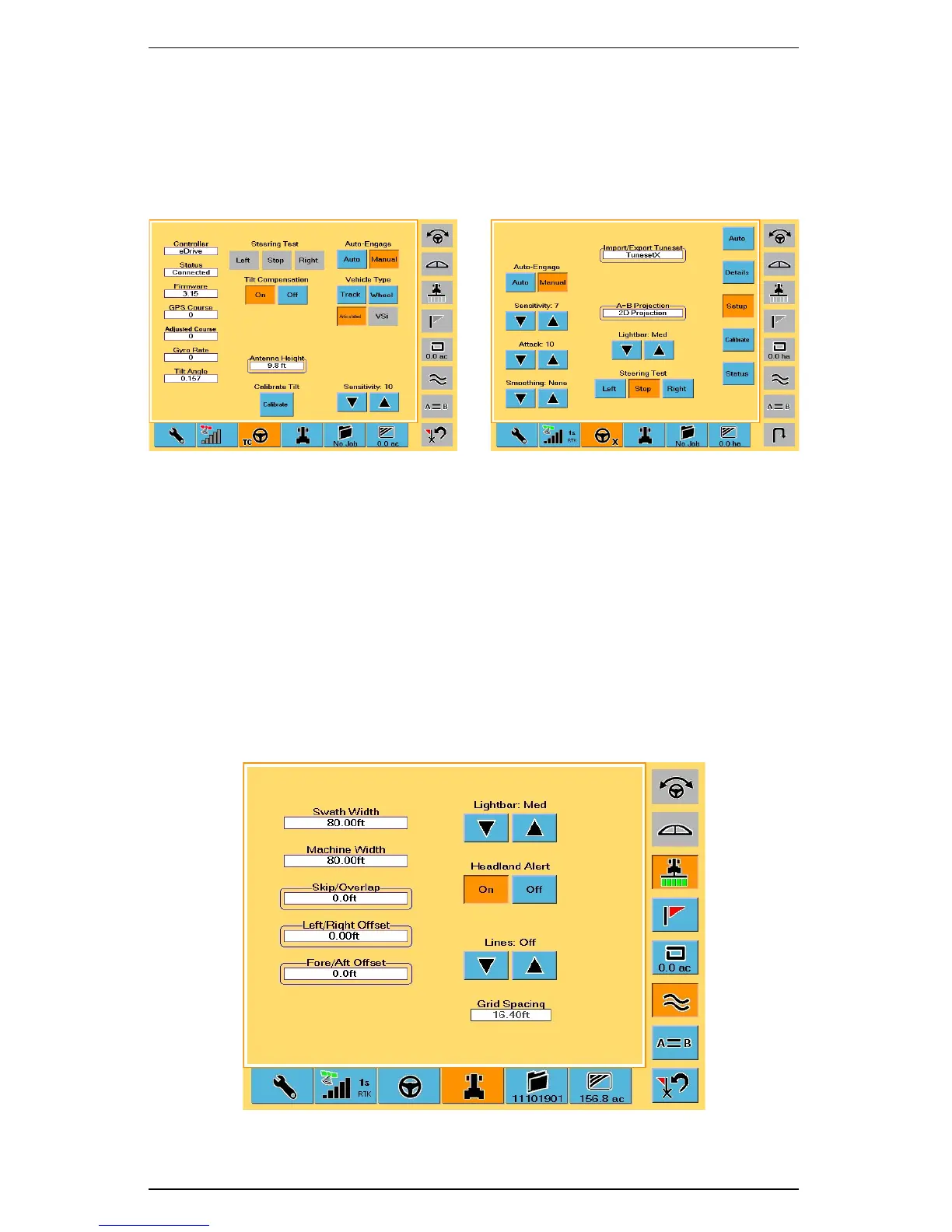
eDriveX. Several fields on the Steering screen provide useful diagnostic information.
Figure 2-6 shows the Steering screen when either eDriveTC/eDriveVSi or eDriveX is
connected.
Figure 2-6: Steering screen - with eDriveTC or eDriveX connected
To access the Steering screen:
•Touch the Steering tab.
Refer to the eDriveTC User Guide or eDriveX User Guide (both available from the
Outback Guidance website at www.outbackguidance.com) for more information on
using the Steering screen.
Configuring Vehicle Settings
The Vehicle screen (Figure 2-7) has various settings related to the machinery and
implements you use in the current job.
Figure 2-7: Vehicle screen
eDriveTC or eDriveVsi eDriveX


 To Next Page
 Loading...
