S3 User Guide 32 PN 875-0196-000 Rev C1
Chapter 3: Basic Operation
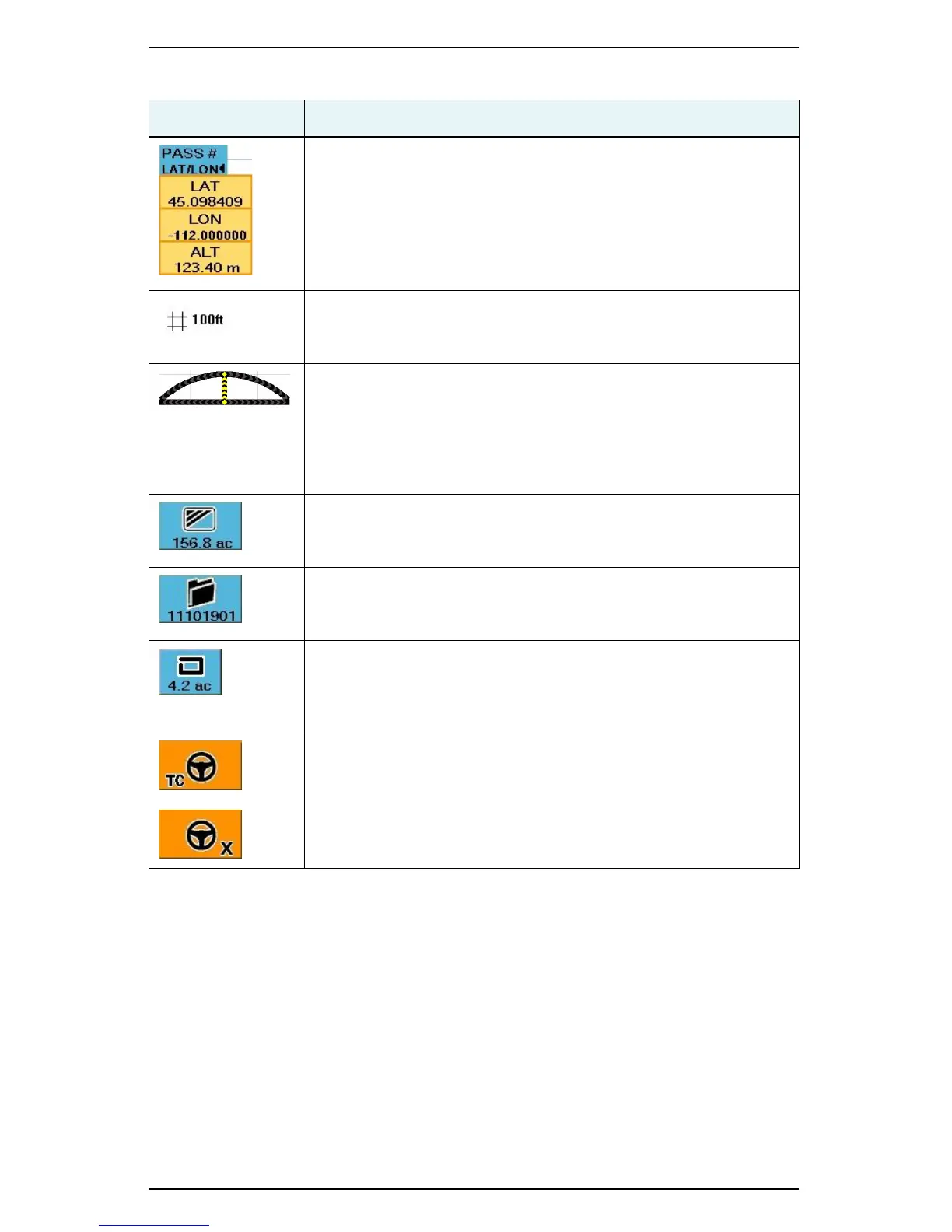
Latitude/Longitude
Touch the button to display the latitude, longitude, and altitude of
the vehicle location. This button toggles between pass information
and location information (see previous row in this table).
Zoom Distance
Distance between the grid lines on the S3 display (value increases
or decreases as you zoom in or out).
Steering Guide Lightbar
Shows the vehicle’s position relative to the guidance line. When the
Steering Guide indicators are centered (indicated by a vertical
yellow row as shown), the vehicle is aligned with the previous
pass.To make accurate steering corrections, simply steer in the
direction indicated by the lighted arrows, left or right.
Applied Area
Total of the applied or recorded area in either acres or hectares. It is
displayed on the Map tab for quick reference.
Job Number
S3-generated number for the current job that is displayed on the
Job tab for quick reference.
Perimeter Area
When a perimeter is defined, S3 calculates the perimeter area and
displays the total. It is displayed on the Perimeter control button for
quick reference.
Steering Controller Connected
An indicator appears on the Steering tab when:
• eDriveTC is connected and Tilt Compensation is enabled (TC
appears on the lower left of the tab)
• eDriveX is connected (X appears on the lower right of the tab)
Table 3-2: Job and guidance status information (continued)
Indicator Description


 To Next Page
 Loading...
