S3 User Guide 37 PN 875-0196-000 Rev C1
Chapter 3: Basic Operation
Setting the Pivot Line
1. Position the vehicle at the beginning of the first pass.
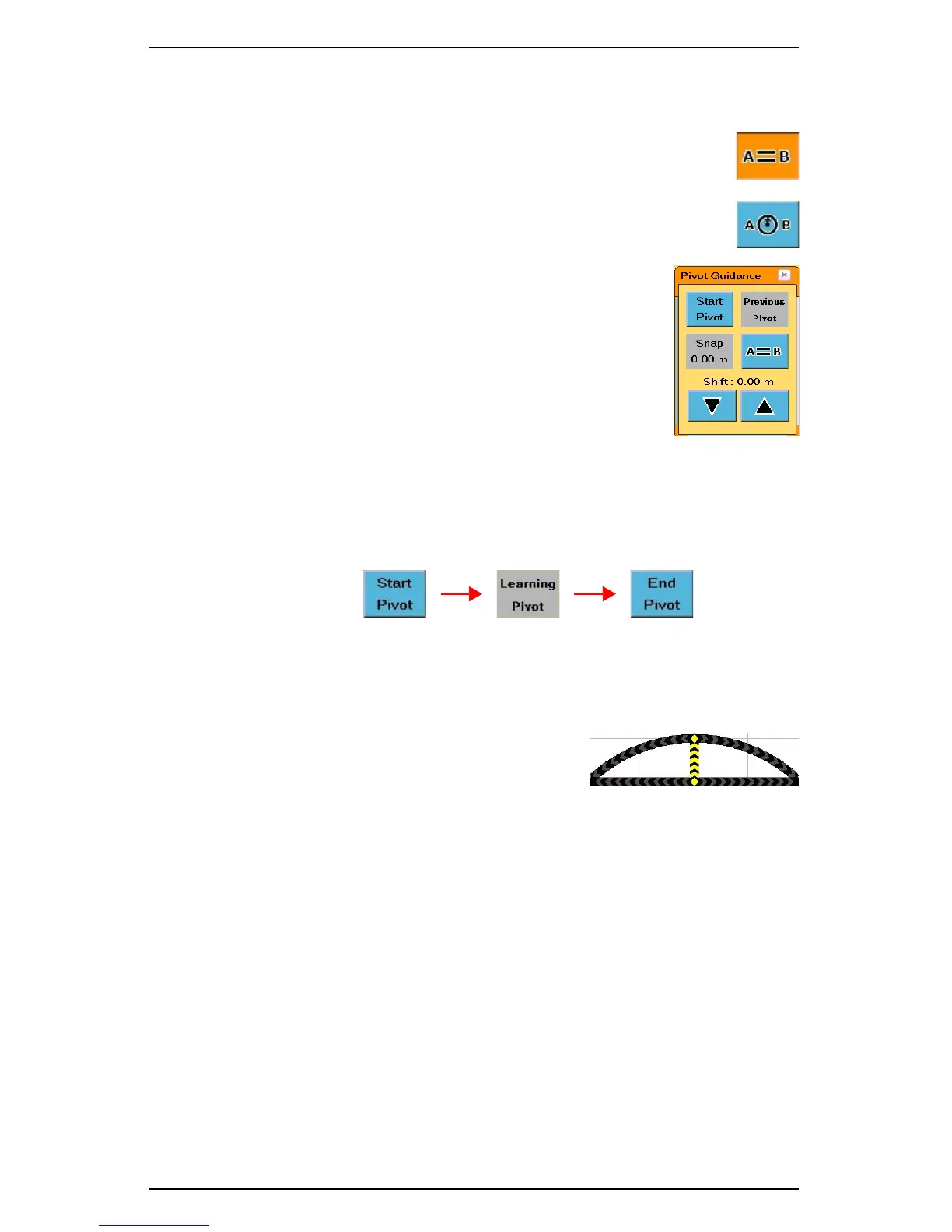
2. Touch the Straight Guidance control button. The Straight
Guidance window appears.
3. In the Straight Guidance window touch the Pivot button.
The Pivot Guidance window appears and the Straight
Guidance control button changes to the Pivot Guidance
control button.
4. Touch the Start Pivot button and begin driving the circle.
a. The Start Pivot button changes to gray and displays “Learning Point”
while logging data.
b. When enough data has been collected for the S3 to calculate the
circumference of the circle being driven, the button displays End Pivot.
5. At the end of the circle, touch the End Pivot button to end the pivot log.
Beginning Pivot Guidance
After setting the Pivot Log, the S3 automatically begins guiding.
1. Turn the steering wheel in the direction
indicated by the Steering Guide lights to
remain centered on the current pass.
2. When you have finished one pass, just move
to either the right or left of the original circle
and the S3 automatically begins guiding the new pass.
Numbering Passes
After you establish the Pivot Log the S3 numbers all passes. Pass +1 is always to the
right of the original circle and Pass -1 to the left.
• If you drive the circle counterclockwise Pass +1 is on the outside.
• If you drive the circle clockwise, Pass +1 is on the inside of the original circle.
You can work passes in any order.


 To Next Page
 Loading...
