.
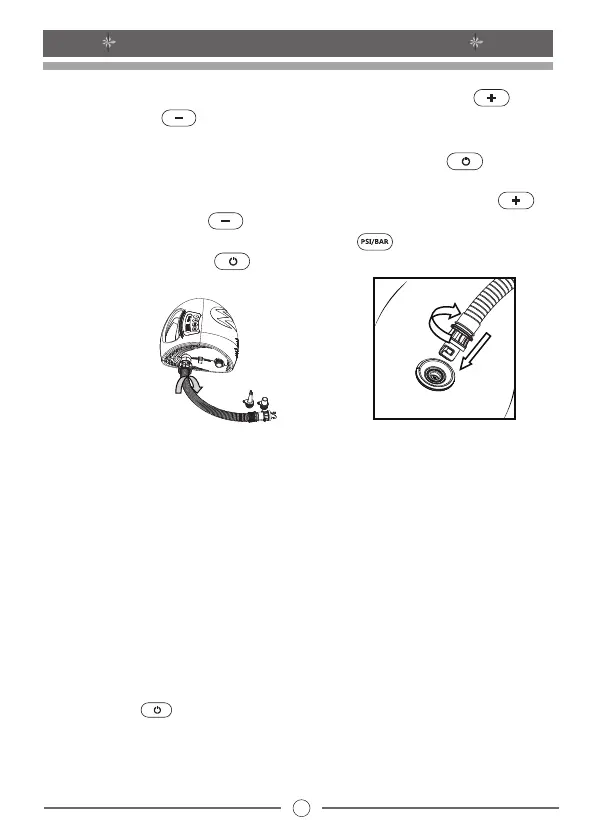
(Figure 1)
(Figure 2)
* When the pressure reaches the target value, the pump will stop inflating
automatically.
* After completing the inflation pull out the DC plug from the 12V DC car
connector socket, disconnect the hose from the pump and store them
securely.
4
OP20 DC12V ELECTRIC AIR PUMP
* After finishing the above steps, press the On/Off button to start to
inflation.
* During the inflation process, you can press the pressurizing button or
decompressing button to increase or reduce the target pressure
value, press the pressure unit toggle button to switch the unit, and
press the On/Off button to stop.
* Notice: The factory preset pressure value of the air pump is 10PSI
(10PSI=0.689BAR). The real time pressure value will automatically show
on the display when you start the pump.
* Notice: After powered on, if the pump is not used within 2 minutes, it will
enter standby mode. The pump can be powered on again by pressing the
On/Off button
* Then set desired target pressure using the pressurizing and
decompressing buttons. The range of pressure value is from 0.5 to
20PSI, (1PSI=0.0689BAR).


 To Next Page