EasyManua.ls Logo

Ovention Shuttle S1200 - User Manual

Ovention Shuttle S1200
20 pages
Print Icon
To Next Page IconTo Next Page
Loading...
Do not operate this equipment unless you
have read and understood the contents of
this manual! Failure to follow the
instructions contained in this manual may
result in serious injury or death. This
manual contains important safety
information concerning the maintenance,
use, and operation of this product. If
you’re unable to understand the contents
of this manual, please bring it to the
attention of your supervisor. Keep this
manual in a safe location for future
reference.
No opere este equipo al menos que haya
leído y comprendido el contenido de este
manual! Cualquier falla en el seguimiento
de las instrucciones contenidas en este
manual puede resultar en un serio lesión
o muerte. Este manual contiene
importante información sobre seguridad
concerniente al mantenimiento, uso y
operación de este producto. Si usted no
puede entender el contenido de este
manual por favor pregunte a su
supervisor. Almacenar este manual en
una localización segura para la referencia
futura.
Ne pas utiliser cet équipement sans avoir
lu et compris le contenu de ce manuel !
Le non-respect des instructions
contenues dans ce manuel peut entraîner
de graves blessures ou la mort. Ce
manuel contient des informations
importantes concernant l'entretien,
l'utilisation et le fonctionnement de ce
produit. Si vous ne comprenez pas le
contenu de ce manuel, veuillez le signaler
à votre supérieur. Conservez ce manuel
dans un endroit sûr pour pouvoir vous y
référer plus tard.
WARNING
ADVERTENCIA
AVERTISSEMENT
P/N 07.04.653.00 © 2016 Ovention, Inc.
Installation and Operating Manual
Shuttle
®
Oven
Models: S1200, S2000
Question and Answer IconNeed help?

Do you have a question about the Ovention Shuttle S1200 and is the answer not in the manual?

Overview

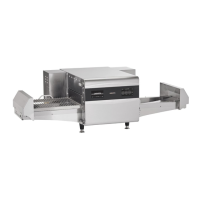
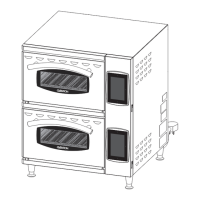
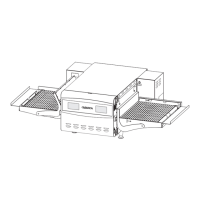
The Ovention Shuttle® Oven is a commercial cooking appliance designed for speed, flexibility, and efficiency in both kitchen and front-of-the-house installations. It utilizes a unique air handling system that "scrubs" and recirculates air through the oven, often eliminating the need for a hood system in non-catalyst (NC) models. The oven is available in two main models: the S1200 and S2000, with variations for cavity size and catalyst presence.

Function Description:

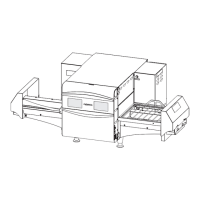
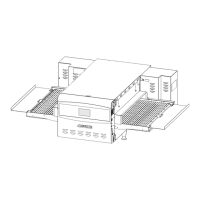
The Shuttle Oven is equipped with dedicated upper and lower heating elements and air blowers that direct heated air through jet plates, both above and below the food, inside the oven chamber. A conveyor belt moves food products through the oven. The oven offers two primary cooking modes: Shuttle Mode for cooking single items with specific heat/time settings, and Conveyor Mode for continuous cooking of multiple items. Icon-driven touchscreens allow operators to use, edit, and develop over 1000 custom menu items, each with up to three cooking stages with varying heat profiles, upper and lower air velocity settings, and timing. Shuttle doors on each side of the oven chamber maintain control and efficiency for specific cooking settings.
Important Technical Specifications:

  • Models: S1200, S2000, S2000NC (No Catalyst)
  • Cavity Dimensions:
    • S1200: 16" W x 16" D x 3-1/4" H (406 x 406 x 82 mm)
    • S2000: 20" W x 20" D x 3-1/4" H (508 x 508 x 82 mm)
  • Overall Dimensions (S1200): 50-1/16" W x 31" D x 20-1/4" H (1271 x 787 x 514 mm)
  • Overall Dimensions (S2000): 63-5/16" W x 36-7/8" D x 20-1/4" H (1608 x 936 x 514 mm)
  • Unit Weight:
    • S1200: 167 lbs (76 kg)
    • S2000: 230 lbs (104 kg)
  • Electrical Ratings (208/240V, 1 Phase, 60 Hz):
    • S1200: 5408 Watts, 26 Amps (NEMA 6-30P)
    • S1200CSA: 4992 Watts, 24 Amps (NEMA 6-30P)
    • S1200 (HW): 6656 Watts, 32 Amps (NEMA 6-50P)
    • S2000: 9152/11760 Watts, 44/49 Amps (NEMA 6-50P)
    • S2000CSA: 8320 Watts, 40 Amps (NEMA 6-50P)
    • Note: "208/240" models automatically adjust to 208 VAC or 240 VAC input.
  • Temperature Range: 300°-525°F (149°-274°C)
  • Clearance: Minimum 1" (25 mm) along sides and rear for proper ventilation.
  • USB Port: Allows uploading of pre-programmed menu items, software updates, and service diagnostics. USB drive capacity must be 4 GB or less.
  • Cord and Plug: Standard 6' (1829 mm) cord and plug set.

Usage Features:

  • Touchscreen Controls: Two multi-function touchscreens provide an intuitive interface for operation and programming.
  • Shuttle Mode: Ideal for single-item cooking, allowing specific heat/time settings for individual products. The oven indicates remaining cook time and alerts when cooking is complete.
  • Queued Item Cooking (Continuous Cooking): Allows for continuous cooking of multiple items in Shuttle Mode by queuing them. The oven manages the cooking sequence and alerts operators for product removal and loading.
  • Conveyor Mode: Enables continuous operation with both shuttle doors open and the conveyor belt moving constantly. Four pre-set conveyor settings are available, and custom settings can be programmed.
  • Menu Item Programming: Stores up to 1024 custom menu items, organized into 128 categories. Each menu item can have up to three cooking stages with adjustable top blower percentage, bottom blower percentage, cook duration, and cook temperature.
  • Setpoint Temperature Editing: Allows authorized personnel to edit or create up to three setpoint temperatures available at oven startup, including custom names.
  • Temperature Unit of Measure: Can be toggled between Fahrenheit and Celsius by authorized personnel.
  • USB Uploading: Facilitates easy uploading of pre-programmed menu items or firmware updates from an external USB drive.
  • Adjustable Door Panels: Customize the chamber opening height for different product sizes.
  • Crumb Trays: Two removable crumb trays, one below each side of the conveyor, for easy cleanup.

Maintenance Features:

  • Daily Cleaning:
    • Turn off Standby switch and allow unit to cool (fans operate until oven chamber drops below 140°F/60°C).
    • Move Main Disconnect switch to OFF (O).
    • Remove and discard food product.
    • Remove spillages with damp paper towel or non-abrasive cloth.
    • Remove and clean conveyor end stops and crumb trays.
    • Reinstall crumb trays and conveyor end stops.
    • Wipe down all exterior surfaces with a non-abrasive, damp cloth (cleaner optional for difficult stains).
    • Wipe dry all surfaces.
    • Polish exterior with stainless steel cleaner.
  • Monthly Cleaning:
    • Turn off Standby switch and allow unit to cool.
    • Move Main Disconnect switch to OFF (O).
    • Remove and clean the two air filters on the back of the oven by sliding them out, spraying with water/mild soap, rinsing, and air drying.
    • Remove and clean upper and lower jet plates inside the oven chamber using Chemco Dirt Buster III Oven Cleaner, a non-abrasive nylon scouring pad, and damp cloth.
    • Clean visible areas of the oven chamber using the same procedure as jet plates.
    • Reinstall jet plates.
    • Remove and clean conveyor end stops and crumb trays (as per daily cleaning).
    • Remove shuttle doors by disengaging the belt guard, drive belt, actuator pin, and retaining bracket, then sliding them out.
    • Clean belt guard and shuttle doors with mild soap and water, rinse, and dry.
    • Remove the conveyor belt assembly (requires two people) and clean with Chemco Dirt Buster III Oven Cleaner, a non-abrasive nylon scouring pad, and damp cloth.
    • Reinstall conveyor belt assembly, shuttle doors, belt guard, crumb trays, and conveyor end stops.
  • Safety Precautions:
    • Always turn off Standby switch and allow unit to cool before cleaning or maintenance.
    • DO NOT submerge or saturate with water.
    • DO NOT steam clean or use excessive water.
    • DO NOT use metal scouring pads.
    • Use only non-abrasive cleaners and cloths.
    • Use only Genuine Ovention Replacement Parts for service.
    • Improper cleaning of the oven could damage the catalyst and void the warranty.
    • DO NOT move or relocate the unit for cleaning as it is bulky and heavy.
    • Internal fans must cool the oven to avoid damage to electrical components; do not turn off Main Disconnect switch or unplug immediately after use.

Ovention Shuttle S1200 Specifications

General IconGeneral
BrandOvention
ModelShuttle S1200
CategoryOven
LanguageEnglish

Related product manuals