EasyManua.ls Logo

Ovention Matchbox M1313 - User Manual

Ovention Matchbox M1313
20 pages
Print Icon
To Next Page IconTo Next Page
Loading...
Register Online!
(see page 2)
oventionovens.com
© 2013 Ovention, Inc.
Do not operate this equipment unless you
have read and understood the contents of
this manual! Failure to follow the
instructions contained in this manual may
result in serious injury or death. This
manual contains important safety
information concerning the maintenance,
use, and operation of this product. If
youre unable to understand the contents
of this manual, please bring it to the
attention of your supervisor. Keep this
manual in a safe location for future
reference.
No opere este equipo al menos que haya
leído y comprendido el contenido de este
manual! Cualquier falla en el seguimiento
de las instrucciones contenidas en este
manual puede resultar en un serio lesión
o muerte. Este manual contiene
importante información sobre seguridad
concerniente al mantenimiento, uso y
operación de este producto. Si usted no
puede entender el contenido de este
manual por favor pregunte a su
supervisor. Almacenar este manual en
una localización segura para la referencia
futura.
Ne pas utiliser cet équipement sans avoir
lu et compris le contenu de ce manuel !
Le non-respect des instructions
contenues dans ce manuel peut entraîner
de graves blessures ou la mort. Ce
manuel contient des informations
importantes concernant l'entretien,
l'utilisation et le fonctionnement de ce
produit. Si vous ne comprenez pas le
contenu de ce manuel, veuillez le signaler
à votre supérieur. Conservez ce manuel
dans un endroit sûr pour pouvoir vous y
référer plus tard.
WARNING
ADVERTENCIA
AVERTISSEMENT
Installation and Operating Manual
P/N 07.04.620.00
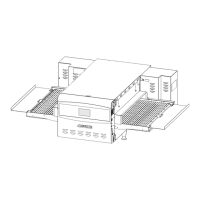
Matchbox
Oven
Models: M1313
M1718
Total Restaurant Supply - https://totalsupply1.com - Toll Free 1-800-944-9304 - Local 507-288-9454

2940 Hwy 14 W, Rochester, MN 55901

Questions and Answers

  • J
    Joseph TaylorAug 12, 2025
    How to troubleshoot a blank touchscreen on my Ovention Matchbox M1313?
    • R
      Rita ConwayAug 12, 2025
      If your Ovention oven's touchscreen is blank and the oven isn't operating, first ensure the unit is plugged in and that the main Disconnect switch is in the ON position (I) for model m1718. Also, make sure the Standby switch is in the “On” position. If the issue persists, check that the unit is connected to the correct power supply, referring to the SPECIFICATIONS section for electrical details. If needed, contact a qualified electrician to install the proper voltage receptacle.
  • M
    Melissa MooreAug 15, 2025
    What to do if the CHECK FANS light is on in my Ovention oven?
    • A
      Allen Reid DDSAug 15, 2025
      If the CHECK FANS indicator light is on in your Ovention oven, it could be due to several reasons: * If the ambient air temperature is over 95°F (35°C) (light will illuminate in ambient temperatures over 120°F (49°C)), verify the light shuts off once the temperature drops below 120°F (49°C) consistently. * Check and clean the air filters if they are dirty, following the “monthly Cleaning” procedure in the MAINTENANCE section. * If the Temperature High Limit switch has tripped, press the Temperature High Limit Reset Button located on the rear, left side of the oven chamber near the main Disconnect switch.
  • T
    Tyrone DaughertyAug 23, 2025
    How to fix irregular slider movement in my Ovention oven?
    • D
      Donald McdanielAug 25, 2025
      If you're experiencing irregular slider movement in your Ovention oven, check all screws on the slider system and tighten them if necessary.
  • E
    Eric McbrideAug 27, 2025
    What to do if my Ovention Matchbox M1313 touchscreen is blank?
    • R
      Ryan WilliamsAug 27, 2025
      If your Ovention Oven's touchscreen is blank, first ensure the unit is plugged in and the main Disconnect switch is in the ON (I) position (only for model m1718). Then, check that the Standby switch is moved up to the “On” position. Also, verify that the unit is connected to the correct power supply, referring to the SPECIFICATIONS section for electrical details. If the power supply is incorrect, contact a qualified electrician to install the proper voltage and receptacle.
  • M
    Miss Amy LeeAug 31, 2025
    Why is the CHECK FANS light on in my Ovention Oven?
    • D
      Dr. Autumn Shepherd PhDAug 31, 2025
      The CHECK FANS light on your Ovention Oven may be on because the ambient air temperature is over 95°F (35°C). The light should turn off once the ambient temperature drops below this consistently. If it does not, check the air filters and clean them if they are dirty, referring to the “monthly Cleaning” procedure in the MAINTENANCE section. Also, the Temperature High Limit switch may have tripped; press the Temperature High Limit Reset Button on the back of the oven chamber near the bottom. If the switch continues to trip, contact authorized Service agent.
  • A
    Andrew EstradaSep 3, 2025
    How to fix improper cooking of food in my Ovention Matchbox M1313?
    • B
      Brittany FullerSep 3, 2025
      If food is not cooking properly in your Ovention Oven, first verify the setpoint temperature and menu item selection are correct. Change to the proper settings if needed, referring to the OPERATION section. If the issue persists, contact authorized Service agent.
  • P
    Patricia LopezSep 7, 2025
    What to do if the slider movement is irregular in my Ovention Matchbox M1313 Oven?
    • A
      Alicia FisherSep 7, 2025
      If you're experiencing irregular slider movement in your Ovention Oven, check all screws on the slider system and tighten them if necessary. If the problem continues, contact authorized Service agent.
  • S
    Shelly WilliamsSep 10, 2025
    Why is my Ovention Matchbox M1313 not cooking food properly?
    • T
      tara40Sep 12, 2025
      If your Ovention oven is not cooking food properly, verify the setpoint temperature and menu item selection are correct. If they are incorrect, change to the proper settings, referencing the OPERATION section.

Summary

Important Owner Information

Record Unit Details

Record model number, serial number, voltage, and purchase date for service assistance.

Register Your Unit Online

Complete online warranty registration to prevent delays in obtaining coverage.

Introduction to Ovention Matchbox Ovens

Safety Information Identification

Identifies signal word panels (WARNING, CAUTION, NOTICE) used for safety information.

Important Safety Information

Electric Shock Hazards

Covers proper grounding, unplugging, and cleaning precautions to prevent electric shock.

Fire Hazards and Precautions

Details on installation clearance, combustible surfaces, extension cords, and flammable vapors.

Burn Hazards and Precautions

Warns about hot surfaces, hot pans, and the need for protective gear during operation.

Model Description

Oven Components Overview

Identifies key components of the Matchbox Oven, including touchscreens, switches, and slider assembly.

Model Designation System

Oven Specifications

Plug Configurations and Electrical Ratings

Details required plug types (NEMA 6-30P, NEMA 6-50P) and electrical ratings for operation.

Oven Dimensions and Cook Surfaces

Physical Dimensions

Provides detailed measurements (width, depth, height, footprint) for Ovention Matchbox oven models.

Cook Surface Dimensions

Specifies the dimensions of the cooking surfaces for both M1313 and M1718 models.

Oven Installation Procedures

General Installation Guidelines

Covers unpacking, inspection, placement, and clearance requirements for oven installation.

Installing Crumb Trays and Cooking Racks

Step-by-step instructions for installing crumb trays and cooking racks into the oven.

Connecting Power Supply

Procedure for plugging the oven into a properly grounded electrical receptacle of the correct voltage.

Oven Operation Basics

General Operation Overview

Provides an overview of operating the Ovention Matchbox oven and model-specific pan sizes.

Menu Item Information and Programming

Details the oven's capability to store custom menu items and organize them into categories.

Oven Startup Procedure

Step-by-step guide for powering on the oven and reaching the initial setpoint temperature.

Cooking Procedures

Single Item Cooking

Instructions for cooking a single food item, including loading, sequence start, and removal.

Queued Item Cooking

Procedure for continuous cooking by queuing multiple menu items for sequential processing.

Oven Shutdown Procedure

Programming Menu Items

Creating and Editing Menu Items

Guide to creating new or editing existing menu items, including setting name, time, blower, and temperature.

Menu Item Settings Configuration

Details on configuring specific settings like cook time, blower percentages, and temperatures for menu items.

Changing Setpoint Temperatures

Creating and Editing Setpoint Temperatures

Uploading from a USB Drive

Oven Maintenance

General Maintenance Precautions

Covers safety warnings, cleaning chemicals, and general care for the Ovention Matchbox Oven.

Daily Cleaning Procedures

Step-by-step guide for daily cleaning of cooking racks, crumb trays, and exterior surfaces.

Weekly Cleaning

Monthly Cleaning

Troubleshooting Guide

Oven Not Operating or Blank Touchscreen

Troubleshooting steps for when the oven does not power on or the touchscreen is blank.

Slider Movement Issues

Addresses problems related to irregular slider movement, loose screws, or system malfunctions.

Food Cooking Problems

Diagnoses issues with improper cooking due to incorrect settings or airflow problems.

Fan Indicator Light and Oven Heating Issues

Covers fan light illumination, ambient temperature effects, dirty air filters, and heating malfunctions.

Options and Accessories

Approved Oven Cleaner

Information on Chemco Dirt Buster III Oven Cleaner for cleaning cooking grease and residue.

Limited Warranty

Product Warranty Coverage

Details Ovention's warranty for defects in materials and workmanship for one year from purchase.

Limitation of Remedies and Damages

Outlines limitations on remedies, liabilities, and exclusion of consequential or incidental damages.

Ovention Authorized Parts Distributors

Ovention Matchbox M1313 Specifications

General IconGeneral
CategoryOven
TypeConveyor Oven
Interior Dimensions13" x 13"
Power SupplyElectric
Control TypeDigital
Weight135 lbs
Conveyor Belt Width13"
Temperature Range150°F to 500°F
ModelMatchbox M1313
Cooking MethodConveyorized
Power3.6 kW
Voltage208-240V

Related product manuals