Form No. OVMM-0113
9
OPERATION
Cooking
Use the following procedures to cook a single item or cook
multiple items continuously.
Single Item Cooking
1. Make sure the oven has reached setpoint temperature. The
Main Menu screen will appear on one of the touchscreens.
Main Menu Screen
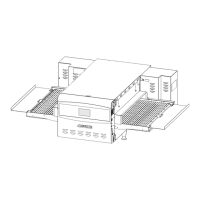
2. Using a paddle, pan gripper, or other utensil, place the food
product onto the cooking surface that is outside of the oven
chamber.
NOTE: The left touchscreen corresponds with the left cooking
surface/platform, and the right touchscreen
corresponds with the right cooking surface/platform.
3. Touch the desired menu item on the corresponding
touchscreen.
• The slider assembly moves the food product into the
oven chamber, and the cooking sequence begins.
• The touchscreen changes to the green Cooking screen
and shows the remaining cook time for the selected
menu item.
Cooking Screen
• When the cooking sequence is finished, the
touchscreen flashes “DONE”, an audible alert sounds,
and the slider assembly moves the food product out of
the oven chamber.
BURN HAZARD: Pan/tray will be very hot upon removal—
use oven mitt, pan gripper, or other utensil to remove.
4. Using a paddle, pan gripper, or other utensil, remove the
cooked food product.
Queued Item Cooking (Continuous Cooking)
1. Perform steps 1–3 of the “Single Item Cooking” procedure
in this section.
• The slider assembly moves the food product into the
oven chamber, and the cooking sequence begins.
2. Using a paddle, pan gripper, or other utensil, place the next
food product onto the opposite cooking surface that is now
outside of the oven chamber.
3. Touch the desired menu item on the corresponding
touchscreen.
• The touchscreen changes to the In Queue screen and
shows the queued menu item, the queued item cook
time, and the total time remaining until the queued item
is done.
Touchscreens During Queued Item Cooking
• When the first cooking sequence has 10 seconds
remaining, the In Queue screen flashes yellow to
indicate that the slider assembly is about to move.
• When the first cooking sequence is complete, the
corresponding touchscreen flashes “DONE”, an audible
alert sounds, and the slider assembly moves the cooked
food product out of the oven chamber while moving the
queued food product into the oven chamber.
4. Using a paddle, pan gripper, or other utensil, remove the
cooked food product.
5. Repeat steps 2–4 of this procedure for continuous, queued
item cooking.
Shutdown
1. Move the Standby switch down to the “Off” position.
• The oven heaters and touchscreens will shut off.
• The air blowers and cooling fans will continue to operate
until the oven chamber temperature drops below 140°F
(60°C).
Do not disconnect unit from power supply immediately
after use. Internal fans must cool oven to avoid damage to
electrical components.
Total Restaurant Supply - https://totalsupply1.com - Toll Free 1-800-944-9304 - Local 507-288-9454


 To Next Page