EN
• When the mirror is active, press briefly to turn the display on
or o. You can also turn the display on by touching it. If you turn
the display o, the video does not stop recording.
4. Down key
• In the main menu it switches between options.
• In video mode press briefly to start or stop recording sound.
The microphone icon shows this in the display.
• In playing mode it switches between recordings. When playing,
press and hold to rewind.
5. Up key
• In main menu it switches between options.
• In video mode press to switch between front and rear camera
or both at a time.
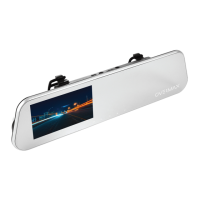
Camera elements description
1. MicroSD port
MicroSD card port. Use microSD cards (speed class above 6 and mini-
mum capacity of 4 GB and max. 32 GB). Use popular cards.
2. AV-IN port
Rear camera port.
3. Minibus port
MiniUSB power port for connecting the feeder cable. Use the feeder
cable supplied.
4. RESET key
Press this key to turn the camera o and restore default settings.


 To Next Page