EN
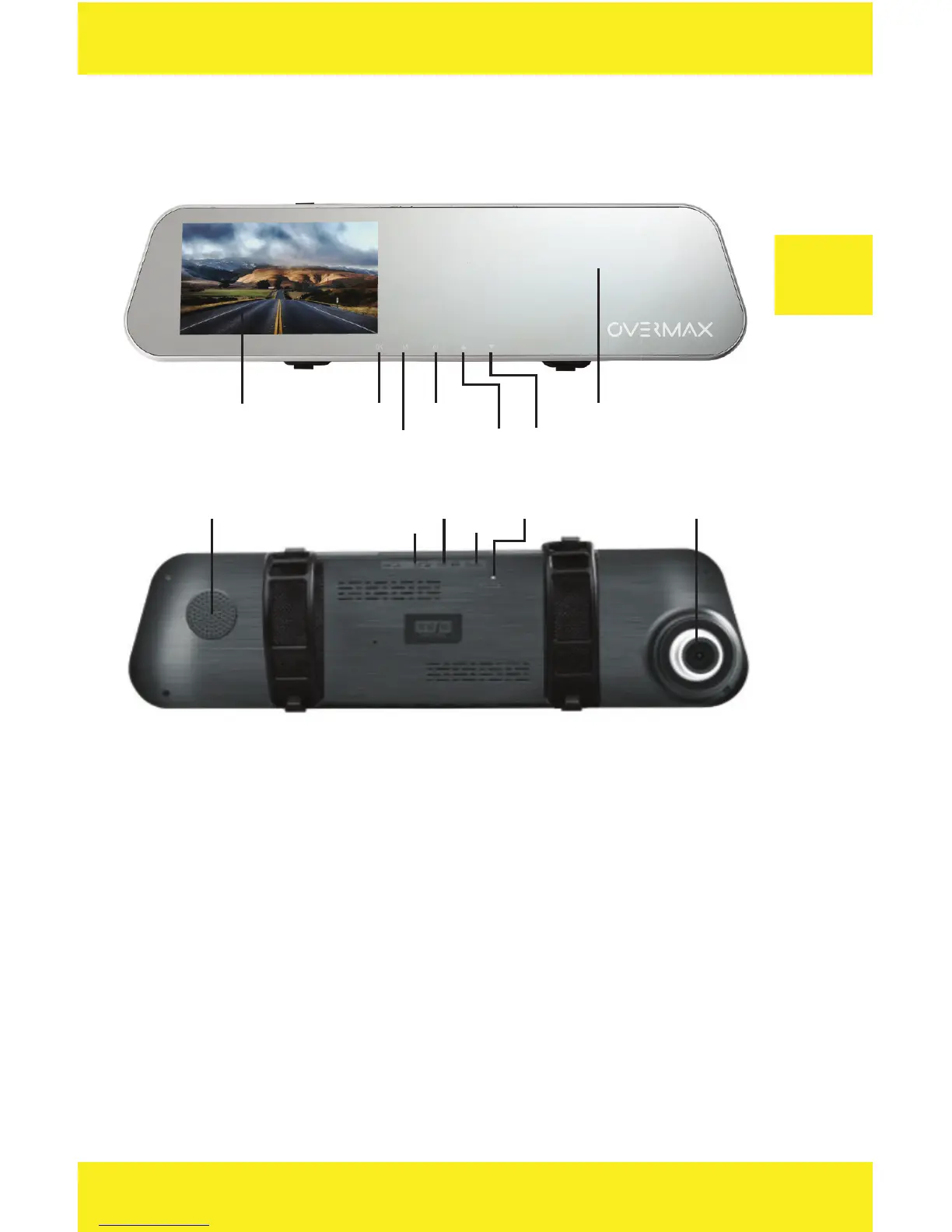
Device outline
Display OK
Mode
On/Off
Up
Down
Mirror
Speaker
SD
AV-IN
USB
Reset Camera
Keys description
1. OK key
• In video mode press the key to switch video recording on/o .
• In photo mode press to take a picture.
• In main menu view it confi rms the selected option.
• In playing mode press to play/stop the recording.
2. Mode key
• Press this key to switch between the video mode and main menu.
3. On/O
• When the mirror is inactive, press briefl y to activate it. Press
and hold to switch it o .


 To Next Page