English
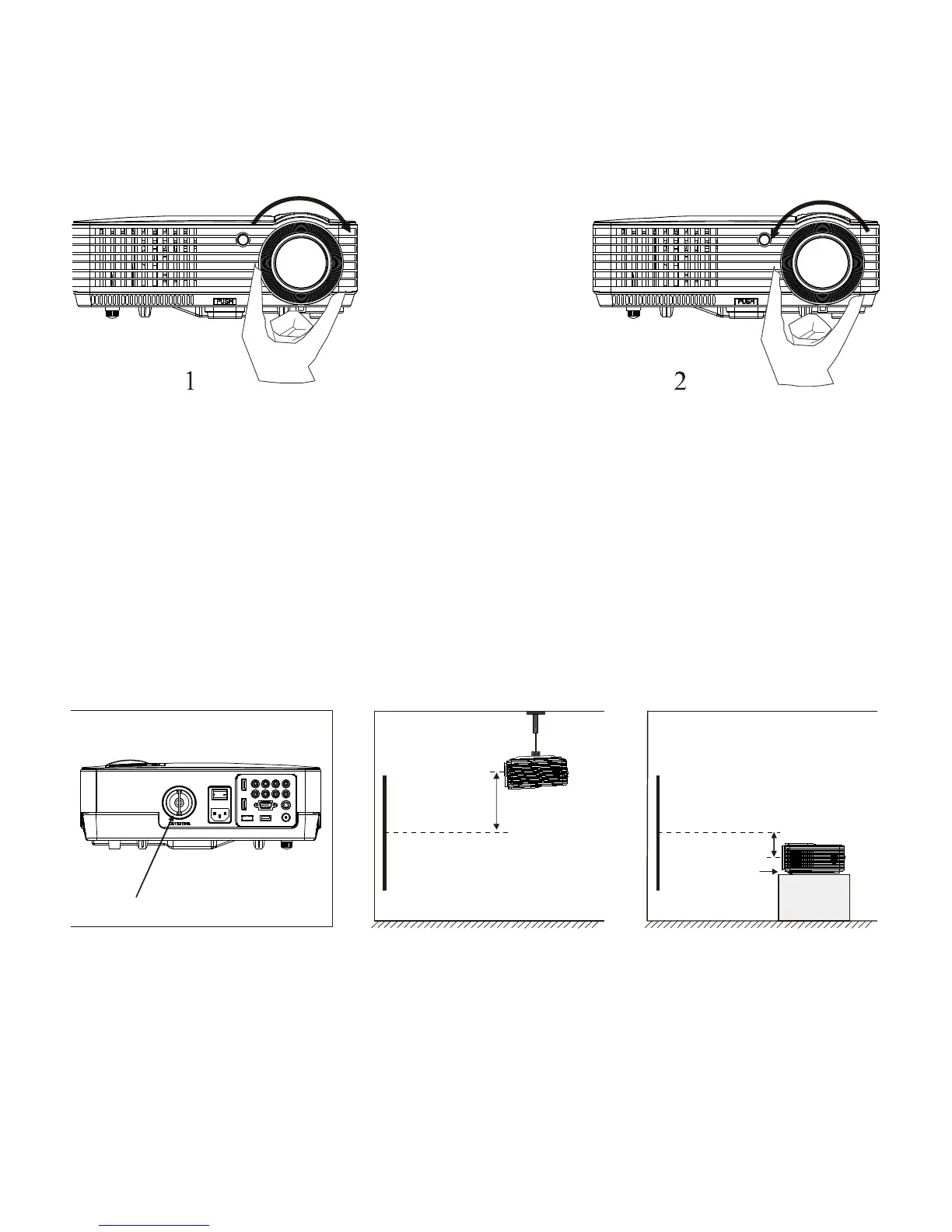
Focus adjustment
1.Turn the lens clockwise to the projector then turn it counter clockwise slowly
. At the same time, check the resolution point carefully. When image is clear
(as the middle area of the image), it will be the best position of the lens.
NOTE:
When you replace the projector from a cold to a warm environment
water vapor might occur. Don't turn the projector on when this occurs but wait
until the vapor has disappeared.
KEYSTONE
If a projected picture has keystone distortion , correct image with keystone
adjustment. The image becomes trapezoid shape when the screen or
projector is not leveled. Please reposition the projector to improve its angle
to the screen . However , the circumference of the image may not be
focused.


 To Next Page