English
Menu settings
1. Menu settings method
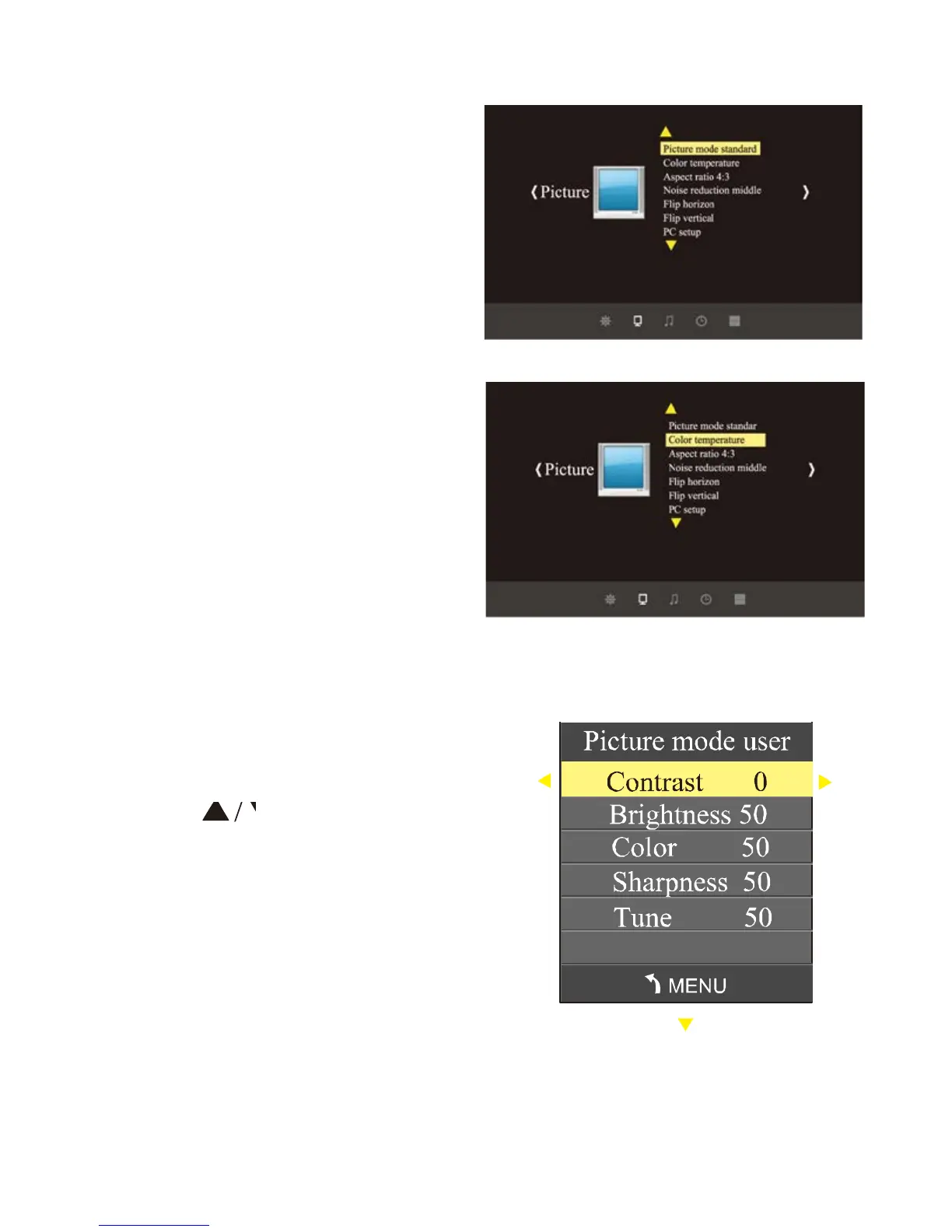
1) During operating the projector, press
"Menu" key, the projector show the
windows as picture(1).
2) Press "4/ W' key, enter the Sub menu
picture > sound > time > option in turn
3) After confirm the submenu, use "A / V"
to select your inquired submenu.
4) Use "OK" and " / " to adjust the
parameters.
5) After finishing all settings, press "menu"
again, exit the settings.
6) Repeat steps 2) - 5), set up all
parameters.
2. Parameters of menu setting.
a) press "menu" key , when it show.
b) press key. The selection will
be highlighted yellow.
c)
press "OK" key, use A/ ► key, to
adjust parameters. D)press "menu"
key again, exit the window.



 To Next Page