4
KOKO USER’S GUIDE
FIRST USE
INTERFACE OVERVIEW
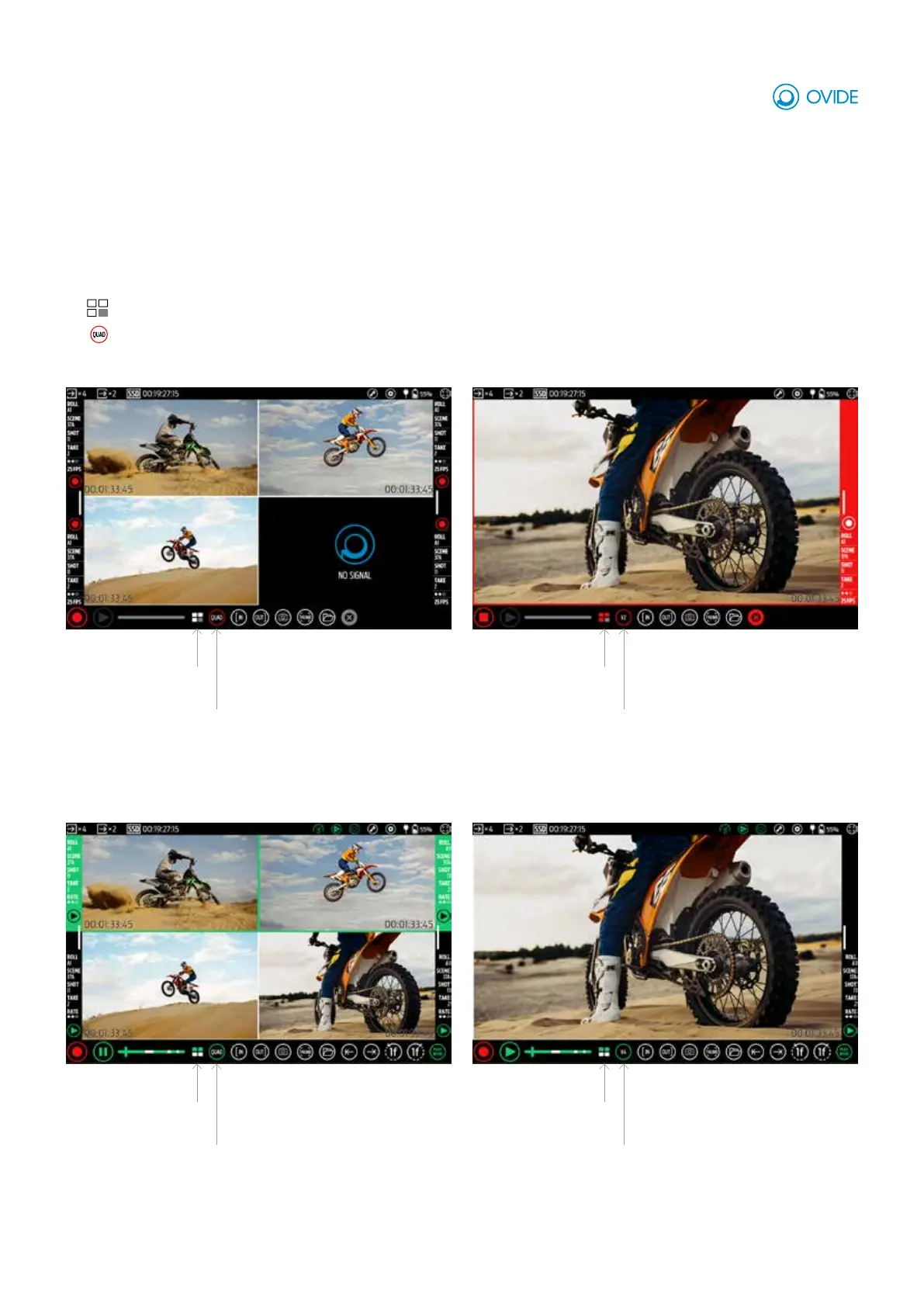
e.g.: Rec Mode & 4 views (none selected)
e.g.: Play Mode & 4 views (2 selected)
e.g.: Rec Mode & 1 view (selected view)
e.g.: Rec Mode & 1 view (standby view)
Modes: There are 2 modes, Rec Mode and Play Mode
Views: You can display 4 views or just one.
View selection:
Selected view/s:
Shows which view/s you are actually seeing (View 1-4 or Quadsplit view)
Selected views:
This example shows there are
3 feeds, 1 has no signal.
None of them are selected.
Selected views:
This example shows there are
4 feeds, 2 of them are selected
(views 1 and 2).
Selected views:
1 feed has no signal.
4 feeds, 2 of them are selected.
shows there are 4 views on
display.
shows there are 4 views on
display.
There are 3 recording feeds.
Selected views:
This example shows there are
Shown views: This example
Shown views: This example
Shown views: View 2 is on display.
Shown views: View 4 is on display.
You can select 1, 2, 3 or 4 views by tapping on them.
Actions (rec, play, stop, tools...) will only apply only to selected views, unselected views will remain in stanby.
A selected view has a white frame.
Shows which views have video input and which are selected or in standby.
Shown view/s:



 To Next Page