6
KOKO USER’S GUIDE
D
INTERFACE OVERVIEW
D
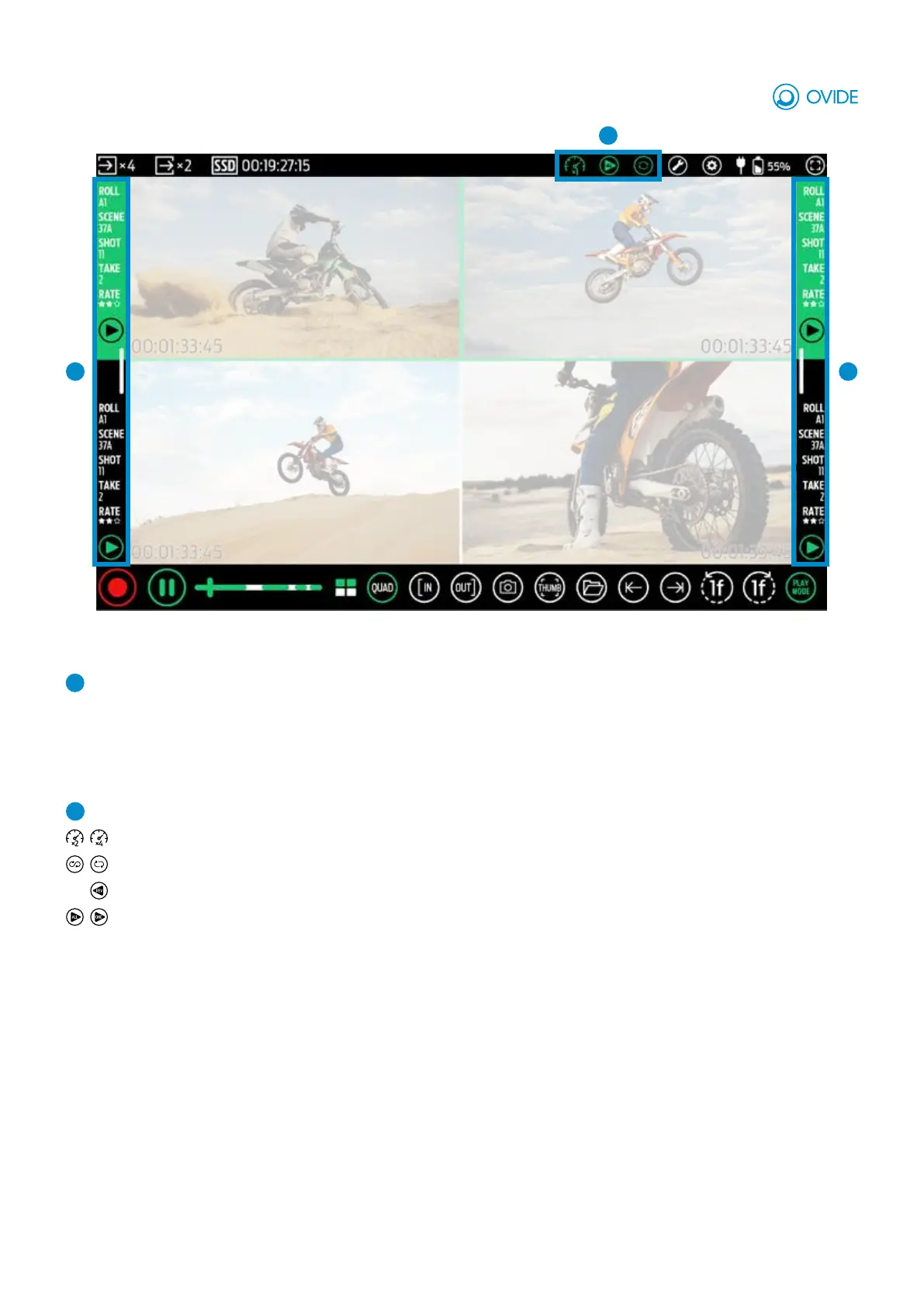
Play Mode area: Indicates activated play modes. On click, opens Play Mode options window.
Speed: Set play speed (×1 / ×2 / ×4)
Loop / Pong: Play clip/s on loop / pong mode
Reverse Play
Play all / Play one: Play all clips or just play selected one.
C
Sidebars: Shows clip metadata (roll, scene, shot, take, rating & fps) for each view on its side.
When a view is selected background will be colored in green/red.
A white slide will hide/show sidebars.
CC


 To Previous Page