20 GB
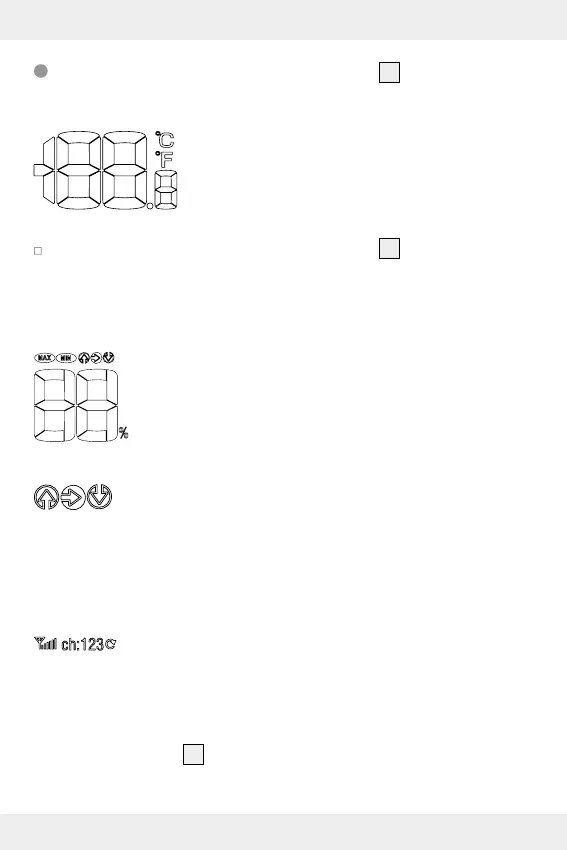
The outdoor temperature field
23
The outdoor temperature:
The outdoor temperature is displayed with in-
dexing up to a tenth of a degree. The temper-
ature unit °C (for degrees Celsius) appears at
the top right. The temperature unit can also be
set to the now uncommon unit °F (degrees Fahrenheit).
To change to this unit press the °C / °F button
12
.
If LL.L appears, it is below the measurement range of -20 °C to
50 °C (or - 4 °F to 122 °F), when HH.H appears it is above.
The relative humidity:
This displays the relative humidity to which the
outdoor sensor is exposed.
The temperature- or humidity trend:
The trend will appear as rising (or dropping), when the
temperature changes by 2 °C (= 3.6 °F) or more within
an hour and will maintain the direction for one hour
even without any further change. The humidity trend will
respond accordingly with a change of 2 % in humidity.
Channel display:
The main station receives the outdoor signal automati-
cally after you have made all the settings.
Note: In the event of interference from nearby equip-
ment transmitting radio signals, please select a different
channel for the outdoor sensor by pressing the CH
button
15
on the main station or the channel selector


 To Next Page
 Loading...