72 GB/MT
Q
Temperature memory
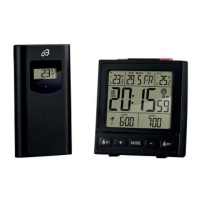
Press the MIN / MAX button
7
to show
the lowest temperature measured indoors,
“IN”
3
, and outdoors, “OUT”
4
.
Press the MIN / MAX button
7
again to
display the highest measured temperature.
Press the MIN / MAX button
7
again to
return to the current temperature.
Note: if the MIN / MAX button
7
is
not pressed for 5 seconds, the display
automatically reverts to the current
temperature.
Note: the stored minimum and maximum
temperature is deleted every day at
00:00 hours and measurement begins
again.
Q
Setting the time
Press the “SET” button
6
briefly to begin
setting the hour. The hours in the “TIME”
display
2
flash.
Press the MIN / MAX button
7
to set the
hour.


 To Next Page